























Mobile applications operate in one of the most fragmented environments in software. iOS and Android devices vary by manufacturer, operating system version, screen size, memory tier, and hardware capability. A feature that works perfectly on a flagship phone can fail silently on a low-RAM device, a foldable, or an older but still widely used operating system version. For QA leaders, this creates a difficult resourcing question. Building an in-house lab large enough to cover this fragmentation is expensive, and maintaining it requires constant investment. That is why outsourced mobile app testing has become a practical option for many product teams. An external provider can supply device coverage, specialized testers, and structured reporting without the overhead of owning every configuration.
However, outsourcing introduces its own risks. A loosely written engagement can leave critical questions unanswered. Which devices are covered? How long does a cycle take? What evidence is delivered? How quickly must a critical defect be reported? This guide addresses those questions directly. It covers scope definition, device matrix construction, deliverables, timelines, service level agreements, and exit criteria so that an outsourcing engagement becomes a measurable quality process rather than a vague promise. Codoid’s mobile app testing services follow the same structured approach described in this guide, combining analytics-driven device selection with clear reporting and defined release criteria.
What Should an Outsourced Mobile App Testing Engagement Include?
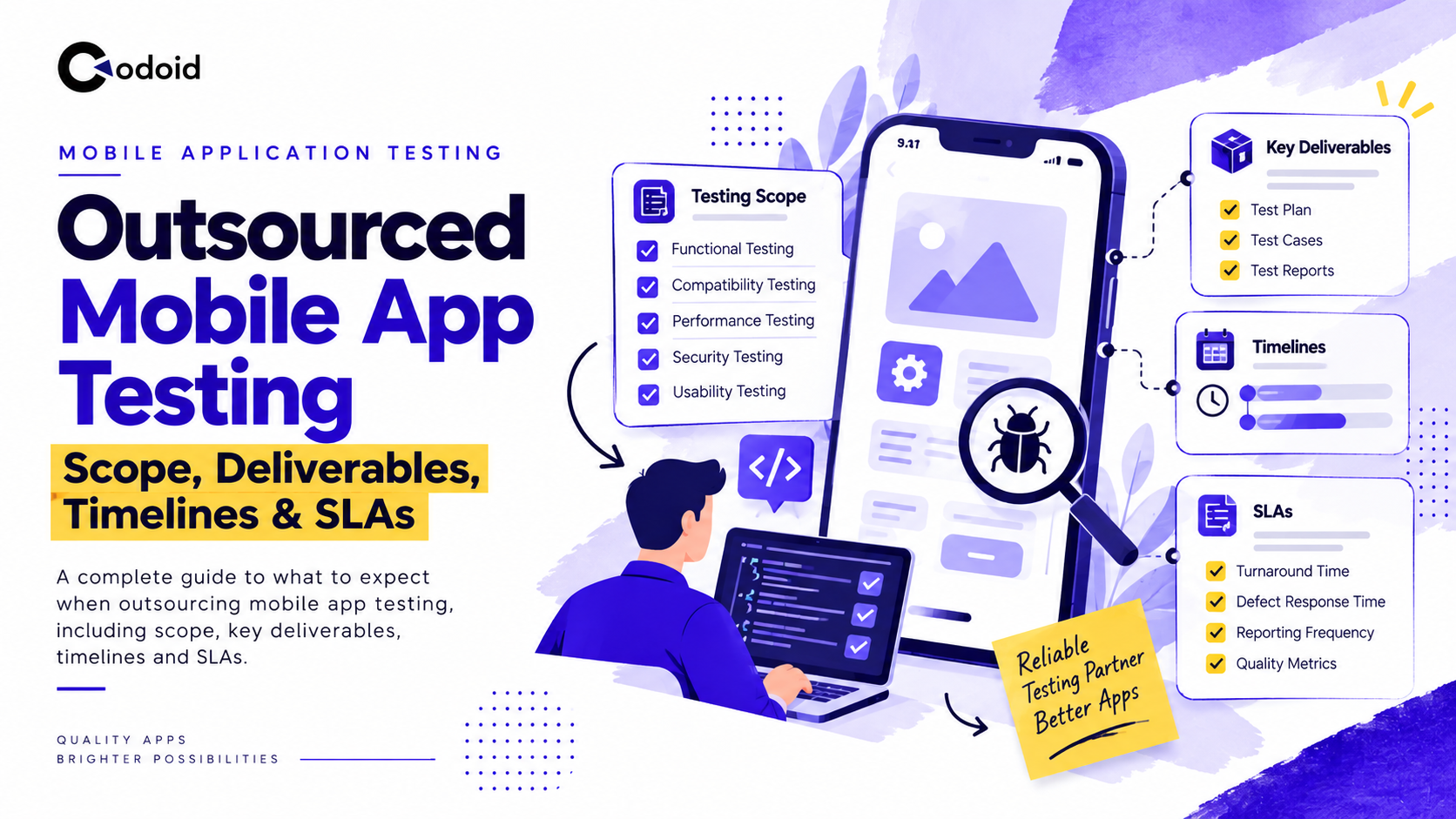
Outsourced mobile app testing should define what will be tested, which devices and operating systems will be covered, what evidence the testing vendor must deliver, how long each test cycle should take, and the service level agreements (SLAs) governing communication, defect handling, and retesting.
Device coverage should not be based on an arbitrary list of popular phones. A defensible mobile test matrix uses first-party audience analytics to prioritize actual device models, manufacturers, operating system versions, screen configurations, and hardware characteristics used by the application’s customers.
Key Takeaways
- Define the test scope before agreeing to price, team size, or schedule.
- Build the device matrix from product analytics rather than testing an equal number of devices from every manufacturer.
- Cover current, dominant, previous, and minimum-supported OS versions according to actual audience distribution and release risk.
- Include screen and window-size variation, not only different physical phone models.
- Deliberately include constrained hardware when memory, storage, camera, Bluetooth, NFC, biometrics, or other device capabilities affect the app.
- Make test reports, defect evidence, coverage reports, retest results, and release-risk summaries explicit contractual deliverables.
- Separate SLAs, which govern service responsiveness, from exit criteria, which determine whether testing is complete enough to support a release decision.
Related Blogs
- What Is Outsourced Mobile App Testing?
- Why Does Scope Matter?
- How Should Devices Be Selected?
- Sample Mobile App Testing Device Matrix
- Rules for Expanding the Device Matrix
- What Should Be Included in the Scope?
- What Deliverables Should a Vendor Provide?
- How Long Does Outsourced Testing Take?
- Practical Example: E-commerce Mobile App
- SLA vs Timeline vs Exit Criteria
- Sample Mobile Testing SLA
- Best Practices for Outsourcing Mobile App Testing
- Common Outsourcing Mistakes
- Troubleshooting Outsourced Testing
- Tools for Outsourced Mobile App Testing
- Limitations and Risks
- Conclusion
What Is Outsourced Mobile App Testing?
Outsourced mobile app testing is an engagement in which an external QA provider assumes responsibility for agreed mobile testing activities, environments, device coverage, execution, defect reporting, and test evidence.
The engagement can range from a one-time compatibility assessment to continuous QA integrated with the development team’s release pipeline.
A typical scope may include:
- Functional testing
- Compatibility testing
- Regression testing
- Installation, upgrade, and uninstall testing
- Exploratory testing
- Mobile UI testing
- Network-condition testing
- Interruption and background-state testing
- Localization testing
- Accessibility checks
- Mobile performance and resource-use testing
- Camera, GPS, Bluetooth, NFC, biometric, sensor, and other hardware-dependent flows
- Automated regression execution when automation is included in the contract
Outsourcing mobile testing does not automatically mean the supplier is responsible for penetration testing, back-end load testing, compliance certification, source-code review, user-acceptance testing, or production monitoring. Those responsibilities should be added explicitly when required.
For example, Firebase Test Lab explicitly notes that its mobile device infrastructure is not intended for load-testing an application’s back-end servers. Mobile client testing and back-end performance testing therefore need separate scope definitions.
Why Does Mobile App Testing Scope Matter When Outsourcing?
A loosely written statement such as “test the Android and iOS apps before release” leaves several commercially important questions unanswered.
- Does the supplier test two devices or twenty?
- Are tablets included?
- Are foldables included?
- Is testing limited to the latest OS?
- Who decides which bugs block release?
- How quickly must a critical defect be reported?
- Does the supplier rerun the entire regression suite after every build or only failed tests?
These ambiguities influence cost, release risk, and turnaround time.
Mobile fragmentation makes the problem particularly important on Android. Google describes Android applications as operating across a broad range of configurations and notes that hardware features can vary between devices. Compatibility can depend on platform version, screen configuration, and the availability of device features.
The objective of an outsourcing contract should therefore be representative risk coverage, not an unrealistic promise to test every possible device configuration. For teams that need structured guidance on test data and environment setup, test data management principles apply directly to mobile engagements.
ISO/IEC/IEEE 29119 also describes risk-based testing as the underlying approach for test prioritization and focus, reinforcing the principle that testing should be allocated according to risk rather than distributed uniformly.
The Seven-Step Process
1. Define the Product and Release Risk
The client identifies:
- Supported platforms
- Minimum OS versions
- Core business workflows
- Geographic markets
- Revenue-critical flows
- Hardware-dependent functionality
- Release frequency
- Known production risks
- Regulatory or accessibility requirements
A banking application’s device strategy, for example, will differ from that of a content-streaming application because biometric authentication, camera capture, security, and transaction integrity create different risks.
2. Analyze the Real User Population
The QA provider examines available product analytics and store data.
Google Analytics can report attributes including device model, device brand, operating system, OS version, platform, and screen resolution.
For Apple applications, App Store Connect Analytics supports analysis by device and platform version, among other dimensions.
For Android, the Google Play device catalog adds hardware-oriented information including manufacturer, model, RAM, form factor, system-on-chip, GPU, screen size, screen density, ABIs, and Android SDK versions.
3. Build a Risk-Weighted Device Matrix
Devices are selected to represent the most important combinations of audience share, OS risk, manufacturer behavior, display configuration, hardware constraints, and business importance.
The objective is not simply to select the ten most popular phones. A low-volume device may still belong in the matrix if it represents:
- The application’s minimum supported RAM
- A foldable layout
- A unique manufacturer customization
- A small-screen layout boundary
- A hardware feature used by a critical workflow
- A device family associated with disproportionate crash volume
4. Design the Test Suite
The supplier maps product requirements and risks to test scenarios, test cases, exploratory charters, device combinations, and expected results.
5. Execute Across the Agreed Matrix
Testing can combine:
- Physical in-house devices
- Cloud-hosted real devices
- Android virtual devices
- Automated tests
- Manual exploratory testing
Firebase Test Lab, for example, supports test matrices in which device model, OS version, orientation, and locale can be selected, and it supports real devices for both Android and iOS.
6. Report, Triage, and Retest Defects
Defects should be reported with enough evidence for developers to reproduce them without another discovery cycle.
7. Issue a Test Completion and Risk Report
The final report should state what was tested, what was not tested, results by platform and device, unresolved defects, deviations from plan, residual risks, and whether agreed exit criteria were achieved.
ISO/IEC/IEEE 29119-3 specifies test documentation templates applicable across software testing projects, while ISTQB describes test summary reporting as covering testing performed, deviations, status against completion criteria, metrics, blockers, and residual risks.
How Should Devices Be Selected for Outsourced Mobile App Testing?
Start With Audience Analytics, Not a Generic Top Devices List
The strongest starting point for Outsourced mobile app testing is the application’s own active-user population.
Extract at least:
| S. No | Dimension | What it tells the QA team |
|---|---|---|
| 1 | Platform | Android versus iOS distribution |
| 2 | Device model | Models actually used by customers |
| 3 | Manufacturer | Android OEM concentration |
| 4 | OS version | Versions generating real usage |
| 5 | Screen resolution | Display patterns requiring layout coverage |
| 6 | Country or region | Regional device differences |
| 7 | App version | Whether issues correlate with particular releases |
| 8 | Crashes or failures | Configurations producing disproportionate instability |
GA4 exposes several of these device dimensions directly, while App Store Connect provides device and platform-version filters for Apple applications.
A public global market-share chart can supplement this analysis for a new application with little production data, but it should not override first-party analytics once meaningful usage data exists.
How Should OS Versions Be Selected?
A useful matrix for Outsourced mobile app testing normally represents four OS categories:
- Latest supported OS
- Dominant production OS
- Previous OS generation
- Oldest materially used supported OS
Do not assume those four categories always require four separate versions. Analytics may show that some overlap.
As of June 7, 2026, Apple reported that 79% of all iPhones transacting on the App Store were using iOS 26, increasing to 86% for devices introduced during the previous four years.
That concentration may justify heavy iOS 26 coverage for many products, but older supported versions should remain in the matrix when meaningful portions of the application’s own audience still use them.
Apple’s iOS 26 compatibility range also extends across several generations, including iPhone 11-series devices and iPhone SE models from the second generation onward.
On Android, the current stable platform is Android 16 at API level 36. Google recommends compatibility testing when new Android releases introduce behavior changes and notes that Google Play requires apps to target API level 36 from August 2026.
An outsourced QA provider should therefore distinguish between:
- Minimum supported OS testing
- Latest OS compatibility testing
- Target-SDK behavior testing
- OS versions dominant among existing customers
These are related but not interchangeable coverage requirements.
Why Do Android Manufacturers Matter?
Two Android phones running the same OS version should not automatically be treated as equivalent test targets.
Manufacturer selection can expose differences involving:
- Camera implementations
- Biometric behavior
- Background-process management
- Permission UX
- Power management
- GPU behavior
- System UI
- Display shape
- Foldable implementation
- Hardware sensors
- Memory and storage constraints
Use audience analytics to identify the manufacturers actually represented in the installed base.
For example, a product with 65% Samsung usage should normally give Samsung more coverage weight than an OEM representing 2% of its customers.
Conversely, a smaller manufacturer segment may still deserve a device if support data indicates a model-specific failure.
Google’s own 2026 Android reference-device list spans manufacturers such as Google, Samsung, Motorola, Lenovo, OnePlus, Oppo, Vivo, and Xiaomi, illustrating the continuing breadth of modern Android hardware configurations.
How Should Screen Sizes Be Covered?
Testing every nominal screen resolution is inefficient.
Instead, cover layout boundaries and materially different app-window configurations.
For Android, Google’s adaptive-app guidance recommends designing and testing according to available window space rather than assuming a physical device always provides one fixed app size. Android window-size classes include compact, medium, expanded, large, and extra-large widths.
Useful coverage therefore includes:
- Small or narrow phone
- Standard phone
- Large phone
- Tablet portrait
- Tablet landscape
- Foldable folded state
- Foldable unfolded state
- Split-screen or resizable-window states where supported
This becomes increasingly important because Android 16 changes large-screen behavior for applications targeting API level 36, including orientation, aspect-ratio, and resizability behavior on displays with a smallest width of at least 600dp.
Testing only one portrait phone and one tablet can therefore miss transitions that occur when the same application window changes size.
Which Hardware Constraints Should Be Represented?
Select hardware based on what the application actually exercises.
Relevant constraints can include:
- Low versus high RAM
- Older versus recent CPU or SoC
- Available storage
- GPU capability
- Camera configuration
- Front and rear camera availability
- Bluetooth and Bluetooth Low Energy
- NFC
- GPS
- Accelerometer or other sensors
- Face or fingerprint biometrics
- Cellular capabilities
- Physical keyboard or external input
- Foldable hinge and display state
Google Play’s device catalog exposes RAM, SoC, GPU, ABI, display, SDK, and related configuration information, making it useful for identifying representative Android hardware classes.
RAM is especially relevant for memory-intensive applications. Android’s current performance guidance distinguishes device memory tiers, including configurations in the 0 to 4 GB range, because available memory can materially affect application behavior.
Applications using camera or Bluetooth functionality also need deliberate capability coverage. Android’s manifest feature system explicitly distinguishes hardware capabilities such as cameras and Bluetooth because those features are not uniformly available across every device.
Sample Mobile App Testing Device Matrix
The following matrix is illustrative rather than a universal device list. Actual models should be replaced or reprioritized using the application’s audience data.
| S. No | Priority | Example device or profile | OS target | Display profile | Hardware or risk represented | Primary purpose |
|---|---|---|---|---|---|---|
| 1 | P0 | iPhone 17 | Current iOS 26.x | Standard modern phone | Current Apple hardware | Primary iOS regression |
| 2 | P0 | iPhone 13 | iOS 26.x or audience-dominant supported version | Standard phone | Older but widely supported generation | Backward hardware coverage |
| 3 | P1 | iPhone 13 mini | Supported iOS | Small phone | Narrow display | Small-screen UI |
| 4 | P1 | iPhone SE, 3rd generation | Supported iOS | Compact and Home-button profile | Older form factor | Layout and interaction edge cases |
| 5 | P0 | Samsung Galaxy S26 or S26-class device | Android 16 | Standard or large phone | Samsung flagship implementation | Primary Android regression |
| 6 | P0 | Google Pixel 10-class | Android 16 | Standard or large phone | Reference Android implementation | Latest Android behavior |
The matrix should also identify whether each row is tested on:
- Real hardware
- Virtual device
- Automated suite
- Manual regression
- Smoke suite only
- Hardware-specific exploratory testing
Google recommends using physical devices before significant Android releases when functionality depends on device features that virtual devices cannot fully simulate.
Rules for Expanding the Device Matrix
A matrix should evolve with production evidence. The following framework for Outsourced mobile app testing uses example governance rules, not external standards.
Add a Device When Its Audience Share Crosses the Agreed Threshold
Example policy:
- Add any device model reaching 2% of monthly active mobile users, unless another matrix device provides materially equivalent risk coverage.
- Teams with very large user populations may use a lower threshold.
Expand Until the Matrix Reaches a Target Cumulative Audience
- Core matrix: representative devices covering approximately 70% of active users
- Extended matrix: expand toward approximately 90%
- Long tail: virtual, automated, or periodic compatibility testing
These percentages should be set according to product risk rather than treated as universal benchmarks.
Add Configurations With Disproportionate Failures
Add a model, manufacturer, or OS version when it contributes materially more crashes, payment failures, authentication problems, support tickets, or other defects than its user share would predict.
A configuration representing 1% of users but 8% of crash reports may deserve higher priority than a device representing 4% of users with no abnormal behavior.
Add the Newest OS Before Adoption Becomes Dominant
Do not wait until an OS release becomes the majority version.
- Run compatibility testing during preview and beta periods when business risk justifies it.
- Add the stable release to the primary matrix as adoption increases.
Google explicitly recommends proactive testing against Android platform behavior changes during developer preview and beta periods.
Add a Device When a New Layout Category Appears
Expand coverage when the product begins supporting:
- Tablets
- Foldables
- Desktop-window modes
- Split screen
- Landscape-only workflows
- External displays
Add Hardware When a Release Begins Depending on It
A release introducing NFC payments, document scanning, Bluetooth accessories, biometric login, GPS tracking, or intensive media processing should trigger corresponding hardware coverage.
Add Regional Manufacturers When the Market Changes
A device matrix built for North America may be inappropriate after expansion into another geography.
Recompute manufacturer and model distributions by region rather than assuming one global matrix represents all customers.
Review the Matrix on a Defined Cadence
- Monthly analytics review for fast-moving consumer products
- Quarterly matrix refresh for more stable enterprise applications
- Immediate review after a major OS release, hardware-dependent feature launch, or significant device-specific incident
The cadence should be written into the testing agreement.
What Should Be Included in the Outsourced Mobile Testing Scope?
A detailed statement of work should define at least the following areas.
Functional Coverage
Identify the critical workflows that must work on every P0 device, such as:
- Registration
- Login
- Search
- Checkout
- Payment
- Messaging
- Data synchronization
- Notifications
- Account management
Less critical features may receive reduced device coverage.
Compatibility Coverage
Specify:
- Supported OS versions
- Device models
- Manufacturers
- Phone, tablet, and foldable scope
- Orientations
- Window states
- Hardware capabilities
Network Coverage
Define applicable conditions such as:
- Wi-Fi
- Cellular
- High latency
- Intermittent connectivity
- Offline and reconnect transitions
- Network switching
Lifecycle and Interruption Coverage
- Fresh install
- Upgrade
- Logout and login
- Background and foreground
- Application termination
- Device rotation
- Incoming calls or OS interruptions where applicable
- Permission changes
- App restoration
Regression Coverage
State whether every release receives:
- Smoke testing
- Full regression
- Risk-based regression
- Automated regression
- Exploratory testing
Non-Functional Coverage
Clarify whether the vendor is responsible for:
- Startup performance
- Runtime responsiveness
- Memory behavior
- Battery behavior
- Accessibility
- Security testing
- Localization
- Data privacy validation
Avoid writing “performance testing included” without defining which performance characteristics are measured.
What Deliverables Should an Outsourced Mobile Testing Vendor Provide?
A strong contract defines tangible test work products.
| S. No | Deliverable | Expected content |
|---|---|---|
| 1 | Test strategy | Scope, risks, methods, levels, responsibilities |
| 2 | Device matrix | Models, OS versions, displays, hardware rationale, priority |
| 3 | Test plan | Schedule, environments, builds, entry and exit criteria |
| 4 | Test scenarios and cases | Preconditions, actions, expected results |
| 5 | Requirements traceability | Mapping of requirements or risks to coverage |
| 6 | Execution report | Passed, failed, blocked, and not-run tests |
| 7 | Defect reports | Reproduction steps, build, device, OS, evidence, severity |
| 8 | Screenshots, video, and logs | Evidence sufficient for diagnosis |
| 9 | Daily or status report | Progress, blockers, defects, upcoming work |
| 10 | Retest results | Verification of fixes and affected regression areas |
| 11 | Final test summary | Coverage, open defects, deviations, residual risk |
| 12 | Automation assets | Source code and scripts when ownership is included |
| 13 | Device-coverage history | Which configurations were tested for each release |
ISO/IEC/IEEE 29119-3 specifically addresses test documentation outputs, making documented deliverables useful not only operationally but also for governance and auditability.
Related Blogs
Mobile App Launch Checklist: A Release Readiness Guide for QA Teams
How to Choose a Mobile App Testing Company: 15 Questions to Ask Before Hiring a QA Partner
How Long Does Outsourced Mobile App Testing Take?
There is no universal testing timeline because duration depends on application complexity, matrix size, build stability, automation level, integration dependencies, and defect volume.
A representative release cycle for an established application could look like this:
| S. No | Phase | Illustrative duration |
|---|---|---|
| 1 | Scope confirmation and build validation | 0.5 to 1 business day |
| 2 | Device-matrix confirmation | 0.5 to 1 day |
| 3 | Test-data and environment preparation | 1 to 2 days |
| 4 | Smoke testing | 0.5 to 1 day |
| 5 | Functional and regression execution | 2 to 5 days |
| 6 | Compatibility and exploratory testing | 1 to 3 days |
| 7 | Defect verification and retesting | 1 to 2 days |
| 8 | Final reporting | 0.5 day |
A stable application with a mature automated regression suite may complete considerably faster. A new application with incomplete requirements, unstable environments, payment integrations, Bluetooth hardware, localization, or more than 30 device configurations may require substantially longer.
The timeline should therefore be calculated from test executions and dependencies, not from an arbitrary promise such as “complete mobile testing in three days.”
Practical Example: Outsourcing Testing for an E-commerce Mobile App
Consider an e-commerce company preparing a major Android and iOS checkout release.
Preconditions
The application has:
- 500,000 monthly active users
- iOS and Android clients
- Card and wallet payments
- Push notifications
- Product-image uploads
- Approximately 60 automated regression tests
Analytics Findings
The QA team discovers:
- iOS traffic is concentrated on several recent iPhone generations.
- Android traffic is dominated by Samsung, followed by two other manufacturers.
- One mid-range Android family produces an above-average share of checkout crashes.
- Approximately 6% of Android users run devices in the lowest memory tier supported by the application.
- Tablet usage is low but commercially important because average order value is higher.
Device Strategy
The outsourced partner assigns:
- Six devices to the P0 core matrix
- Four additional devices to P1 compatibility
- One tablet
- One low-RAM Android profile
- One foldable for layout validation
Execution
Every release candidate receives automated smoke testing across the core device matrix.
Manual testers then validate:
- Login
- Search
- Product detail
- Cart
- Coupon application
- Checkout
- Wallet or card payment
- Order confirmation
- Push notification
- Image upload
The checkout flow receives broader coverage because it directly influences revenue.
Expected Output
The supplier delivers:
- Device-by-device execution results
- Payment-flow results
- Defects with video and logs
- Retest evidence
- Open-risk summary
- Release recommendation against agreed exit criteria
Example Error Condition
Testing finds that checkout succeeds on current flagship Android devices but the payment screen is terminated under memory pressure on a low-RAM model.
Without hardware-tier coverage, the defect could have escaped despite passing on the highest-volume flagship devices.
Teams that need to validate these flows with automation should review mobile app automation testing approaches that support structured regression execution.
SLA vs Timeline vs Exit Criteria: What Is the Difference?
| S. No | Factor | Timeline | SLA | Exit criteria |
|---|---|---|---|---|
| 1 | Main question | When will testing be performed? | How quickly must the service respond? | When is testing sufficiently complete? |
| 2 | Example | Regression finishes within five business days | P0 defect acknowledged within 30 minutes | No unresolved release-blocking defects |
| 3 | Focus | Schedule | Service performance | Quality gate |
| 4 | Used for | Planning | Vendor accountability | Release decision |
| 5 | Should depend on | Scope and capacity | Severity and support window | Product risk |
Confusing these terms creates weak contracts.
A vendor can meet an SLA by responding to a critical defect within 30 minutes while the application still fails its release exit criteria.
Sample Mobile Testing SLA
The following SLA is an illustrative contracting model. Required response times should be adjusted for team locations, support hours, release criticality, and commercial risk.
| S. No | Severity | Example | Acknowledge | Detailed defect report | Retest after fixed build |
|---|---|---|---|---|---|
| 1 | P0 or Blocker | App cannot launch, data loss, checkout unavailable | 30 minutes | 2 hours | 4 business hours |
| 2 | P1 or Critical | Critical workflow fails with no acceptable workaround | 1 hour | 4 hours | Same business day |
| 3 | P2 or Major | Important function fails but workaround exists | 4 business hours | 1 business day | 1 business day |
The contract should additionally specify:
- Coverage hours and time zone
- Holiday and weekend handling
- Escalation contacts
- Build acceptance time
- Test-environment incident handling
- Status-report cadence
- Test-completion reporting
- SLA exclusions when required environments or credentials are unavailable
Do not make the vendor financially accountable for turnaround times that depend on a client-owned environment without defining how blocked time is measured.
Best Practices for Outsourcing Mobile App Testing
Make the Device Matrix Evidence-Based
Require the supplier to show why each device is present.
“Popular Android phone” is weaker than “Samsung model family representing 18% of Android MAU and the dominant 4 to 8 GB memory tier.”
Separate Core and Extended Coverage
Running every test on every device quickly becomes expensive. Instead:
- Execute business-critical tests on the P0 matrix.
- Run broader compatibility checks on P1 configurations.
- Use automation or periodic sampling for the long tail.
Combine Real and Virtual Devices
Virtual devices provide scalable, fast feedback, especially in CI.
Use real devices for scenarios involving hardware behavior, performance characteristics, manufacturer differences, cameras, Bluetooth, biometrics, sensors, and release-critical workflows.
Firebase similarly recommends physical-device testing before significant releases when functionality depends on device features that virtual environments cannot fully reproduce.
Recalculate the Matrix Instead of Letting It Become Permanent
A device selected eighteen months ago may no longer represent meaningful traffic.
Review actual usage and defect data regularly.
Require Reproducible Defect Evidence
Every defect should normally capture:
- Application build
- Device
- OS version
- Preconditions
- Steps
- Expected result
- Actual result
- Severity
- Screenshot or video
- Relevant logs
Define Ownership of Automation
If an outsourced team creates test automation, specify ownership of:
- Test code
- Framework code
- CI configuration
- Test data
- Credentials
- Documentation
- Maintenance responsibility
Make Residual Risk Visible
A “100% passed” dashboard can be misleading when several devices were unavailable or tests were removed from scope.
Final reports should explicitly list untested configurations and outstanding risks.
Common Outsourcing Mistakes
| S. No | Mistake | Why it happens | Impact | Recommended fix |
|---|---|---|---|---|
| 1 | Buying a fixed number of devices without analytics | Easy to quote | Poor real-user coverage | Prioritize by usage and risk |
| 2 | Testing only latest OS versions | Simplifies the matrix | Older-user regressions escape | Include materially used supported versions |
| 3 | Treating all devices from a manufacturer as equivalent | Convenient grouping | Hardware-specific defects missed | Include hardware capability tiers |
| 4 | Confusing SLA with exit criteria | Similar-sounding terms | Release decisions lack rigor | Define both separately in the contract |
| 5 | Omitting constrained hardware | Flagships are easier to source | Low-RAM defects reach production | Add memory-tier coverage |
| 6 | Letting the matrix stay static | Setup effort is already spent | Coverage drifts from reality | Review on a defined cadence |
Troubleshooting Outsourced Testing
Why can the supplier not reproduce a defect?
Insufficient environmental information is the most common cause.
Require defect reports to include:
- Device model
- OS version
- App build
- Account and test data
- Network condition
- Permission state
- Locale
- Orientation and window state
If reproduction still fails, request video, application logs, device logs, and network evidence where appropriate.
Why is the device matrix becoming too large?
The team may be treating every model as an independent risk.
Group devices by meaningful equivalence classes such as:
- Manufacturer
- OS
- Window class
- RAM tier
- SoC generation
- Hardware capability
Then retain exact-model coverage only where analytics or defect history justifies it.
Why does the app work on emulators but fail on physical phones?
The failing behavior may depend on real hardware, manufacturer software, sensors, memory pressure, camera behavior, Bluetooth, or another device-specific implementation.
Reproduce the scenario on a physical device in the affected configuration.
Why do new Android versions repeatedly cause regression issues?
The application may not be testing Android behavior changes early enough.
Google recommends proactive compatibility testing around new Android releases, including behavior changes that can affect applications independently of or because of their target SDK.
Add preview and beta compatibility testing to the release process when the application’s risk profile warrants it.
Why is the outsourced QA cycle missing deadlines?
Check whether the delay originates from testing capacity or blocked dependencies.
Common external dependencies include:
- Late builds
- Unavailable test environments
- Missing credentials
- Unstable APIs
- Payment sandbox failures
- Test-data resets
- Delayed defect fixes
Measure blocked time separately from active vendor execution time.
What Tools Can Support Outsourced Mobile App Testing?
A mature outsourced setup can combine several categories of tooling.
First-Party Analytics
GA4, Firebase, and App Store Connect provide actual device, OS, and audience information that should drive device selection.
Android Device Intelligence
The Google Play device catalog provides model, manufacturer, RAM, SoC, GPU, density, ABI, and Android version characteristics.
Physical and Virtual Device Infrastructure
Local labs and cloud device farms complement each other. Firebase Test Lab is one current example supporting Android and iOS real-device testing as well as Android virtual-device workflows.
CI/CD Automation
Automated smoke and regression tests should execute on release candidates or pull-request pipelines. Teams building this layer often benefit from QA automation services that integrate directly with delivery pipelines.
The correct implementation is usually hybrid rather than dependent on one tool.
Limitations and Risks of Outsourced Mobile App Testing
Outsourcing does not eliminate product risk. Important limitations include the following.
The Device Matrix Remains a Sample
No practical matrix can reproduce every combination of model, OS, hardware state, network condition, locale, accessibility setting, and user behavior.
Analytics May Be Incomplete
App Store Connect notes privacy and data-availability constraints, and GA4 allows granular device data collection to be disabled by region.
Device decisions should therefore incorporate analytics, support incidents, store data, and engineering knowledge rather than relying on one dataset.
Test Labs Cannot Reproduce Every Real-World Condition
Cloud environments are valuable but do not exactly replicate every carrier, battery state, environmental condition, connected accessory, or field scenario.
Poor Builds Waste Outsourced Capacity
External QA cannot compensate for repeatedly untestable release candidates.
A build-acceptance smoke test should therefore precede full execution.
Outsourcing Does Not Transfer the Release Decision
The testing partner can provide evidence and risk assessments. Product and engineering stakeholders still need to decide whether the remaining risk is acceptable.
Need Help Building Your Mobile Testing Outsourcing Model?
If your team is evaluating Outsourced mobile app testing and needs help defining scope, building a data-driven device matrix, or setting realistic SLAs and exit criteria, Codoid can help. Our QA specialists build analytics-driven mobile test coverage across iOS and Android, including low-RAM devices, foldables, tablets, and hardware-dependent workflows.Talk to a Mobile Testing Expert
Conclusion
Successful Outsourced mobile app testing depends less on the number of testers or devices purchased and more on the precision of the operating model. Define the scope, deliverables, device-selection logic, timeline, SLA, and exit criteria before execution begins. Build the device matrix from actual audience analytics, then deliberately add OS boundaries, manufacturer diversity, screen and window-size classes, constrained hardware, and high-risk capabilities that raw popularity data may miss.
Finally, treat the matrix as a living risk model. Update it when customer behavior, OS adoption, manufacturers, hardware, application functionality, or production defect patterns change. That approach turns Outsourced mobile app testing from a generic execution service into a measurable quality-control process tied to the devices and risks that matter to real users.




























Comments(0)