by Rajesh K | Sep 25, 2026 | Mobile App Testing, Blog, Latest Post |
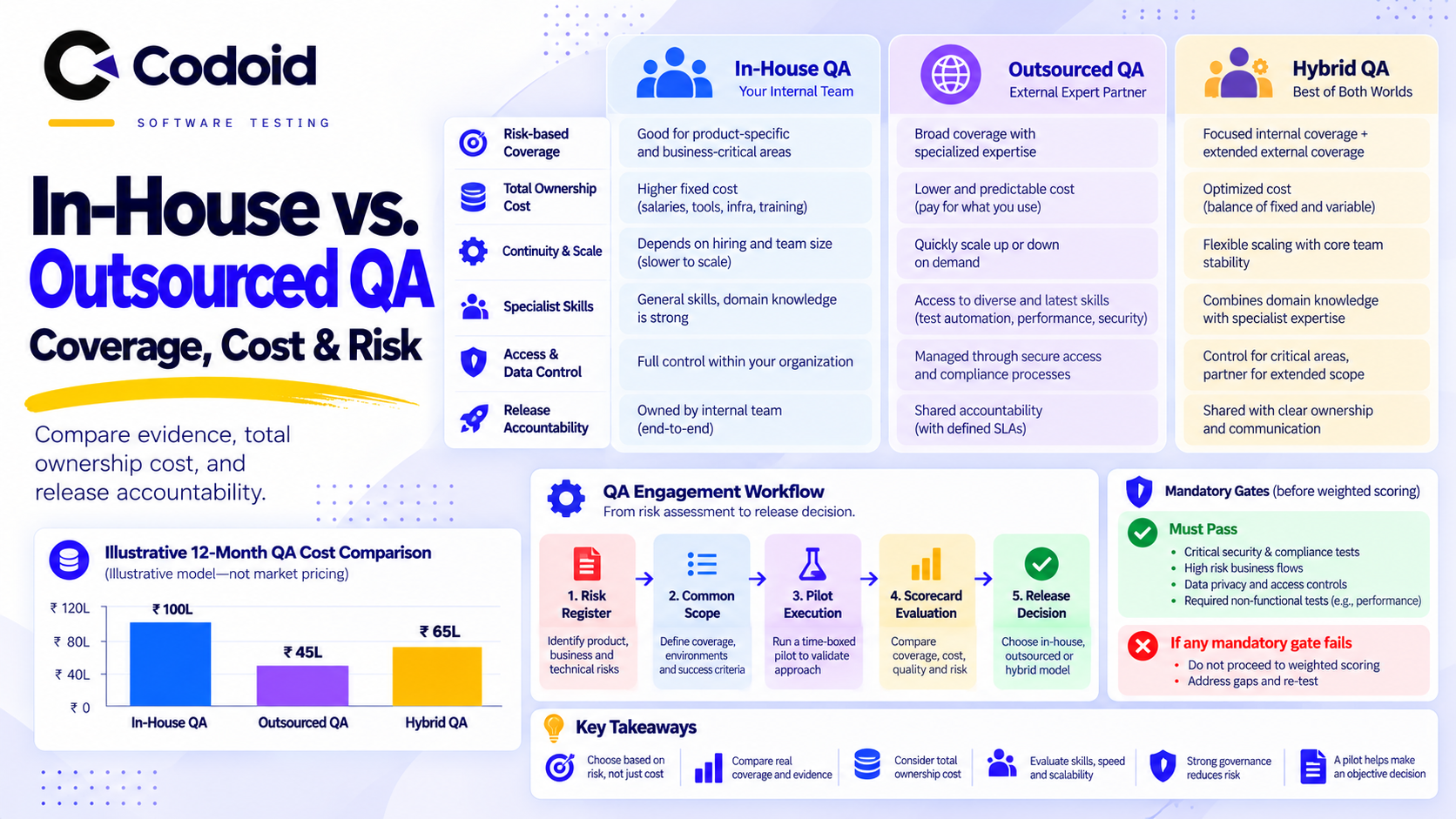
Mobile applications operate in one of the most fragmented environments in software. iOS and Android devices vary by manufacturer, operating system version, screen size, memory tier, and hardware capability. A feature that works perfectly on a flagship phone can fail silently on a low-RAM device, a foldable, or an older but still widely used operating system version. For QA leaders, this creates a difficult resourcing question. Building an in-house lab large enough to cover this fragmentation is expensive, and maintaining it requires constant investment. That is why outsourced mobile app testing has become a practical option for many product teams. An external provider can supply device coverage, specialized testers, and structured reporting without the overhead of owning every configuration.
However, outsourcing introduces its own risks. A loosely written engagement can leave critical questions unanswered. Which devices are covered? How long does a cycle take? What evidence is delivered? How quickly must a critical defect be reported? This guide addresses those questions directly. It covers scope definition, device matrix construction, deliverables, timelines, service level agreements, and exit criteria so that an outsourcing engagement becomes a measurable quality process rather than a vague promise. Codoid’s mobile app testing services follow the same structured approach described in this guide, combining analytics-driven device selection with clear reporting and defined release criteria.
What Should an Outsourced Mobile App Testing Engagement Include?
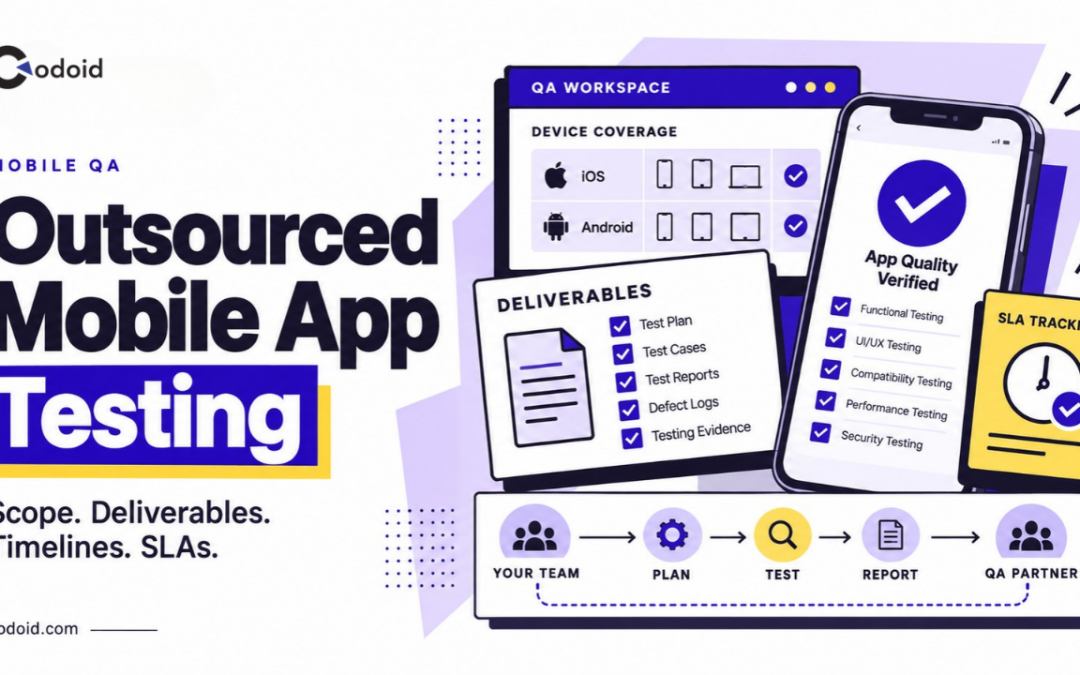
Outsourced mobile app testing should define what will be tested, which devices and operating systems will be covered, what evidence the testing vendor must deliver, how long each test cycle should take, and the service level agreements (SLAs) governing communication, defect handling, and retesting.
Device coverage should not be based on an arbitrary list of popular phones. A defensible mobile test matrix uses first-party audience analytics to prioritize actual device models, manufacturers, operating system versions, screen configurations, and hardware characteristics used by the application’s customers.
Key Takeaways
- Define the test scope before agreeing to price, team size, or schedule.
- Build the device matrix from product analytics rather than testing an equal number of devices from every manufacturer.
- Cover current, dominant, previous, and minimum-supported OS versions according to actual audience distribution and release risk.
- Include screen and window-size variation, not only different physical phone models.
- Deliberately include constrained hardware when memory, storage, camera, Bluetooth, NFC, biometrics, or other device capabilities affect the app.
- Make test reports, defect evidence, coverage reports, retest results, and release-risk summaries explicit contractual deliverables.
- Separate SLAs, which govern service responsiveness, from exit criteria, which determine whether testing is complete enough to support a release decision.
What Is Outsourced Mobile App Testing?
Outsourced mobile app testing is an engagement in which an external QA provider assumes responsibility for agreed mobile testing activities, environments, device coverage, execution, defect reporting, and test evidence.
The engagement can range from a one-time compatibility assessment to continuous QA integrated with the development team’s release pipeline.
A typical scope may include:
- Functional testing
- Compatibility testing
- Regression testing
- Installation, upgrade, and uninstall testing
- Exploratory testing
- Mobile UI testing
- Network-condition testing
- Interruption and background-state testing
- Localization testing
- Accessibility checks
- Mobile performance and resource-use testing
- Camera, GPS, Bluetooth, NFC, biometric, sensor, and other hardware-dependent flows
- Automated regression execution when automation is included in the contract
Outsourcing mobile testing does not automatically mean the supplier is responsible for penetration testing, back-end load testing, compliance certification, source-code review, user-acceptance testing, or production monitoring. Those responsibilities should be added explicitly when required.
For example, Firebase Test Lab explicitly notes that its mobile device infrastructure is not intended for load-testing an application’s back-end servers. Mobile client testing and back-end performance testing therefore need separate scope definitions.
Why Does Mobile App Testing Scope Matter When Outsourcing?
A loosely written statement such as “test the Android and iOS apps before release” leaves several commercially important questions unanswered.
- Does the supplier test two devices or twenty?
- Are tablets included?
- Are foldables included?
- Is testing limited to the latest OS?
- Who decides which bugs block release?
- How quickly must a critical defect be reported?
- Does the supplier rerun the entire regression suite after every build or only failed tests?
These ambiguities influence cost, release risk, and turnaround time.
Mobile fragmentation makes the problem particularly important on Android. Google describes Android applications as operating across a broad range of configurations and notes that hardware features can vary between devices. Compatibility can depend on platform version, screen configuration, and the availability of device features.
The objective of an outsourcing contract should therefore be representative risk coverage, not an unrealistic promise to test every possible device configuration. For teams that need structured guidance on test data and environment setup, test data management principles apply directly to mobile engagements.
ISO/IEC/IEEE 29119 also describes risk-based testing as the underlying approach for test prioritization and focus, reinforcing the principle that testing should be allocated according to risk rather than distributed uniformly.
The Seven-Step Process
1. Define the Product and Release Risk
The client identifies:
- Supported platforms
- Minimum OS versions
- Core business workflows
- Geographic markets
- Revenue-critical flows
- Hardware-dependent functionality
- Release frequency
- Known production risks
- Regulatory or accessibility requirements
A banking application’s device strategy, for example, will differ from that of a content-streaming application because biometric authentication, camera capture, security, and transaction integrity create different risks.
2. Analyze the Real User Population
The QA provider examines available product analytics and store data.
Google Analytics can report attributes including device model, device brand, operating system, OS version, platform, and screen resolution.
For Apple applications, App Store Connect Analytics supports analysis by device and platform version, among other dimensions.
For Android, the Google Play device catalog adds hardware-oriented information including manufacturer, model, RAM, form factor, system-on-chip, GPU, screen size, screen density, ABIs, and Android SDK versions.
3. Build a Risk-Weighted Device Matrix
Devices are selected to represent the most important combinations of audience share, OS risk, manufacturer behavior, display configuration, hardware constraints, and business importance.
The objective is not simply to select the ten most popular phones. A low-volume device may still belong in the matrix if it represents:
- The application’s minimum supported RAM
- A foldable layout
- A unique manufacturer customization
- A small-screen layout boundary
- A hardware feature used by a critical workflow
- A device family associated with disproportionate crash volume
4. Design the Test Suite
The supplier maps product requirements and risks to test scenarios, test cases, exploratory charters, device combinations, and expected results.
5. Execute Across the Agreed Matrix
Testing can combine:
- Physical in-house devices
- Cloud-hosted real devices
- Android virtual devices
- Automated tests
- Manual exploratory testing
Firebase Test Lab, for example, supports test matrices in which device model, OS version, orientation, and locale can be selected, and it supports real devices for both Android and iOS.
6. Report, Triage, and Retest Defects
Defects should be reported with enough evidence for developers to reproduce them without another discovery cycle.
7. Issue a Test Completion and Risk Report
The final report should state what was tested, what was not tested, results by platform and device, unresolved defects, deviations from plan, residual risks, and whether agreed exit criteria were achieved.
ISO/IEC/IEEE 29119-3 specifies test documentation templates applicable across software testing projects, while ISTQB describes test summary reporting as covering testing performed, deviations, status against completion criteria, metrics, blockers, and residual risks.
How Should Devices Be Selected for Outsourced Mobile App Testing?
Start With Audience Analytics, Not a Generic Top Devices List
The strongest starting point for Outsourced mobile app testing is the application’s own active-user population.
Extract at least:
| S. No |
Dimension |
What it tells the QA team |
| 1 |
Platform |
Android versus iOS distribution |
| 2 |
Device model |
Models actually used by customers |
| 3 |
Manufacturer |
Android OEM concentration |
| 4 |
OS version |
Versions generating real usage |
| 5 |
Screen resolution |
Display patterns requiring layout coverage |
| 6 |
Country or region |
Regional device differences |
| 7 |
App version |
Whether issues correlate with particular releases |
| 8 |
Crashes or failures |
Configurations producing disproportionate instability |
GA4 exposes several of these device dimensions directly, while App Store Connect provides device and platform-version filters for Apple applications.
A public global market-share chart can supplement this analysis for a new application with little production data, but it should not override first-party analytics once meaningful usage data exists.
How Should OS Versions Be Selected?
A useful matrix for Outsourced mobile app testing normally represents four OS categories:
- Latest supported OS
- Dominant production OS
- Previous OS generation
- Oldest materially used supported OS
Do not assume those four categories always require four separate versions. Analytics may show that some overlap.
As of June 7, 2026, Apple reported that 79% of all iPhones transacting on the App Store were using iOS 26, increasing to 86% for devices introduced during the previous four years.
That concentration may justify heavy iOS 26 coverage for many products, but older supported versions should remain in the matrix when meaningful portions of the application’s own audience still use them.
Apple’s iOS 26 compatibility range also extends across several generations, including iPhone 11-series devices and iPhone SE models from the second generation onward.
On Android, the current stable platform is Android 16 at API level 36. Google recommends compatibility testing when new Android releases introduce behavior changes and notes that Google Play requires apps to target API level 36 from August 2026.
An outsourced QA provider should therefore distinguish between:
- Minimum supported OS testing
- Latest OS compatibility testing
- Target-SDK behavior testing
- OS versions dominant among existing customers
These are related but not interchangeable coverage requirements.
Why Do Android Manufacturers Matter?
Two Android phones running the same OS version should not automatically be treated as equivalent test targets.
Manufacturer selection can expose differences involving:
- Camera implementations
- Biometric behavior
- Background-process management
- Permission UX
- Power management
- GPU behavior
- System UI
- Display shape
- Foldable implementation
- Hardware sensors
- Memory and storage constraints
Use audience analytics to identify the manufacturers actually represented in the installed base.
For example, a product with 65% Samsung usage should normally give Samsung more coverage weight than an OEM representing 2% of its customers.
Conversely, a smaller manufacturer segment may still deserve a device if support data indicates a model-specific failure.
Google’s own 2026 Android reference-device list spans manufacturers such as Google, Samsung, Motorola, Lenovo, OnePlus, Oppo, Vivo, and Xiaomi, illustrating the continuing breadth of modern Android hardware configurations.
How Should Screen Sizes Be Covered?
Testing every nominal screen resolution is inefficient.
Instead, cover layout boundaries and materially different app-window configurations.
For Android, Google’s adaptive-app guidance recommends designing and testing according to available window space rather than assuming a physical device always provides one fixed app size. Android window-size classes include compact, medium, expanded, large, and extra-large widths.
Useful coverage therefore includes:
- Small or narrow phone
- Standard phone
- Large phone
- Tablet portrait
- Tablet landscape
- Foldable folded state
- Foldable unfolded state
- Split-screen or resizable-window states where supported
This becomes increasingly important because Android 16 changes large-screen behavior for applications targeting API level 36, including orientation, aspect-ratio, and resizability behavior on displays with a smallest width of at least 600dp.
Testing only one portrait phone and one tablet can therefore miss transitions that occur when the same application window changes size.
Which Hardware Constraints Should Be Represented?
Select hardware based on what the application actually exercises.
Relevant constraints can include:
- Low versus high RAM
- Older versus recent CPU or SoC
- Available storage
- GPU capability
- Camera configuration
- Front and rear camera availability
- Bluetooth and Bluetooth Low Energy
- NFC
- GPS
- Accelerometer or other sensors
- Face or fingerprint biometrics
- Cellular capabilities
- Physical keyboard or external input
- Foldable hinge and display state
Google Play’s device catalog exposes RAM, SoC, GPU, ABI, display, SDK, and related configuration information, making it useful for identifying representative Android hardware classes.
RAM is especially relevant for memory-intensive applications. Android’s current performance guidance distinguishes device memory tiers, including configurations in the 0 to 4 GB range, because available memory can materially affect application behavior.
Applications using camera or Bluetooth functionality also need deliberate capability coverage. Android’s manifest feature system explicitly distinguishes hardware capabilities such as cameras and Bluetooth because those features are not uniformly available across every device.
Sample Mobile App Testing Device Matrix
The following matrix is illustrative rather than a universal device list. Actual models should be replaced or reprioritized using the application’s audience data.
| S. No |
Priority |
Example device or profile |
OS target |
Display profile |
Hardware or risk represented |
Primary purpose |
| 1 |
P0 |
iPhone 17 |
Current iOS 26.x |
Standard modern phone |
Current Apple hardware |
Primary iOS regression |
| 2 |
P0 |
iPhone 13 |
iOS 26.x or audience-dominant supported version |
Standard phone |
Older but widely supported generation |
Backward hardware coverage |
| 3 |
P1 |
iPhone 13 mini |
Supported iOS |
Small phone |
Narrow display |
Small-screen UI |
| 4 |
P1 |
iPhone SE, 3rd generation |
Supported iOS |
Compact and Home-button profile |
Older form factor |
Layout and interaction edge cases |
| 5 |
P0 |
Samsung Galaxy S26 or S26-class device |
Android 16 |
Standard or large phone |
Samsung flagship implementation |
Primary Android regression |
| 6 |
P0 |
Google Pixel 10-class |
Android 16 |
Standard or large phone |
Reference Android implementation |
Latest Android behavior |
The matrix should also identify whether each row is tested on:
- Real hardware
- Virtual device
- Automated suite
- Manual regression
- Smoke suite only
- Hardware-specific exploratory testing
Google recommends using physical devices before significant Android releases when functionality depends on device features that virtual devices cannot fully simulate.
Rules for Expanding the Device Matrix
A matrix should evolve with production evidence. The following framework for Outsourced mobile app testing uses example governance rules, not external standards.
Add a Device When Its Audience Share Crosses the Agreed Threshold
Example policy:
- Add any device model reaching 2% of monthly active mobile users, unless another matrix device provides materially equivalent risk coverage.
- Teams with very large user populations may use a lower threshold.
Expand Until the Matrix Reaches a Target Cumulative Audience
- Core matrix: representative devices covering approximately 70% of active users
- Extended matrix: expand toward approximately 90%
- Long tail: virtual, automated, or periodic compatibility testing
These percentages should be set according to product risk rather than treated as universal benchmarks.
Add Configurations With Disproportionate Failures
Add a model, manufacturer, or OS version when it contributes materially more crashes, payment failures, authentication problems, support tickets, or other defects than its user share would predict.
A configuration representing 1% of users but 8% of crash reports may deserve higher priority than a device representing 4% of users with no abnormal behavior.
Add the Newest OS Before Adoption Becomes Dominant
Do not wait until an OS release becomes the majority version.
- Run compatibility testing during preview and beta periods when business risk justifies it.
- Add the stable release to the primary matrix as adoption increases.
Google explicitly recommends proactive testing against Android platform behavior changes during developer preview and beta periods.
Add a Device When a New Layout Category Appears
Expand coverage when the product begins supporting:
- Tablets
- Foldables
- Desktop-window modes
- Split screen
- Landscape-only workflows
- External displays
Add Hardware When a Release Begins Depending on It
A release introducing NFC payments, document scanning, Bluetooth accessories, biometric login, GPS tracking, or intensive media processing should trigger corresponding hardware coverage.
Add Regional Manufacturers When the Market Changes
A device matrix built for North America may be inappropriate after expansion into another geography.
Recompute manufacturer and model distributions by region rather than assuming one global matrix represents all customers.
Review the Matrix on a Defined Cadence
- Monthly analytics review for fast-moving consumer products
- Quarterly matrix refresh for more stable enterprise applications
- Immediate review after a major OS release, hardware-dependent feature launch, or significant device-specific incident
The cadence should be written into the testing agreement.
What Should Be Included in the Outsourced Mobile Testing Scope?
A detailed statement of work should define at least the following areas.
Functional Coverage
Identify the critical workflows that must work on every P0 device, such as:
- Registration
- Login
- Search
- Checkout
- Payment
- Messaging
- Data synchronization
- Notifications
- Account management
Less critical features may receive reduced device coverage.
Compatibility Coverage
Specify:
- Supported OS versions
- Device models
- Manufacturers
- Phone, tablet, and foldable scope
- Orientations
- Window states
- Hardware capabilities
Network Coverage
Define applicable conditions such as:
- Wi-Fi
- Cellular
- High latency
- Intermittent connectivity
- Offline and reconnect transitions
- Network switching
Lifecycle and Interruption Coverage
- Fresh install
- Upgrade
- Logout and login
- Background and foreground
- Application termination
- Device rotation
- Incoming calls or OS interruptions where applicable
- Permission changes
- App restoration
Regression Coverage
State whether every release receives:
- Smoke testing
- Full regression
- Risk-based regression
- Automated regression
- Exploratory testing
Non-Functional Coverage
Clarify whether the vendor is responsible for:
- Startup performance
- Runtime responsiveness
- Memory behavior
- Battery behavior
- Accessibility
- Security testing
- Localization
- Data privacy validation
Avoid writing “performance testing included” without defining which performance characteristics are measured.
What Deliverables Should an Outsourced Mobile Testing Vendor Provide?
A strong contract defines tangible test work products.
| S. No |
Deliverable |
Expected content |
| 1 |
Test strategy |
Scope, risks, methods, levels, responsibilities |
| 2 |
Device matrix |
Models, OS versions, displays, hardware rationale, priority |
| 3 |
Test plan |
Schedule, environments, builds, entry and exit criteria |
| 4 |
Test scenarios and cases |
Preconditions, actions, expected results |
| 5 |
Requirements traceability |
Mapping of requirements or risks to coverage |
| 6 |
Execution report |
Passed, failed, blocked, and not-run tests |
| 7 |
Defect reports |
Reproduction steps, build, device, OS, evidence, severity |
| 8 |
Screenshots, video, and logs |
Evidence sufficient for diagnosis |
| 9 |
Daily or status report |
Progress, blockers, defects, upcoming work |
| 10 |
Retest results |
Verification of fixes and affected regression areas |
| 11 |
Final test summary |
Coverage, open defects, deviations, residual risk |
| 12 |
Automation assets |
Source code and scripts when ownership is included |
| 13 |
Device-coverage history |
Which configurations were tested for each release |
ISO/IEC/IEEE 29119-3 specifically addresses test documentation outputs, making documented deliverables useful not only operationally but also for governance and auditability.
How Long Does Outsourced Mobile App Testing Take?
There is no universal testing timeline because duration depends on application complexity, matrix size, build stability, automation level, integration dependencies, and defect volume.
A representative release cycle for an established application could look like this:
| S. No |
Phase |
Illustrative duration |
| 1 |
Scope confirmation and build validation |
0.5 to 1 business day |
| 2 |
Device-matrix confirmation |
0.5 to 1 day |
| 3 |
Test-data and environment preparation |
1 to 2 days |
| 4 |
Smoke testing |
0.5 to 1 day |
| 5 |
Functional and regression execution |
2 to 5 days |
| 6 |
Compatibility and exploratory testing |
1 to 3 days |
| 7 |
Defect verification and retesting |
1 to 2 days |
| 8 |
Final reporting |
0.5 day |
A stable application with a mature automated regression suite may complete considerably faster. A new application with incomplete requirements, unstable environments, payment integrations, Bluetooth hardware, localization, or more than 30 device configurations may require substantially longer.
The timeline should therefore be calculated from test executions and dependencies, not from an arbitrary promise such as “complete mobile testing in three days.”
Practical Example: Outsourcing Testing for an E-commerce Mobile App
Consider an e-commerce company preparing a major Android and iOS checkout release.
Preconditions
The application has:
- 500,000 monthly active users
- iOS and Android clients
- Card and wallet payments
- Push notifications
- Product-image uploads
- Approximately 60 automated regression tests
Analytics Findings
The QA team discovers:
- iOS traffic is concentrated on several recent iPhone generations.
- Android traffic is dominated by Samsung, followed by two other manufacturers.
- One mid-range Android family produces an above-average share of checkout crashes.
- Approximately 6% of Android users run devices in the lowest memory tier supported by the application.
- Tablet usage is low but commercially important because average order value is higher.
Device Strategy
The outsourced partner assigns:
- Six devices to the P0 core matrix
- Four additional devices to P1 compatibility
- One tablet
- One low-RAM Android profile
- One foldable for layout validation
Execution
Every release candidate receives automated smoke testing across the core device matrix.
Manual testers then validate:
- Login
- Search
- Product detail
- Cart
- Coupon application
- Checkout
- Wallet or card payment
- Order confirmation
- Push notification
- Image upload
The checkout flow receives broader coverage because it directly influences revenue.
Expected Output
The supplier delivers:
- Device-by-device execution results
- Payment-flow results
- Defects with video and logs
- Retest evidence
- Open-risk summary
- Release recommendation against agreed exit criteria
Example Error Condition
Testing finds that checkout succeeds on current flagship Android devices but the payment screen is terminated under memory pressure on a low-RAM model.
Without hardware-tier coverage, the defect could have escaped despite passing on the highest-volume flagship devices.
Teams that need to validate these flows with automation should review mobile app automation testing approaches that support structured regression execution.
SLA vs Timeline vs Exit Criteria: What Is the Difference?
| S. No |
Factor |
Timeline |
SLA |
Exit criteria |
| 1 |
Main question |
When will testing be performed? |
How quickly must the service respond? |
When is testing sufficiently complete? |
| 2 |
Example |
Regression finishes within five business days |
P0 defect acknowledged within 30 minutes |
No unresolved release-blocking defects |
| 3 |
Focus |
Schedule |
Service performance |
Quality gate |
| 4 |
Used for |
Planning |
Vendor accountability |
Release decision |
| 5 |
Should depend on |
Scope and capacity |
Severity and support window |
Product risk |
Confusing these terms creates weak contracts.
A vendor can meet an SLA by responding to a critical defect within 30 minutes while the application still fails its release exit criteria.
Sample Mobile Testing SLA
The following SLA is an illustrative contracting model. Required response times should be adjusted for team locations, support hours, release criticality, and commercial risk.
| S. No |
Severity |
Example |
Acknowledge |
Detailed defect report |
Retest after fixed build |
| 1 |
P0 or Blocker |
App cannot launch, data loss, checkout unavailable |
30 minutes |
2 hours |
4 business hours |
| 2 |
P1 or Critical |
Critical workflow fails with no acceptable workaround |
1 hour |
4 hours |
Same business day |
| 3 |
P2 or Major |
Important function fails but workaround exists |
4 business hours |
1 business day |
1 business day |
The contract should additionally specify:
- Coverage hours and time zone
- Holiday and weekend handling
- Escalation contacts
- Build acceptance time
- Test-environment incident handling
- Status-report cadence
- Test-completion reporting
- SLA exclusions when required environments or credentials are unavailable
Do not make the vendor financially accountable for turnaround times that depend on a client-owned environment without defining how blocked time is measured.
Best Practices for Outsourcing Mobile App Testing
Make the Device Matrix Evidence-Based
Require the supplier to show why each device is present.
“Popular Android phone” is weaker than “Samsung model family representing 18% of Android MAU and the dominant 4 to 8 GB memory tier.”
Separate Core and Extended Coverage
Running every test on every device quickly becomes expensive. Instead:
- Execute business-critical tests on the P0 matrix.
- Run broader compatibility checks on P1 configurations.
- Use automation or periodic sampling for the long tail.
Combine Real and Virtual Devices
Virtual devices provide scalable, fast feedback, especially in CI.
Use real devices for scenarios involving hardware behavior, performance characteristics, manufacturer differences, cameras, Bluetooth, biometrics, sensors, and release-critical workflows.
Firebase similarly recommends physical-device testing before significant releases when functionality depends on device features that virtual environments cannot fully reproduce.
Recalculate the Matrix Instead of Letting It Become Permanent
A device selected eighteen months ago may no longer represent meaningful traffic.
Review actual usage and defect data regularly.
Require Reproducible Defect Evidence
Every defect should normally capture:
- Application build
- Device
- OS version
- Preconditions
- Steps
- Expected result
- Actual result
- Severity
- Screenshot or video
- Relevant logs
Define Ownership of Automation
If an outsourced team creates test automation, specify ownership of:
- Test code
- Framework code
- CI configuration
- Test data
- Credentials
- Documentation
- Maintenance responsibility
Make Residual Risk Visible
A “100% passed” dashboard can be misleading when several devices were unavailable or tests were removed from scope.
Final reports should explicitly list untested configurations and outstanding risks.
Common Outsourcing Mistakes
| S. No |
Mistake |
Why it happens |
Impact |
Recommended fix |
| 1 |
Buying a fixed number of devices without analytics |
Easy to quote |
Poor real-user coverage |
Prioritize by usage and risk |
| 2 |
Testing only latest OS versions |
Simplifies the matrix |
Older-user regressions escape |
Include materially used supported versions |
| 3 |
Treating all devices from a manufacturer as equivalent |
Convenient grouping |
Hardware-specific defects missed |
Include hardware capability tiers |
| 4 |
Confusing SLA with exit criteria |
Similar-sounding terms |
Release decisions lack rigor |
Define both separately in the contract |
| 5 |
Omitting constrained hardware |
Flagships are easier to source |
Low-RAM defects reach production |
Add memory-tier coverage |
| 6 |
Letting the matrix stay static |
Setup effort is already spent |
Coverage drifts from reality |
Review on a defined cadence |
Troubleshooting Outsourced Testing
Why can the supplier not reproduce a defect?
Insufficient environmental information is the most common cause.
Require defect reports to include:
- Device model
- OS version
- App build
- Account and test data
- Network condition
- Permission state
- Locale
- Orientation and window state
If reproduction still fails, request video, application logs, device logs, and network evidence where appropriate.
Why is the device matrix becoming too large?
The team may be treating every model as an independent risk.
Group devices by meaningful equivalence classes such as:
- Manufacturer
- OS
- Window class
- RAM tier
- SoC generation
- Hardware capability
Then retain exact-model coverage only where analytics or defect history justifies it.
Why does the app work on emulators but fail on physical phones?
The failing behavior may depend on real hardware, manufacturer software, sensors, memory pressure, camera behavior, Bluetooth, or another device-specific implementation.
Reproduce the scenario on a physical device in the affected configuration.
Why do new Android versions repeatedly cause regression issues?
The application may not be testing Android behavior changes early enough.
Google recommends proactive compatibility testing around new Android releases, including behavior changes that can affect applications independently of or because of their target SDK.
Add preview and beta compatibility testing to the release process when the application’s risk profile warrants it.
Why is the outsourced QA cycle missing deadlines?
Check whether the delay originates from testing capacity or blocked dependencies.
Common external dependencies include:
- Late builds
- Unavailable test environments
- Missing credentials
- Unstable APIs
- Payment sandbox failures
- Test-data resets
- Delayed defect fixes
Measure blocked time separately from active vendor execution time.
What Tools Can Support Outsourced Mobile App Testing?
A mature outsourced setup can combine several categories of tooling.
First-Party Analytics
GA4, Firebase, and App Store Connect provide actual device, OS, and audience information that should drive device selection.
Android Device Intelligence
The Google Play device catalog provides model, manufacturer, RAM, SoC, GPU, density, ABI, and Android version characteristics.
Physical and Virtual Device Infrastructure
Local labs and cloud device farms complement each other. Firebase Test Lab is one current example supporting Android and iOS real-device testing as well as Android virtual-device workflows.
CI/CD Automation
Automated smoke and regression tests should execute on release candidates or pull-request pipelines. Teams building this layer often benefit from QA automation services that integrate directly with delivery pipelines.
The correct implementation is usually hybrid rather than dependent on one tool.
Limitations and Risks of Outsourced Mobile App Testing
Outsourcing does not eliminate product risk. Important limitations include the following.
The Device Matrix Remains a Sample
No practical matrix can reproduce every combination of model, OS, hardware state, network condition, locale, accessibility setting, and user behavior.
Analytics May Be Incomplete
App Store Connect notes privacy and data-availability constraints, and GA4 allows granular device data collection to be disabled by region.
Device decisions should therefore incorporate analytics, support incidents, store data, and engineering knowledge rather than relying on one dataset.
Test Labs Cannot Reproduce Every Real-World Condition
Cloud environments are valuable but do not exactly replicate every carrier, battery state, environmental condition, connected accessory, or field scenario.
Poor Builds Waste Outsourced Capacity
External QA cannot compensate for repeatedly untestable release candidates.
A build-acceptance smoke test should therefore precede full execution.
Outsourcing Does Not Transfer the Release Decision
The testing partner can provide evidence and risk assessments. Product and engineering stakeholders still need to decide whether the remaining risk is acceptable.
Need Help Building Your Mobile Testing Outsourcing Model?
If your team is evaluating Outsourced mobile app testing and needs help defining scope, building a data-driven device matrix, or setting realistic SLAs and exit criteria, Codoid can help. Our QA specialists build analytics-driven mobile test coverage across iOS and Android, including low-RAM devices, foldables, tablets, and hardware-dependent workflows.Talk to a Mobile Testing Expert
Conclusion
Successful Outsourced mobile app testing depends less on the number of testers or devices purchased and more on the precision of the operating model. Define the scope, deliverables, device-selection logic, timeline, SLA, and exit criteria before execution begins. Build the device matrix from actual audience analytics, then deliberately add OS boundaries, manufacturer diversity, screen and window-size classes, constrained hardware, and high-risk capabilities that raw popularity data may miss.
Finally, treat the matrix as a living risk model. Update it when customer behavior, OS adoption, manufacturers, hardware, application functionality, or production defect patterns change. That approach turns Outsourced mobile app testing from a generic execution service into a measurable quality-control process tied to the devices and risks that matter to real users.
by Rajesh K | Sep 24, 2026 | Software Testing, Blog, Latest Post |
A QA automation company can name every automation tool on your shortlist and still leave the most important questions unanswered. Whether you’re evaluating an outside vendor or scaling automation through our own automation testing services, the real test isn’t which tools a provider knows, it’s whether they can deliver automation your own team can trust, adapt, and maintain. What happens when your application changes? Who investigates an inconsistent test failure? Does a failed check actually stop a release? Can your engineers maintain the suite without calling the vendor?
What should you look for in a QA automation company?
Tool expertise matters, but it should be an entry requirement, not the deciding factor. The more useful standard is whether a provider can deliver fast, dependable feedback throughout your development process. DORA’s guidance on test automation emphasizes reliable suites, continuous improvement, and integration into delivery pipelines rather than the mere presence of automated tests.
Evaluate the automation capability you will own, not just the tools the provider can operate. That means looking closely at six areas: framework design, maintainability, flaky-test management, pipeline integration, reporting, and handover. Our automation testing services team is evaluated against this exact framework by our own clients.
Key takeaways
- Tool proficiency should be a shortlist filter, not the deciding factor.
- Ask for a product-specific architecture rationale, not generic words like “modular” or “scalable.”
- Test maintainability should be demonstrated with a real, recent code change, not asserted.
- A credible flaky-test process investigates root cause; it does not just rerun failures automatically.
- Pipeline integration should be proven by deliberately breaking a release gate, not just showing a green dashboard.
- Handover should be tested as a rehearsal where your own engineer operates the suite independently.
1. Framework design: Ask how the architecture fits your product
“Modular,” “scalable,” and “reusable” are not sufficient answers to an architecture question. Ask the provider to explain what those words mean in its proposed implementation.
Start with your product’s risks. Which customer journeys must remain available? Which business rules change frequently? Where do services exchange data? What coverage already exists, and which failures have historically escaped testing?
The proposed design should connect those risks to appropriate test levels. Unit tests can check isolated logic; integration and contract tests can examine interactions and service expectations; end-to-end tests can validate complete journeys. The practical test-pyramid approach favors focused checks where they provide adequate confidence, reserving broader tests for risks that narrower checks cannot adequately cover.
For an online ordering system, for example, ask why every discount combination needs to run through a browser. A reasonable proposal might place most pricing-rule checks below the interface while retaining end-to-end coverage for completing an order. The provider should explain the trade-off, not simply apply a predetermined percentage of each test type.
Then inspect the framework itself. Request an annotated repository showing how it separates business scenarios, interface interactions, service clients, test-data setup, environment configuration, and reporting.
For browser automation, page objects or reusable components can centralize interface-specific details. Selenium’s documentation describes this separation as a way to reduce duplication and localize changes when the interface changes. However, naming the pattern does not demonstrate that the provider has implemented it well.
Ask the engineers to walk through a representative test. Can a reviewer understand the behavior being checked without navigating through several layers of generic wrappers? Is an abstraction solving a recurring problem, or merely making a small suite look sophisticated?
Also ask what the provider recommends not automating yet. Require explicit boundaries around exploratory work, usability evaluation, and any specialist testing outside the engagement.
Evidence to request: A product-specific architecture rationale, a sample repository, and a live walkthrough by the engineers who would deliver the work.
Warning sign: The same proprietary framework is proposed before the provider understands your application, risks, existing coverage, or internal skills.
2. Test maintainability: Evaluate the cost of the next change
A successful first run tells you little about the effort required to keep a suite useful.
Make maintainability observable. Ask for a recent, anonymized example of an application change and the corresponding test-code changes. Examine how many files changed, why they changed, and whether the business intent of the tests remained clear.
For interface tests, inspect how elements are located. Playwright’s guidance recommends user-facing attributes and explicit contracts rather than unnecessary dependence on page structure. It also emphasizes test isolation so that one test does not rely on the state left behind by another. These are useful evaluation principles regardless of the specific tool selected.
Synchronization deserves its own discussion. Ask how the framework waits for an asynchronous operation to complete. Selenium documents the weakness of fixed sleeps: a delay can be too short to prevent failure or unnecessarily long for normal execution. Look for waits tied to meaningful conditions, with clear time limits and useful failure messages.
Test data is equally important. Ask the provider to demonstrate how tests create their prerequisites, avoid collisions during parallel execution, and clean up after failures. DORA recommends controlled inputs and data associated with individual tests, noting that isolation is a prerequisite for parallel testing. Its guidance also warns against the risks of copying sensitive production data into testing environments.
Beyond implementation details, request the maintenance process: code-review rules, named owners, dependency-upgrade responsibilities, and a budget for improving existing tests. Require routine changes to arrive through the same reviewable development workflow as other code.
A particularly useful exercise is to make two changes in a test environment. First, alter an interface layout without changing its behavior. Then change a genuine business rule. Ask the provider to explain the different responses.
The goal is not a suite that never needs updating. Tests should tolerate irrelevant implementation changes without becoming blind to meaningful behavior changes.
Evidence to request: A live change exercise, the resulting code diff, and an explanation of the review and maintenance effort.
Warning sign: Small interface changes require widespread edits, or the provider “repairs” tests by weakening assertions until they pass.
3. Flaky-test management: Look for diagnosis, not unlimited retries
A flaky result is an inconsistent pass or failure against the same code. The underlying cause may involve test code, concurrency, external dependencies, infrastructure, or the application itself. Google’s account of flaky-test management explicitly warns that an apparent testing problem can conceal a real product defect.
That makes “we automatically rerun failures” an incomplete answer.
Ask the provider to describe what happens from the first inconsistent result through investigation and repair. Require it to preserve the original failure evidence and record the tested application version, test version, configuration, and relevant environment details.
The investigation should distinguish a test implementation defect from an application defect, a data problem, or an infrastructure failure. An unresolved failure should remain unresolved, not quietly become an “environment issue” because it disappeared on the next run.
Retries can provide useful evidence, but their outcomes must remain visible. Playwright, for example, distinguishes tests that pass initially from those that fail initially but pass on retry. That runner-level classification records observed behavior; it does not identify the underlying cause.
Ask how the provider manages quarantine: temporarily removing an unstable check from release-blocking execution. Google describes quarantine as a mitigation while warning that it can mask genuine bugs. Treat it as a controlled exception, not a permanent destination for difficult tests.
For your engagement, require each quarantined test to have an owner, an investigation ticket, a review deadline, and an explicit statement of the risk no longer covered by a blocking check. Ask whether it continues to run separately and what evidence is required before it returns to the main suite.
Evaluate fixes under relevant conditions. A test that now passes alone should also be checked in the execution conditions that exposed the problem, including realistic parallelism where applicable.
Evidence to request: An anonymized incident showing the original failure, investigation, root cause, corrective change, and subsequent verification.
Warning sign: Reliability is reported only after retries, quarantine has no expiry or ownership, or every intermittent failure is assumed to be harmless.
4. Pipeline integration: Verify the failure path, not just the launch command
“Works with your CI/CD platform” should be the beginning of the discussion.
Ask the provider to show how automation fits into your continuous integration and delivery process. Which checks run before a change is merged? Which run against a deployed release candidate? Which run on a schedule? What does each stage permit or prevent?
Require a rationale tied to feedback speed and business risk. A proposed arrangement might run focused checks and a small set of critical journeys on pull requests, with broader environment or compatibility coverage at later stages. Do not accept a rule that all expensive tests belong overnight without examining when their results are needed.
Measure the complete feedback time, not merely the test runner’s duration. Include queueing, environment preparation, test-data creation, retries, and report publication. Ask the provider to demonstrate performance on infrastructure comparable to yours.
Parallel execution also needs evidence. Playwright’s CI documentation cautions that worker settings should reflect available resources and suggests distributing work across jobs where appropriate. More simultaneous workers are not automatically a better configuration.
Most importantly, deliberately test the release gate. Introduce a known regression in a non-production branch and verify that the correct failure blocks the intended action. Then examine what happens when a prerequisite fails, no tests are discovered, or part of the distributed run never finishes.
This is not a theoretical concern. GitHub documents that conditionally skipped jobs can report success and that jobs skipped because of failed dependencies may not block merging. A reassuring status indicator therefore needs to be checked against the workflow’s actual behavior.
Require configuration in version control, an explicit policy for missing or incomplete results, and a named owner for pipeline failures. Also ask how credentials are supplied and how the provider will work within your access controls.
Evidence to request: A working pipeline in your environment, including demonstrations of genuine test failure, failed prerequisites, and incomplete execution.
Warning sign: Tests run successfully, but failures do not reliably reach developers, affect merge decisions, or produce accessible diagnostic evidence.
5. Reporting: Demand answers about risk, not just pass percentages
A dashboard should help someone decide what to investigate, what to fix, and whether a release has sufficient evidence behind it.
Ask the provider to separate reporting into three views.
Failure diagnosis
For a failed check, require the expected and observed behavior, the affected scenario, the application build and test-code version, the execution configuration, and supporting evidence.
Depending on the test, that evidence might include a trace, screenshot, console output, service logs, or request and response details. Playwright’s trace viewer illustrates the diagnostic depth available: it exposes action history, page snapshots, errors, console messages, and network activity.
Ask an engineer unfamiliar with the failure to use the report. Can they identify a plausible next investigation step without contacting the test author?
Also ask how evidence is protected. Because traces can contain request headers and bodies, require the provider to demonstrate appropriate handling of sensitive values, access permissions, and retention.
Release confidence
Require results to map back to agreed critical journeys and risks. The report should make untested, skipped, blocked, and quarantined scenarios visible, not merge them into a general statement that “automation passed.”
Ask for first-attempt outcomes and retry outcomes separately. Agree on the counting rules: one scenario executed on three browser configurations represents one scenario but three configured executions. Mixing those units makes comparisons misleading.
A release summary should state what was checked, against which build, where failures remain, and what important uncertainty is still unresolved.
Long-term effectiveness
Request trends in feedback time, investigation effort, maintenance effort, and recurring instability. Review whether failures are identifying product defects or consuming time because of problems in the tests. DORA includes time spent fixing acceptance-test failures and the meaningfulness of automated failures among its suggested measures.
Treat these as diagnostic measures rather than isolated targets. For example, a falling failure count is not automatically an improvement if important tests were disabled.
Finally, require access to usable underlying results. Machine-readable formats such as JSON and JUnit-style XML are available in established runners; ask the provider to demonstrate how its reporting approach supports your systems and preserves the distinctions you need.
Evidence to request: A real report covering a failed run, retry outcomes, incomplete coverage, and the resulting engineering or release decision.
Warning sign: Reporting emphasizes test counts and eventual pass rates while obscuring missing coverage, original failures, or time spent investigating noise.
6. Handover: Make independent operation an acceptance criterion
Do not leave handover until the final week.
Set the expectation that your engineers will participate in reviews and maintenance throughout the engagement. DORA warns about problems when test automation is owned by a separate group without sufficient developer involvement, and recommends collaboration between testers and developers to create and evolve the suites.
Translate that principle into a concrete acceptance exercise. Ask an internal engineer to start from a clean environment, obtain the repository, install the documented dependencies, prepare test data, run a selected suite, diagnose a failure, add a scenario, and submit the change through your pipeline.
The provider may observe, but the exercise should reveal every undocumented dependency on its engineers, accounts, or infrastructure.
Specify the handover package early. Require the test source, shared libraries, dependency manifests, setup instructions, data-generation assets, pipeline configuration, and reporting configuration. Include architecture decisions and operating instructions, not just commands, but explanations of why important choices were made.
Also require a current record of known limitations: coverage gaps, unresolved failures, quarantined tests, and planned maintenance. Ask for named primary and backup owners and an agreed support period for the transition.
Commercial dependencies need equal attention. Clarify which components are custom deliverables and which are pre-existing vendor assets. For proprietary components, establish what your team can continue to execute, inspect, modify, or replace after the engagement ends.
Ask where repositories, execution accounts, and historical reports will reside. Identify ongoing licenses, hosted services, export limitations, and offboarding charges before making the selection.
A document handover is not the same as a capability transfer. Acceptance should depend on your team demonstrating independent operation, not merely attending a presentation.
Evidence to request: A handover rehearsal, reviewed documentation, an asset-and-access inventory, and a clear statement of continuing dependencies.
Warning sign: Only the vendor can run the full suite, interpret its framework, administer its accounts, or make routine changes.
Compare providers through a representative pilot
Bring the six criteria together in a bounded pilot rather than relying on separate sales demonstrations.
Give shortlisted providers the same representative scope, constraints, and access. Ask the proposed delivery engineers, not only a specialist presales team, to perform the work.
Choose a scope that exposes the important engineering decisions: a critical user journey, a meaningful negative case, an interface with another service, and a component used by more than one test.
After the initial implementation, introduce a controlled application change and a known regression in the test environment. Examine the repair, verify that the regression is detected, inspect the pipeline response, and have an internal engineer use the documentation to extend the suite.
Repeat execution across representative conditions and record the observation period. A pilot with no observed flaky results is useful evidence, but a finite sample cannot establish that the suite will never behave inconsistently.
Use the following as a suggested evaluation scorecard, not an industry certification:
| S. No |
Evaluation area |
Evidence that should influence the decision |
| 1 |
Framework design |
The architecture fits the identified risks, and the delivery team can explain its boundaries and trade-offs. |
| 2 |
Maintainability |
A realistic change produces understandable, appropriately scoped edits without weakening the checks. |
| 3 |
Flaky-test management |
Original failures remain visible, investigations identify causes, and quarantine is controlled. |
| 4 |
Pipeline integration |
Genuine regressions block the right actions, while missing or incomplete execution is handled explicitly. |
| 5 |
Reporting |
Engineers can investigate failures, and release owners can see coverage gaps and unresolved risk. |
| 6 |
Handover |
Your team can operate and extend the implementation using the supplied assets and instructions. |
Score evidence more highly than promises. A practical scale is: asserted, explained, demonstrated, and independently reproduced. Adjust the importance of each area to your product rather than treating every criterion as equally consequential.
Compare commercial proposals on the same basis. Ask each provider to separate implementation, recurring infrastructure and licenses, maintenance, failure investigation, onboarding, and exit costs. A lower initial price should not settle the decision when the ongoing work and dependencies remain undefined.
If your evaluation is specifically for mobile releases, see our related guide on how to choose a mobile app testing company for platform-specific questions to add to this framework.
Hire for the lifecycle of the automation
The decisive question is not, “How many tools does this QA automation company support?” It is, “What evidence shows that this team can build automation we can trust, adapt, and own?” Keep tool proficiency on the shortlist criteria. Make the final decision on architecture, maintenance behavior, failure handling, delivery integration, useful reporting, and demonstrated handover.
Before signing, ask the provider to prove three things: that its tests detect an important regression, that its engineers can maintain them through a realistic change, and that your team can take over afterward. Those demonstrations will tell you far more than a page of tool logos. Talk to our automation testing team to see how we hold up against this framework.
Frequently Asked Questions
-
What should you look for besides tool expertise when hiring a QA automation company?
Tool proficiency should only be an entry requirement. Evaluate the provider on six areas you will actually own after the engagement: framework design, test maintainability, flaky-test management, CI/CD pipeline integration, reporting quality, and handover to your internal team.
-
How do you evaluate a QA automation company's framework design?
Ask the provider to connect its proposed architecture to your product's actual risks rather than accepting generic terms like "modular" or "scalable." Request an annotated sample repository and a live walkthrough from the engineers who would deliver the work, and ask what they recommend not automating yet.
-
What is test flakiness and how should a QA automation company handle it?
A flaky test produces inconsistent pass or fail results against the same code. A credible vendor investigates the root cause of each flaky result, distinguishing a test defect from a real application defect, rather than relying only on automatic reruns. Quarantining an unstable test should have a named owner, an investigation ticket, and a review deadline, not be a permanent way to hide the problem.
-
What evidence should a QA automation company provide about CI/CD pipeline integration?
Ask them to deliberately introduce a known regression in a non-production branch and demonstrate that the correct failure actually blocks the intended release action. Also examine what happens when a prerequisite fails or a test run is incomplete, since some CI systems can report a skipped check as passing.
-
Why does handover matter when hiring a QA automation company?
A document handover is not the same as a capability transfer. Require an acceptance exercise where your own engineer, not the vendor, sets up the environment, runs the suite, diagnoses a failure, and submits a change through your pipeline, to confirm your team can operate independently after the engagement ends.
-
How should you compare proposals from different QA automation companies?
Run a bounded pilot with the same scope, constraints, and delivery engineers for each shortlisted provider, then score the six evaluation areas using real evidence (asserted, explained, demonstrated, independently reproduced) rather than sales promises. Also separate commercial quotes into implementation, infrastructure, maintenance, and exit costs before comparing price.
by Rajesh K | Sep 23, 2026 | API Testing, Blog, Latest Post |
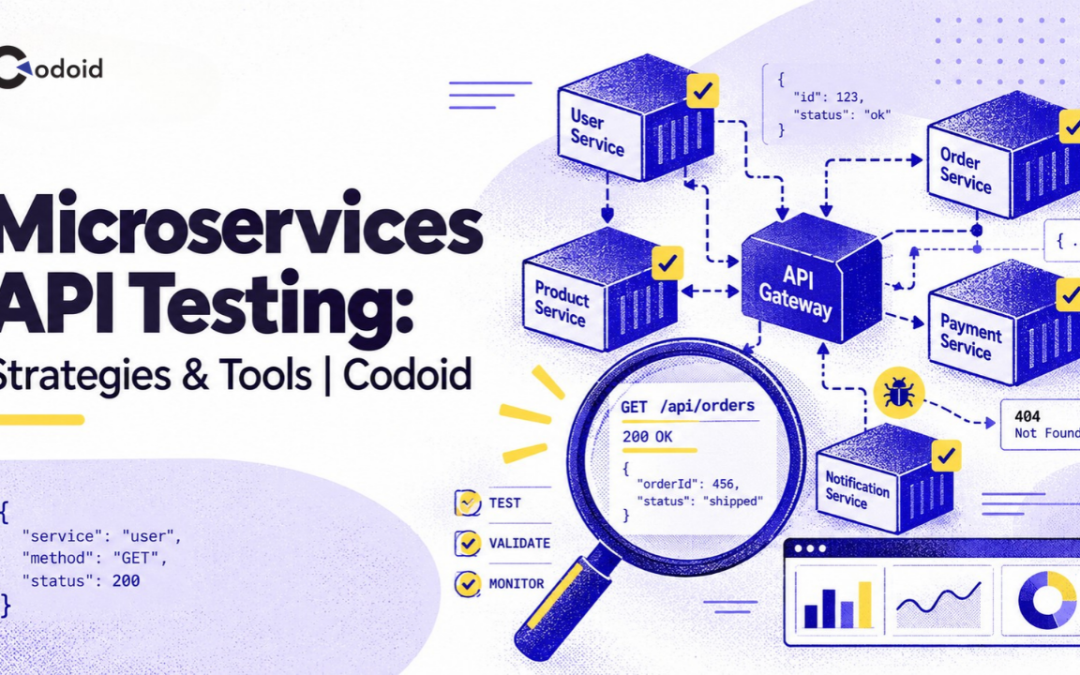
Microservices make applications easier to divide, deploy, and scale independently, but they also make microservices API testing more distributed. A user request may travel through an API gateway, several services, databases, queues, and third-party APIs before it completes. As a result, testing only individual HTTP endpoints is not enough. Teams need a layered API testing strategy that verifies each service independently while also checking the contracts, dependencies, failure modes, and end-to-end workflows connecting those services.
How should microservices APIs be tested?
Microservices APIs should be tested at multiple layers: service-level functional tests, contract tests, integration tests, end-to-end tests, security tests, performance tests, and resilience tests. The most effective strategy runs fast, isolated tests early in CI and reserves slower tests involving multiple real services for scenarios that genuinely require them. If you’d rather have a team build this out, our API and backend testing services team applies this exact layered approach to production microservices.
Key takeaways
- Test each microservice independently before testing complete workflows.
- Use contract testing to detect incompatible API changes between consumers and providers.
- Test critical integrations against realistic databases, brokers, and infrastructure rather than mocking every dependency.
- Cover authentication, authorization, malformed input, rate limits, and other security conditions explicitly.
- Define measurable performance thresholds instead of treating load tests as informational reports.
- Keep a small number of end-to-end tests for high-value business workflows and diagnose failures with distributed tracing.
What is microservices API testing?
Microservices API testing is the process of verifying the behavior, compatibility, security, performance, and reliability of APIs used by independently deployable services.
The testing scope includes more than checking whether GET, POST, PUT, or DELETE requests return expected status codes. It may also cover:
- Request and response schemas
- Business rules
- Authentication and authorization
- Service-to-service contracts
- Database interactions
- Message queues and event streams
- Timeouts and retries
- Idempotency
- Rate limiting
- Error handling
- Performance under load
- Partial dependency failures
For HTTP APIs, an OpenAPI description can provide a machine-readable definition of endpoints, parameters, payloads, and responses. As of September 2026, OpenAPI Specification 3.2.0, released on September 19, 2025, is the latest published OAS version.
Microservices API testing vs. traditional API testing
Traditional API testing often focuses on whether a single API behaves correctly. Microservices API testing must additionally account for distributed ownership and independent change.
For example, an order service might depend on an inventory service whose team releases independently. Both services can pass their own functional tests while still failing together because one team changed a field name, response type, validation rule, or error structure.
That is why contract and integration testing become particularly important in microservice architectures.
Why does microservices API testing matter?
A microservice normally exposes only one part of a larger business operation. Failures can therefore originate far from the API that the client initially called.
Consider an e-commerce checkout:
Client
↓
API Gateway
↓
Order Service
|--------------------> Inventory Service
|
|--------------------> Payment Service
|
+--------------------> Event Broker ---> Shipping Service
A successful response from the order endpoint does not automatically prove that the system is correct. The order may have been stored while payment failed, inventory may have been reserved twice after a retry, or the shipping event may never have been published.
Distributed systems also make failures harder to diagnose because a single transaction crosses service and process boundaries. OpenTelemetry, for example, uses context propagation to correlate spans belonging to the same operation across services, making distributed traces particularly useful when debugging integration and end-to-end tests.
A comprehensive API testing strategy reduces the chance that independently correct services become collectively unreliable.
How does microservices API testing work?
An effective strategy divides testing into layers based on what needs to be proven and how many dependencies must be involved.
End-to-End Tests (fewest, highest cost)
↓
Integration / Workflow Tests
↓
Consumer Contract Tests
↓
Component / Service API Tests
↓
Unit Tests (most, lowest cost)
Tests nearer the bottom should generally be easier to isolate and run frequently. Tests nearer the top exercise more of the deployed system but introduce more moving parts, test data, infrastructure, and potential sources of failure.
The objective is not simply to maximize the number of tests. It is to place each risk at the lowest test layer capable of detecting it reliably.
1. Unit and component tests
Unit tests verify individual functions, classes, validators, or domain rules without network dependencies.
Component-level API tests run the microservice as a testable application while replacing selected external services. They can validate:
- Routing
- Serialization
- Input validation
- Error handling
- Business rules
- Authentication middleware
- HTTP status codes
These tests are useful for getting rapid feedback before infrastructure-heavy tests run.
2. Contract tests
Contract testing verifies that a service provider remains compatible with its consumers.
Pact describes a consumer-driven contract as an agreement in which the consumer records the interactions it requires and the provider verifies that it can satisfy them. Pact specifically distinguishes contract testing from provider functional testing: contract tests check shared assumptions rather than trying to test all provider behavior.
Contract tests are particularly useful when different teams independently deploy services.
For example, suppose the checkout service expects:
{
“productId”: “SKU-104”,
“available”: true,
“quantity”: 24
}
If the inventory service later renames available to inStock, its own tests might still pass. A consumer contract test can catch the incompatible change before deployment.
3. Integration tests
Integration tests verify that a service communicates correctly with real infrastructure or selected neighboring systems.
Typical dependencies include:
- PostgreSQL or MySQL
- Redis
- Kafka or RabbitMQ
- Object storage
- Identity services
- HTTP services
Testcontainers is designed for this category of testing. Its Java implementation creates lightweight, disposable instances of databases, message queues, web servers, and other containerized dependencies, allowing tests to begin from a known environment.
The point is not to start the entire production architecture for every integration test. Run only the dependencies required to verify the behavior under test.
4. End-to-end tests
End-to-end tests verify complete workflows across multiple deployed services.
Examples include:
- Register customer → authenticate → create order
- Add item → reserve inventory → collect payment
- Submit claim → validate policy → approve claim
- Create booking → charge card → send confirmation
These tests provide valuable confidence, but every participating service, dependency, network route, credential, and data store increases the number of possible failure causes.
Keep the suite focused on critical business journeys rather than duplicating every lower-level API scenario.
5. Performance tests
Performance tests establish how an API behaves under expected and exceptional traffic.
Useful measurements include:
- Request latency percentiles
- Throughput
- Error rate
- Saturation
- Dependency latency
- Timeout frequency
Performance tests become much more actionable when they have explicit acceptance criteria. Grafana k6 supports thresholds that turn metrics such as error rate and request duration into pass/fail conditions suitable for automated pipelines.
For example:
export const options = {
  thresholds: {
    http_req_failed: ['rate<0.01'],
    http_req_duration: ['p(95)<500']
  }
};
The exact thresholds should come from your own service objectives rather than arbitrary values copied from another system. Our performance testing services team typically defines these thresholds against your actual SLOs before load testing begins.
6. Security tests
Security testing must verify both technical vulnerabilities and API-specific access-control behavior.
The OWASP API Security Top 10 2023 identifies issues including broken object-level authorization, broken authentication, broken object-property authorization, unrestricted resource consumption, broken function-level authorization, server-side request forgery, and unsafe consumption of APIs.
Functional API suites should therefore include cases such as:
- Can User A retrieve User B’s object by changing its ID?
- Can a standard user call an administrator endpoint?
- Does an expired token still work?
- Can clients submit protected fields that should be server-controlled?
- What happens after repeated resource-intensive requests?
A 200 OK response does not prove an API is secure. Our security testing services team maps these API-specific checks directly to the OWASP API Security Top 10.
7. Resilience testing
Microservices must also behave predictably when dependencies are slow or unavailable.
Test conditions such as:
- Connection timeout
- Read timeout
- HTTP 500/503 responses
- Slow downstream responses
- Lost connections
- Duplicate events
- Broker unavailability
- Retry exhaustion
- Partial service degradation
A mock such as WireMock can return predefined responses and can also be used to reproduce controlled dependency behavior during testing. WireMock supports request matching and programmable HTTP stubs, along with features for simulating faults and stateful behavior.
Step-by-step: How to build a microservices API testing strategy
1. Map every service interaction
Start by identifying the boundaries around each microservice.
Document:
- Incoming API calls
- Outgoing API calls
- Databases
- Caches
- Message brokers
- Third-party services
- Authentication providers
- Events produced
- Events consumed
Why: You cannot select the correct testing layer until you know what the service depends on.
Expected result: A dependency map showing which interfaces can fail independently.
Common mistake: Documenting only public REST endpoints while ignoring service-to-service APIs and asynchronous events.
2. Establish machine-readable API contracts
Use OpenAPI for HTTP APIs where practical and Protocol Buffers for gRPC interfaces.
Define:
- Required fields
- Types
- Allowed values
- Response structures
- Error responses
- Authentication requirements
- Versioning rules
Why: A contract gives both humans and automated tooling a precise interface to validate.
Expected result: API implementation and test suites refer to a controlled source of interface truth.
Common mistake: Updating application code while leaving the published API specification unchanged.
3. Build service-level functional tests
Test the API’s own behavior before involving neighboring microservices.
Include:
- Valid requests
- Required-field validation
- Boundary values
- Malformed requests
- Unknown resource IDs
- Duplicate submissions
- Authentication failures
- Authorization failures
- Business-rule violations
- Expected error objects
Java teams can use REST Assured for code-based API assertions. Its current documentation shows REST Assured 6.0.1 as released on July 10, 2026.
An example test could look like this:
given()
    .contentType("application/json")
    .body("""
        {
          "customerId": "C-1024",
          "productId": "SKU-104",
          "quantity": 2
        }
        """)
.when()
    .post("/orders")
.then()
    .statusCode(201)
    .body("status", equalTo("PENDING"));
Add negative and boundary scenarios rather than stopping after the happy path.
4. Add consumer-provider contract verification
Identify APIs consumed by independently maintained applications or services.
For each important interaction:
- Record what the consumer actually requires.
- Produce the contract from consumer tests.
- Publish or share the contract.
- Verify it against the provider.
- Block incompatible provider releases.
Pact’s HTTP workflow follows this pattern: consumer tests generate a contract, the contract is shared, and provider verification replays the interactions against the provider.
Expected result: Breaking API changes fail before production deployment.
5. Test real infrastructure selectively
Replace mocks with real disposable infrastructure where implementation differences matter.
Use a real database when verifying:
- SQL behavior
- Transactions
- Migrations
- Constraints
- Index-dependent behavior
Use a real broker when verifying:
- Serialization
- Topics or queues
- Consumer configuration
- Delivery semantics
- Message metadata
Containerized environments are useful here because they provide controlled, repeatable dependencies without requiring a permanently shared integration environment.
6. Test asynchronous behavior explicitly
Event-driven microservices require a different assertion model from synchronous HTTP APIs.
Suppose:
POST /orders
       |
       +--> 202 Accepted
                 ↓
          OrderCreated event
                 ↓
           Inventory Service
Do not assume the downstream update exists immediately after receiving 202 Accepted.
Use bounded polling:
Create order
     ↓
Poll order state
     |
     +--> PENDING → retry
     |
     +--> CONFIRMED → pass
     |
     +--> REJECTED → evaluate scenario
     |
     +--> timeout → fail
Always impose a maximum waiting period. An unbounded sleep or polling loop hides failures and makes CI unpredictable.
7. Add security tests to normal CI
Security should not exist only as a late penetration-testing activity.
Automate checks for:
- Missing credentials
- Invalid credentials
- Expired tokens
- Role escalation
- Object-level access control
- Input manipulation
- Protected fields
- Unexpected HTTP methods
- Oversized requests
- Invalid content types
OWASP ZAP’s API scan can import OpenAPI, SOAP, or GraphQL definitions and perform API-oriented active scanning against discovered URLs. Because active scanning sends potentially hostile requests, run it only against systems where such testing is explicitly authorized.
8. Establish performance acceptance criteria
Identify the workload that represents the service’s expected operating conditions.
Then specify measurable criteria, for example:
Scenario: Create order
Traffic: expected peak profile
Error-rate requirement: < defined service target
p95 latency: < defined service target
Dependency timeout rate: < defined service target
Use thresholds so a regression can automatically fail the test stage rather than relying on someone to manually inspect charts.
9. Test dependency failures
For every significant synchronous dependency, test at least:
Successful response, business error, server error, timeout, invalid response, slow response, connection failure.
Also verify what your service does next:
- Does it retry?
- Is the retry bounded?
- Could it duplicate an operation?
- Does it return an appropriate error?
- Does it open a circuit breaker?
- Can it degrade gracefully?
Failure handling is part of the API contract users experience.
10. Gate releases at the appropriate CI stages
A practical pipeline might look like:
Commit
↓
Unit / Component Tests

Commit
↓
API Functional Tests

Commit
↓
Contract Verification

Commit
↓
Integration Tests
↓
Deploy Test Environment

Deploy Test Environment
↓
Critical Workflow Tests

Deploy Test Environment
↓
Security Scan

Deploy Test Environment
↓
Performance Smoke Test
↓
Release
Avoid running every expensive test on every code edit. Match execution frequency to the risk and cost of each test.
Practical example: Testing an Order Service API
Consider an e-commerce Order Service.
Business scenario
A customer submits an order. The service must:
- Validate the order.
- Check inventory.
- Create the order.
- Publish an OrderCreated event.
- Return the new order ID.
Preconditions
Customer C-1024 exists. Product SKU-104 exists. Inventory = 10 units. Requested quantity = 2.
Request
POST /orders
Content-Type: application/json
Authorization: Bearer <token>

{
  "customerId": "C-1024",
  "items": [
    {
      "productId": "SKU-104",
      "quantity": 2
    }
  ]
}
Expected response
{
“orderId”: “ORD-9001”,
“status”: “PENDING”
}
Expected HTTP status: 201 Created
Recommended tests
| S. No |
Test |
What it proves |
| 1 |
Valid order |
Basic API behavior works |
| 2 |
Quantity = 0 |
Request validation rejects invalid input |
| 3 |
Unknown product |
Business error is handled |
| 4 |
Missing token |
Authentication is enforced |
| 5 |
Another customer’s order ID |
Object-level authorization is enforced |
| 6 |
Inventory contract verification |
Order Service and Inventory Service agree on the interface |
| 7 |
Real database integration |
Order persistence works with the actual database engine |
| 8 |
Broker integration |
OrderCreated is serialized and published correctly |
| 9 |
Inventory timeout |
Failure policy behaves correctly |
| 10 |
Duplicate request with same idempotency key |
Retry does not create duplicate orders |
| 11 |
Peak workload |
Latency and error-rate objectives hold under expected load |
Example failure condition
Assume the inventory service normally returns:
{
“productId”: “SKU-104”,
“availableQuantity”: 10
}
A provider deployment changes it to:
{
“productId”: “SKU-104”,
“stock”: 10
}
The inventory service might still pass its internal functional tests.
An Order Service consumer contract that requires availableQuantity, however, should fail provider verification and prevent the incompatible change from progressing.
That is exactly the type of failure contract testing is designed to detect.
Microservices API testing strategies compared
No single testing strategy covers every risk.
| S. No |
Test type |
Primary purpose |
Real dependencies |
Relative execution cost |
Best use |
| 1 |
Unit |
Validate code logic |
No |
Low |
Functions and domain rules |
| 2 |
Component/API |
Validate one service |
Few or mocked |
Low |
Endpoint behavior and validation |
| 3 |
Contract |
Verify consumer/provider compatibility |
Usually isolated |
Low-medium |
Independently deployed services |
| 4 |
Integration |
Validate actual integrations |
Selected dependencies |
Medium |
Databases, brokers, infrastructure |
| 5 |
End-to-end |
Validate complete workflows |
Many |
High |
Critical business journeys |
| 6 |
Security |
Find access-control and security weaknesses |
Depends on scope |
Medium-high |
Security assurance |
| 7 |
Performance |
Validate capacity and latency objectives |
Usually realistic environment |
High |
Release and capacity validation |
| 8 |
Resilience |
Validate failure behavior |
Real or simulated failures |
Medium-high |
Timeouts, retries and degradation |
The right approach is therefore a portfolio of tests, not a choice between contract testing, integration testing, and end-to-end testing.
Best practices for testing microservices APIs
Keep service tests independently executable
A team should be able to test its service without starting the company’s entire platform. Isolation shortens feedback cycles and reduces failures caused by unrelated components.
Put compatibility checks before broad end-to-end tests
Use contract testing to detect service-interface incompatibilities close to the team introducing the change. This provides a more specific failure signal than discovering the same problem during a large multi-service test.
Test behavior, not just HTTP status codes
A response with 200, 201, or 204 may still contain incorrect data. Validate:
- Response schema
- Important field values
- Persistence
- Side effects
- Authorization
- Published events
- Downstream interactions
Use mocks deliberately
Mocks are valuable when the objective is to isolate a service or simulate rare failures. They are weak substitutes when the risk comes from a real implementation detail such as SQL behavior, broker configuration, serialization, TLS, or network communication.
Keep test data deterministic
A test should create or control the data it requires whenever feasible. Dependencies on long-lived shared test accounts and manually maintained database records frequently produce non-repeatable failures.
Test retries with idempotency in mind
A timeout does not always mean a downstream operation failed. For operations such as payments and order creation, verify that retries cannot unintentionally create duplicate business effects.
Make observability part of testability
Propagate trace context through synchronous and asynchronous service calls. Distributed traces help determine whether a failed workflow originated in the gateway, application logic, downstream service, database, or another dependency. OpenTelemetry defines context propagation specifically to correlate distributed operations across service boundaries.
Run tests at multiple lifecycle stages
Use fast functional and contract suites during pull requests, broader integration suites before deployment, and carefully controlled performance or security tests in suitable environments. Not every test needs the same trigger.
Common microservices API testing mistakes
| S. No |
Mistake |
Why it happens |
Impact |
Recommended fix |
| 1 |
Testing only happy paths |
Teams optimize for feature delivery |
Error handling remains unverified |
Add negative, boundary, and malformed-input tests |
| 2 |
Relying entirely on end-to-end tests |
They appear to test the “real system” |
Slow, fragile feedback |
Move checks to component, contract, and integration layers |
| 3 |
Mocking every dependency |
Isolation seems convenient |
Integration incompatibilities remain hidden |
Use real disposable infrastructure selectively |
| 4 |
Ignoring API contracts |
Teams coordinate changes informally |
Independent releases break consumers |
Add automated contract verification |
| 5 |
Hard-coded sleeps |
Async behavior is difficult to test |
Slow and flaky suites |
Use bounded polling based on observable state |
| 6 |
Checking only status codes |
Assertions are quick to write |
Incorrect payloads or side effects pass |
Validate schemas and business outcomes |
| 7 |
Sharing mutable test data |
Environment setup is centralized |
Tests interfere with one another |
Create isolated or uniquely identified data |
| 8 |
Ignoring authorization scenarios |
Authentication receives most attention |
Cross-user or cross-role access can remain exposed |
Add object- and function-level authorization tests |
| 9 |
Running load tests without thresholds |
Tests are treated as reports |
Regressions do not block releases |
Encode measurable acceptance criteria |
Why does an API test pass individually but fail in the full suite?
The most likely cause is shared mutable state or hidden test ordering. Check whether tests reuse the same customer, account, database row, queue, cache entry, token, or idempotency key. Generate unique test identifiers, reset state where appropriate, and make tests independent of execution order.
Why does a contract test fail even though the provider API works manually?
The consumer and provider may disagree about a detail that manual testing did not exercise. Compare required fields, data types, headers, status codes, nullability, error responses, and provider state. Avoid making contracts unnecessarily strict. Pact recommends contracts focus on interactions the consumer actually relies on rather than duplicating all provider functional behavior.
Why do microservices API tests fail intermittently?
Intermittent failures commonly originate from timing, asynchronous processing, shared data, dependency instability, or environmental contention. Correlate failures with traces and dependency logs before simply adding retries. Retrying the test can hide a genuine race condition.
Why does an asynchronous API test fail immediately after receiving a successful response?
A response such as 202 Accepted usually indicates that processing can continue after the HTTP request finishes. Verify completion through a business-visible state, event, or read endpoint and use bounded polling rather than expecting an immediate downstream update.
Why does the test environment behave differently from production?
The test environment may use different infrastructure, topology, configuration, authentication, resource limits, data volumes, or dependency versions. Compare the characteristics relevant to the failing scenario rather than assuming an environment is production-like merely because it uses the same application build.
Why does an API return 401 instead of 403?
A 401 Unauthorized response normally indicates that valid authentication is missing or unacceptable, while 403 Forbidden normally means the request was understood but access is not permitted. When testing authorization, first ensure the caller has valid credentials. Otherwise the test may exercise authentication rather than the permission rule it intended to verify.
Tools for microservices API testing
Tool selection should depend on the layer being tested rather than trying to standardize every API test on one platform.
| S. No |
Tool |
Good fit |
Notes |
| 1 |
Postman |
Exploratory, functional, workflow and regression API testing |
Collections can contain scripts and assertions and can run manually or through CI tooling. |
| 2 |
REST Assured |
Java API automation |
Provides a fluent Java API for HTTP request and response assertions. |
| 3 |
Pact |
Consumer-driven contract testing |
Generates consumer expectations and verifies provider compatibility. |
| 4 |
WireMock |
API mocking and fault simulation |
Supports programmable stubs and request matching for controlled dependency behavior. |
| 5 |
Testcontainers |
Integration testing with realistic infrastructure |
Creates disposable containerized databases, brokers, servers, and other dependencies. |
| 6 |
k6 |
Load and performance testing |
Supports executable performance thresholds suitable for CI gates. |
| 7 |
Schemathesis |
Schema-driven and property-based API testing |
Generates test cases from OpenAPI or GraphQL schemas and validates responses against the schema. |
| 8 |
OWASP ZAP |
Automated API security scanning |
Its API scan supports definitions including OpenAPI and GraphQL. |
| 9 |
OpenTelemetry |
Diagnosing distributed test failures |
Provides trace context propagation and distributed observability across services. |
A version-compatibility note for schema-based tools
Do not assume that every testing tool immediately supports the newest API specification, and re-check compatibility periodically since tool support changes. As of this writing, Schemathesis supports OpenAPI (Swagger) 2.0, 3.0, 3.1, and 3.2, alongside GraphQL schemas, so it has already caught up to the current OpenAPI 3.2.0 specification. Teams adopting a new OpenAPI version should still verify compatibility with their exact toolchain before upgrading specifications used by automated tests, since not every tool in a pipeline updates on the same schedule.
Limitations and risks of microservices API testing
A strong automated suite reduces risk but cannot prove that a distributed system will never fail. Several limitations remain.
Mocks can create false confidence. A mock reproduces the behavior you configured, not necessarily the behavior of the real dependency.
Shared environments create nondeterminism. Concurrent deployments, tests, and data changes can make failures difficult to reproduce.
End-to-end coverage becomes expensive. The number of possible service combinations, data states, and failure modes grows rapidly as architecture becomes more distributed.
Performance results are environment-dependent. A latency number measured in a small test cluster cannot automatically be treated as a production capacity guarantee.
Active security tests can be disruptive. Scanners may send malicious or resource-intensive requests and should be executed only in explicitly authorized environments.
Eventually consistent workflows need time-aware assertions. Treating every distributed update as immediate produces flaky tests and incorrect expectations.
The goal is therefore risk-based confidence, not an impossible promise that every combination has been tested.
Conclusion
Testing microservices APIs successfully requires more than sending requests to individual endpoints. The strongest approach is layered: validate service behavior locally, protect service boundaries with contracts, exercise important infrastructure through integration tests, verify critical workflows end to end, test authorization and failure handling explicitly, and use measurable performance criteria. Most importantly, put each test at the lowest layer that can detect the intended failure reliably. Doing so gives teams faster feedback without sacrificing the integration, security, performance, and resilience coverage that distributed architectures require.
A practical next step is to map one production-critical workflow, identify every service and dependency it crosses, and classify its current tests as functional, contract, integration, end-to-end, security, performance, or resilience. Missing categories reveal where the next testing investment is likely to provide the greatest value. Talk to our API testing team if you want help closing those gaps.
Frequently Asked Questions
-
What types of tests are most important for microservices APIs?
Functional, contract, integration, security, performance, resilience, and selected end-to-end tests address different risks. Contract tests are particularly valuable between independently deployed services, while integration tests are necessary where real databases, brokers, or protocols may behave differently from mocks. End-to-end tests should concentrate on critical business workflows rather than duplicating every service-level test.
-
What is the difference between contract testing and integration testing?
Contract testing verifies interface compatibility; integration testing verifies that components work together in a real or realistic integration. A contract test can prove that an Inventory Service still returns data required by an Order Service without starting the complete application. An integration test may start the service with its actual database, broker, or neighboring system to verify runtime communication.
-
Should microservices API tests use mocks or real services?
Use both according to the risk being tested. Mocks are appropriate for service isolation, deterministic errors, timeouts, and uncommon dependency conditions. Use real implementations when behavior depends on database semantics, message brokers, serialization, network protocols, authentication infrastructure, or other details a mock may not reproduce.
-
Should every microservice be included in end-to-end testing?
No. A complete all-services suite is not necessary for every API requirement. Use broad end-to-end tests for high-value business journeys, and verify most logic and compatibility at lower testing layers. This keeps failures easier to diagnose while still providing system-level confidence where it matters.
-
How should asynchronous microservices APIs be tested?
Assert against observable completion rather than assuming immediate consistency. After triggering an asynchronous operation, poll a status endpoint, observe an event, or query the resulting business state until the expected outcome appears or a defined timeout expires. Avoid fixed sleeps because processing time can vary across environments.
-
How do you test microservices API security?
Combine automated security scanning with explicit business-level authorization tests. Validate missing and invalid credentials, cross-user resource access, role restrictions, protected fields, resource consumption, unsafe input, and other relevant API risks. The OWASP API Security Top 10 is a useful threat-oriented starting point, but the test cases should be mapped to the application's actual authorization and business model.
-
What is the best tool for testing microservices APIs?
There is no single best tool because different tools solve different testing problems. Postman and REST Assured suit functional automation, Pact targets consumer-driven contracts, Testcontainers supports realistic integration environments, WireMock supports dependency simulation, k6 targets performance testing, and ZAP supports security scanning. Select tools according to the test layer and the technology stack your team maintains.
by Rajesh K | Sep 20, 2026 | Mobile App Testing, Blog, Latest Post |
Build a mobile testing strategy by mapping critical user journeys to supported devices, realistic network conditions, and measurable release gates. Prioritize failures that could block access, lose data, or create incorrect transactions. Combine fast automated checks with targeted real-device testing, then release gradually while monitoring user outcomes. A mobile testing strategy is the framework that determines what you test, where you test it, and what evidence you need before shipping. It should answer a more useful question than “Did the test suite pass? Can users complete the app’s most important tasks safely across the conditions you have committed to support?
Consider a checkout flow that works on a new phone over office Wi-Fi. What happens when the connection disappears after the server accepts the payment, but before the app receives confirmation? What happens when the user restarts the app and tries again?
That is the difference between testing a feature and testing the conditions under which people depend on it. If you’d rather have a team apply this framework directly, our mobile app testing services team builds exactly this kind of strategy for production releases.
The matrices, scoring model, and numerical targets below are suggested starting points, not universal benchmarks or official platform requirements.
1. Define Your Support Policy and Critical User Journeys
Before selecting devices or automation tools, define the product’s support boundaries. Document the operating systems, device capabilities, form factors, languages, and accessibility experiences the app must support. Specify which features require connectivity and what users should be able to do offline.
Make exclusions explicit. A phone-only product and a product promising tablet support should not share the same compatibility checklist.
Prioritize outcomes, not screens
Organize testing around complete user journeys rather than isolated pages.
For a transactional app, a critical journey might include signing in, selecting an item, submitting a purchase, receiving confirmation, and finding the transaction after reopening the app. For a messaging app, the equivalent journey might include composing, sending, reconnecting, and confirming delivery without duplication.
Give every critical journey an owner, expected outcome, recovery behavior, and clear failure conditions. For example:
Journey: Submit a booking.
Required outcome: One confirmed booking appears in the user’s account.
Failure conditions: Duplicate booking, incorrect confirmation, lost payment state, or access to another user’s reservation.
This creates a foundation for both test design and release decisions.
Use risk scoring to allocate effort
A simple prioritization model is:
Priority score = business impact × failure likelihood × user exposure
Score each factor from 1 to 5. Use incident history, recent code changes, architectural complexity, and audience data to inform the scores. Treat the result as an ordering aid, not a statistical estimate of risk.
Most importantly, apply severity overrides. An authentication bypass or irreversible data-loss defect should remain a release blocker even when it affects a small audience. Low exposure must not cancel out severe consequences.
2. Build a Device Coverage Matrix Around Your Audience
Device coverage should reflect the users and technical risks you need to support, not the number of phones available in a lab.
Start with your own analytics, installation data, crash reports, support tickets, and commercial commitments. Use a recent, representative reporting window, and look at device-operating-system combinations rather than device models alone.
Balance successful-session analytics with installation and failure signals. Otherwise, your selection process may overlook people who cannot reliably reach the point where normal analytics begin.
For a new app without production data, begin with target-audience research and beta feedback. Treat that matrix as provisional.
Cover meaningful configuration differences
Include operating-system boundaries, manufacturer variations, memory and performance classes, display sizes, and hardware-dependent features.
Also consider the size and state of the app window, not just the phone’s physical screen. Android’s quality guidance explicitly addresses resizable windows, orientation changes, and fold-state transitions.
Use the following selection matrix as a starting point:
| S. No |
Coverage group |
Configurations to select |
Suggested execution |
| 1 |
Core audience |
Most-used supported Android device-OS pairs and iPhone hardware-OS pairs |
Critical journeys on every release candidate; selected smoke tests after merge |
| 2 |
Support boundaries |
Oldest supported OS, lowest supported performance class, and important small-screen configurations |
Every release candidate and relevant platform changes |
| 3 |
Feature-specific risks |
Devices needed for camera, biometrics, Bluetooth, NFC, tablets, or foldable experiences |
Every affected change and release validation |
| 4 |
Extended compatibility |
Lower-use supported combinations and additional display or language configurations |
Rotating regression runs, expanded for relevant changes |
| 5 |
Upcoming platforms |
Available operating-system previews and emerging configurations |
Planned exploratory testing; blocking only where explicitly required |
Use valid, supported hardware-OS combinations. Do not create theoretical pairings that cannot exist on a real device.
In the working matrix, record the exact model, OS build, app build, physical or virtual environment, assigned test pack, owner, and latest result.
Combine virtual coverage with physical validation
Use emulators and simulators for repeatable functional checks and broad configuration exploration. Retain physical devices for performance decisions and hardware-dependent release evidence.
Google’s App Performance Score guidance specifically requires physical hardware for realistic dynamic assessment and recommends evaluating multiple devices, including lower-end hardware.
For camera, biometric, audio, Bluetooth, and connectivity-dependent journeys, make actual hardware interaction part of your proposed acceptance criteria, not merely a simulated success response.
Cloud device labs can supplement an internal lab. Firebase Test Lab, for example, offers physical and virtual testing environments, although availability depends on the platform and device catalog.
Measure exposure coverage without overstating confidence
One useful planning metric is:
Device-OS exposure coverage = recorded supported sessions from tested device-OS pairs ÷ all recorded supported sessions × 100
For example, configurations representing 92,000 of 100,000 supported sessions provide 92% observed session exposure coverage. That does not establish that 92% of defects, user needs, or business risks are covered.
Define “tested” as completing the required test pack for that configuration on the candidate build. Report physical-device execution separately from virtual execution, and keep high-severity edge cases mandatory regardless of audience share.
3. Test Network Conditions, Interruptions, and Recovery
A network testing strategy should verify what the app does before, during, and after connectivity deteriorates.
Do not stop at measuring how slowly a screen loads. Define whether the app preserves input, communicates uncertainty, permits cancellation, retries safely, and recovers to a correct state.
Apple identifies Network Link Conditioner as a repeatable way to test adverse network conditions. Android’s emulator tooling also supports configurable network speed and latency.
Create reproducible network profiles
Avoid relying only on labels such as “slow connection” or “mobile network.” Record measurable conditions.
The following profiles are illustrative lab settings, not claims about typical carrier performance. Download and upload rates are in megabits per second; round-trip time is the measured request-and-return network delay.
| S. No |
Test profile |
Example conditions |
Required behavior to validate |
| 1 |
Healthy baseline |
20 Mbps down, 5 Mbps up, 40 ms round-trip time, no injected loss |
Normal completion and baseline responsiveness |
| 2 |
Constrained connection |
1 Mbps down, 0.25 Mbps up, 300 ms round-trip time, 1% injected packet loss |
Input preserved, bounded waiting, useful progress and cancellation |
| 3 |
Unstable connection |
2 Mbps down, 0.5 Mbps up, round-trip time varying from 100-800 ms, 3% injected loss |
Controlled retries, stable interface, no duplicate actions |
| 4 |
Temporary outage |
Connectivity blocked for 30 seconds, then restored |
Accurate offline state and correct recovery |
| 5 |
Network transition |
Switch between Wi-Fi and cellular during an active operation |
Connection recovery without lost or repeated business actions |
Verify the conditions actually achieved by the test environment. Record whether latency settings represent additional delay or a target observed round-trip time.
Treat traffic shaping and real network transitions as separate evidence. A repeatable latency test should not be your only validation of a Wi-Fi-to-cellular handover.
Test service failures separately from connection quality
Add controlled tests for server errors, rate-limit responses, delayed responses, connection resets, failed name resolution, and certificate-validation failures.
Specify the expected response for each case. The app might offer a retry, preserve a draft, display cached information, or prevent an operation until its status is known.
A network test should pass because the app handled the condition correctly, not because every operation succeeded despite the injected failure.
Keep secure communication requirements intact during failure handling. OWASP MASVS includes controls for protecting communication between mobile apps and remote endpoints.
Test the “server succeeded, client does not know” scenario
In an isolated test environment, let the server accept a transaction, then prevent the success response from reaching the app.
Restart the app, restore connectivity, and repeat the user action.
Assert that the app reconciles with server state, displays an accurate outcome, and does not create a duplicate transaction. Include process termination so the test does not depend on an operation identifier surviving only in memory.
Where the server supports idempotency, validate its actual contract: consistent operation identifiers, matching request parameters, and the documented retention window. Stripe’s API documentation illustrates this approach by describing how idempotency keys support retries without repeating an operation.
A client timeout is not proof that the server rejected the action. Make that distinction explicit in both the interface and the tests.
4. Cover the Mobile Risk Areas That Happy-Path Tests Miss
Use a risk register to connect each important failure mode to a test, an owner, and a release decision. The following proposed register complements the device and network matrices:
| S. No |
Risk area |
Scenarios to include |
Outcome to protect |
| 1 |
Authentication and permissions |
Expired sessions, account switching, denied permissions, revoked permissions, interrupted sign-in |
Correct access and safe recovery without bypassing authorization |
| 2 |
Lifecycle and local state |
Backgrounding, screen locking, process termination, device restart, repeated reopening |
Important state remains consistent and recoverable |
| 3 |
Installation and upgrades |
Clean install, upgrade from supported older versions, interrupted migration, low storage |
Existing users can update without losing required data |
| 4 |
Hardware and integrations |
Camera interruption, biometric failure, accessory disconnection, external-app return, SDK errors |
Supported features fail safely and recover predictably |
| 5 |
Accessibility and localization |
Screen-reader navigation, large text, focus order, long translations, right-to-left layouts |
Critical journeys remain understandable and usable |
| 6 |
Performance and resources |
Cold launch, long sessions, repeated navigation, memory pressure, battery and thermal conditions |
Responsiveness remains within defined budgets |
| 7 |
Security and privacy |
Sensitive storage, logs, session handling, deep links, network protection, third-party data collection |
User data and access boundaries remain protected |
Treat lifecycle changes as first-class scenarios
For every stateful journey, decide what should happen when the app leaves the foreground, loses its process, or returns after a long interval.
Do not assume background work will run immediately. Android’s Doze and App Standby can defer background CPU and network activity, and Google recommends explicitly testing behavior in those modes.
Your acceptance criteria should distinguish “queued for later” from “completed successfully.”
Test upgrades with realistic existing data
Make upgrade testing more than installing a new build over an empty account.
Seed older supported versions with realistic local records, cached content, pending operations, and authentication state. Then validate the upgrade and its first successful user journey.
Include older versions that users are permitted to upgrade from directly, not only the immediately preceding release.
For backend changes, test the candidate app and still-supported older clients against the proposed service behavior. Make backward compatibility an explicit release dependency.
Give security and accessibility their own evidence
Use OWASP MASVS to structure applicable security requirements across storage, cryptography, authentication, network communication, platform interaction, code, resilience, and privacy. Link each selected requirement to evidence rather than treating a scanner’s completion as the entire assessment.
For accessibility, combine automated checks with hands-on completion of critical journeys. Android’s accessibility guidance recommends manual testing, analysis tools, automation, and user testing as complementary approaches. Our accessibility testing services team follows this same layered approach on mobile releases.
Under this strategy, an unlabeled purchase button or unreachable sign-in control is a functional blocker for affected users, not merely a visual defect.
5. Put Each Test at the Right Automation Layer
Automate at the smallest scope that can provide trustworthy evidence, then use end-to-end tests for the interactions smaller tests cannot establish.
Android’s testing strategy guidance recommends many smaller tests and relatively fewer large tests, while recognizing that hardware-intensive apps may need a different balance. It also advises selecting the lowest testing layer that provides the required feedback.
For this strategy, organize execution into three complementary layers.
Fast change checks should cover validation rules, state transitions, retry logic, serialization, migration logic, and API contracts. Run them before merging changes wherever practical.
Device and service integration checks should cover permissions, platform behavior, persistence, navigation, and interactions with controlled services. Use these to verify the boundaries where application logic meets its environment.
Release-level journeys should exercise the production-intended build through critical workflows, including failure and recovery paths. Add targeted human exploration for usability, accessibility, and risks introduced by the specific change. Our mobile test automation services team typically structures automation exactly along these three layers.
Do not let mocked responses become the only evidence for a live integration. A passing test against a mock establishes behavior under that mock’s assumptions; it does not establish that the actual service still matches them.
Make unreliable tests visible
Record first-attempt results as well as reruns. A test that eventually passes should not automatically erase the original failure.
Classify outcomes as passed, product failure, or inconclusive due to infrastructure or test problems. An inconclusive mandatory test is missing evidence, not a pass.
When quarantining an unreliable test, assign an owner and repair deadline. For critical coverage, require replacement evidence before release rather than silently removing the gate.
6. Define Measurable Mobile App Release Gates
A release gate is an explicit decision rule that must be satisfied before a build advances to the next stage.
Every gate should identify the required evidence, threshold, scope, decision owner, and response to failure.
Avoid rules such as “testing looks good” or “most tests passed.” An aggregate pass rate can conceal a failed critical journey.
Example release-gate matrix
| S. No |
Gate |
Required evidence |
Decision owner |
| 1 |
Change acceptance |
All mandatory change-level checks pass; policy-blocking findings are resolved; no required checks are silently skipped |
Engineering |
| 2 |
Candidate compatibility |
Every required critical journey passes on its assigned configurations, including designated physical devices |
QA and engineering |
| 3 |
Resilience and data integrity |
Required interruption and recovery scenarios complete with no observed duplicate operations, incorrect confirmations, or permanent data loss |
Feature and backend owners |
| 4 |
Performance and stability |
Defined performance budgets are met; no unresolved release-blocking crash, hang, or resource regression remains |
Performance and engineering owners |
| 5 |
Security and accessibility |
Applicable security evidence is accepted; critical journeys have no unresolved blocking accessibility defects |
Security, QA, and product |
| 6 |
Launch readiness |
Telemetry, alert routing, rollout controls, recovery procedures, and support ownership have been verified |
Release owner |
“All mandatory tests pass” must mean that the agreed tests actually ran against the relevant candidate. A skipped configuration or unavailable device should remain visible in the decision record. If you’re evaluating an outside team to help own these gates, see our guide on how to choose a mobile app testing company.
Use specific performance budgets
Replace “startup is fast” with a testable requirement. For example:
On the designated low-end reference device, the 95th-percentile cold-launch time to an interactive home screen must be no more than 2.5 seconds and no more than 10% slower than the accepted baseline, across 100 controlled launches per build.
This is an illustrative budget. Set your actual limit from user expectations, product requirements, and measured performance.
Define the launch state, dataset, device condition, network profile, and measurement method. Keep candidate and baseline conditions comparable. Choose repetition counts that make the metric useful; do not treat a small performance sample as proof that rare failures are absent.
Validate the production-intended artifact
Do not rely exclusively on debug builds. Android distinguishes release-candidate testing from ordinary application testing because the release binary can be optimized and minified.
Include production-intended signing, configuration, permissions, feature flags, service endpoints, and dependency versions in the release evidence. Where store processing affects delivery, include an installation through the intended distribution channel.
Tie results to an identifiable artifact. A materially changed build or configuration requires impact assessment and the appropriate tests to run again.
Make exceptions explicit
For accepted non-blocking defects, record the affected audience, impact, workaround, accountable approver, remediation deadline, and monitoring trigger.
Under the proposed policy, do not waive known authorization bypasses, duplicate financial actions, irreversible data loss, or a broken core journey simply to meet a date.
The release decision should state the remaining risk, not obscure it behind a green dashboard.
7. Extend the Strategy Through Rollout and Recovery
Passing pre-release gates should authorize controlled exposure, not end the testing strategy.
Google Play supports staged app updates and allows teams to halt further distribution. However, users who already received the version remain on it. Halting a rollout is not a rollback of installed copies.
Apple’s phased release gradually distributes version updates to eligible automatic-update users. Manual downloads remain available during the phased release, so the phased percentage is not a strict limit on total adoption.
These update mechanisms are not a substitute for a first-launch plan. Google Play does not offer rollout-percentage selection for a first release, and Apple’s phased-release resource applies to subsequent versions. Plan beta validation and any application-level feature exposure accordingly.
Define promotion and pause rules before launch
Monitor critical-journey completion, technical failures, crash and hang signals, latency, and support incidents. Break results down by app version and meaningful device-OS cohorts.
Specify the baseline, acceptable change, observation window, minimum exposure, and decision owner before interpreting the results.
Keep metric definitions consistent. For example, Android vitals defines user-perceived crash rate using daily active users who experience a qualifying crash, not the percentage of sessions that crash. Do not compare it directly with a session-based metric as though the denominators were identical.
Insufficient traffic should produce an “insufficient evidence” decision, not an automatic promotion.
Rehearse recovery
Prepare more than an instruction to stop rollout.
Test whether a problematic feature can be disabled, whether the backend can support both old and new clients, and whether a hotfix can be validated through a reduced but mandatory test pack.
Where remote controls are used, verify cached defaults and behavior when the configuration service is unavailable. The recovery path should not depend entirely on the broken feature continuing to work.
After an incident, update the strategy: add the missing scenario, reconsider the affected device cohort, and strengthen the gate that failed to detect or contain the problem.
Conclusion: Build the Strategy Around Evidence, Not Test Volume
A useful mobile testing strategy connects four decisions: which users you support, which conditions you simulate, which failures matter most, and what evidence permits release. Start with critical journeys. Build a device matrix from audience data and risk. Test interruptions as carefully as successful flows. Set measurable gates, preserve the identity of the tested artifact, and rehearse recovery before expanding exposure.
The objective is not to claim that every possible condition has been tested. It is to make the release decision defensible, and the remaining risk visible. Talk to our mobile app testing team if you want help building or auditing your own release gates.
Frequently Asked Questions
-
How many devices should be included in a mobile app testing strategy?
Choose devices to cover your audience, support boundaries, and technical risks rather than aiming for an arbitrary count. Start with high-use device-OS pairs, then add lower-end hardware, important display configurations, and devices required for specialized features. Document gaps and expand coverage when incidents or audience changes justify it.
-
Which network conditions should mobile apps be tested under?
For this framework, include a healthy baseline, constrained bandwidth, high or variable latency, packet loss, temporary outages, and network transitions. Add service failures and lost-response scenarios. Each test should verify both the user-visible behavior and the correctness of the final application state.
-
Can emulators replace real-device testing?
Use emulators and simulators for repeatable functional coverage, but retain physical-device evidence for performance and hardware-dependent release decisions. Google's dynamic App Performance Score assessment specifically calls for physical hardware to obtain realistic performance results.
-
Should every failed test block a release?
A failed mandatory release test should block progression until it is resolved or handled through an explicitly permitted exception process. Exploratory findings and non-blocking defects need separate triage. Do not classify a critical failure as non-blocking merely because most other tests passed.
-
What is the difference between a mobile testing strategy and a test plan?
Use the strategy to define priorities, support boundaries, test layers, ownership, and release rules. Use the test plan to translate those decisions into the cases, environments, people, and execution schedule for a particular change or release.
by Rajesh K | Sep 18, 2026 | Automation Testing, Blog, Latest Post |
A browser test can be easy to write and difficult to maintain. Consider a test that signs in, creates a workspace, changes its name, and verifies the result. In isolation, the implementation looks straightforward. But what happens when the same test runs across three browsers, four CI machines, and several retry attempts? Who owns the workspace? Can another test change the same account? Does a failed setup leave data behind? Can someone diagnose the failure without rerunning the entire suite? These are questions of Playwright test architecture, not simply questions about selectors. Getting this structure right is what separates a suite that scales from one that collapses under its own maintenance burden. Teams that need expert support in building this foundation can rely on Codoid’s QA automation services to design and implement a maintainable framework.
Those questions are architectural, not simply questions about selectors.
A useful design principle is:
Tests describe behavior. Page objects describe UI interactions. Playwright fixtures own resource lifecycles. Configuration and CI control execution.
This article develops that separation into a practical TypeScript architecture, including test-data ownership, authentication boundaries, parallel execution, and a sharded CI pipeline. Throughout this guide, we will explore how Playwright fixtures solve the problem of resource ownership in a way that keeps tests readable, isolated, and reliable.
1. Organize Around Responsibilities, Not Just Folders
Start with a small structure whose boundaries are easy to explain:
    .
    ├── e2e/
    │   ├── api/
    │   │   └── workspaces-api.ts
    │   ├── components/
    │   ├── fixtures/
    │   │   └── test.ts
    │   ├── pages/
    │   │   └── workspace-page.ts
    │   └── specs/
    │       └── workspaces/
    │           └── rename-workspace.spec.ts
    ├── playwright.config.ts
    ├── tsconfig.json
    ├── package.json
    └── .github/
        └── workflows/
            └── e2e.yml
The directory names matter less than the responsibilities behind them:
| S. No |
Layer |
Owns |
Should not own |
| 1 |
Specifications |
Scenarios and business assertions |
Selectors scattered across tests |
| 2 |
Page and component objects |
UI interactions and UI-specific synchronization |
Account provisioning or database cleanup |
| 3 |
API clients |
Application requests and response handling |
Test-runner lifecycle decisions |
| 4 |
Fixtures |
Resource creation, dependency wiring, and cleanup |
Entire business scenarios |
| 5 |
Configuration and CI |
Browsers, scheduling, environments, and artifacts |
Hidden changes to what a test verifies |
Playwright’s page-object model provides an application-facing interface over browser interactions, while Playwright fixtures provide reusable setup and teardown. The architecture should use those capabilities rather than build another framework around them.
For application specifications, establish one import convention:
import { test, expect } from '../../fixtures/test';
The fixture module becomes the entry point for your suite’s configured test object. Supporting modules can still import Playwright types directly.
As the suite grows, organize specifications by product capability, such as billing, workspaces, or permissions, not by arbitrary categories such as “positive tests” and “negative tests.” For a larger codebase, moving feature-specific page objects and API clients alongside their specifications may improve ownership. Do not introduce that complexity before it solves a real navigation problem.
2. Keep Page Objects Focused on the UI
A useful page object expresses application operations:
await workspacePage.rename('Release planning');
An unhelpful abstraction merely renames Playwright:
await basePage.clickElement('saveButton');
The first communicates intent. The second adds indirection without explaining the application.
A Small Page Object
    // e2e/pages/workspace-page.ts

    import {
        expect,
        type Locator,
        type Page,
    } from '@playwright/test';

    export class WorkspacePage {
        readonly heading: Locator;
        private readonly nameInput: Locator;
        private readonly saveButton: Locator;
        private readonly saveStatus: Locator;

        constructor(private readonly page: Page) {
            this.heading = page.getByRole('heading', { level: 1 });
            this.nameInput = page.getByLabel('Workspace name', {
                exact: true,
            });
            this.saveButton = page.getByRole('button', {
                name: 'Save changes',
                exact: true,
            });
            this.saveStatus = page.getByRole('status');
        }

        async open(workspaceId: string): Promise<void> {
            const id = encodeURIComponent(workspaceId);
            await this.page.goto(`/workspaces/${id}/settings`);
        }

        async rename(name: string): Promise<void> {
            await this.nameInput.fill(name);
            await this.saveButton.click();
            // Application contract: "Saved" means persistence completed.
            await expect(this.saveStatus).toHaveText('Saved');
        }
    }
Prefer locators based on roles, labels, and explicit test IDs over selectors coupled to incidental DOM structure. Playwright locators resolve the matching element when used, which helps them work with interfaces that rerender.
Put Assertions Where They Explain the Right Contract
“Never put assertions in page objects” is too rigid.
The Saved assertion above defines when rename() has completed successfully. The specification should still own the business claim: the new name appears and survives a reload.
This gives each assertion a clear purpose. The page object checks an interaction’s completion condition; the test checks the behavior being evaluated.
Use Playwright’s retrying assertions for observable UI conditions. An assertion such as await expect(locator).toHaveText(...) waits for the expected state, whereas asserting against an immediately retrieved value does not provide the same retry behavior.
Prefer Composition to a Universal Base Page
When several pages share a navigation bar, date picker, or confirmation dialog, extract a component object rooted at that component’s locator.
A WorkspacePage can contain a NavigationBar and a DeleteDialog. It does not need to inherit from a BasePage that eventually accumulates every interaction in the application.
Keep constructors free of navigation, account creation, and other asynchronous side effects. Constructing an object should not secretly change the test environment.
For more on this topic, see Codoid’s Playwright vs Selenium comparison.
3. Let Playwright Fixtures Own Setup and Cleanup
Playwright fixtures are more than reusable beforeEach hooks. They declare dependencies and establish resource lifetimes.
Playwright initializes non-automatic fixtures when needed. A dependency is initialized before its consumer and torn down afterward. Test-scoped fixtures are recreated for each test execution; worker-scoped fixtures live for the worker process. A worker-scoped fixture cannot depend on a test-scoped fixture.
A practical scope policy is:
| S. No |
Resource |
Recommended scope |
| 1 |
Built-in browser |
Worker, as managed by Playwright |
| 2 |
Browser context and page |
Test |
| 3 |
Page/component object bound to a page |
Test |
| 4 |
Mutable workspace, order, or document |
Test |
| 5 |
Immutable worker metadata |
Worker |
| 6 |
Reusable account or expensive service |
Worker only when its sharing rules are explicit |
The built-in page, context, and request fixtures provide test-isolated resources, while the browser is shared to avoid unnecessary startup work.
Separate Resource Operations from Resource Ownership
First, define a small API client. This example assumes an idempotent test-data endpoint that accepts a client-generated workspace ID and returns success only after the resource is ready.
    // e2e/api/workspaces-api.ts

    import type { APIRequestContext } from '@playwright/test';

    export type Workspace = {
        id: string;
        name: string;
    };

    export class WorkspacesApi {
        constructor(private readonly request: APIRequestContext) {}

        async seed(
            workspace: Workspace,
            namespace: string,
        ): Promise<void> {
            const id = encodeURIComponent(workspace.id);
            const response = await this.request.put(
                `/__e2e__/workspaces/${id}`,
                {
                    data: {
                        name: workspace.name,
                        namespace,
                    },
                },
            );

            if (!response.ok()) {
                throw new Error(
                    `Seed workspace ${workspace.id}: HTTP ${response.status()}`,
                );
            }
        }

        async remove(workspaceId: string): Promise<void> {
            const id = encodeURIComponent(workspaceId);
            const response = await this.request.delete(
                `/__e2e__/workspaces/${id}`,
            );

            // Repeated cleanup is allowed; unexpected failures are not.
            if (!response.ok() && response.status() !== 404) {
                throw new Error(
                    `Delete workspace ${workspaceId}: HTTP ${response.status()}`,
                );
            }
        }
    }
Playwright’s API testing support is useful for establishing preconditions and checking backend outcomes without navigating through unrelated UI flows. Keep the behavior under test in the browser: a workspace-renaming test can seed a workspace through an API, but should perform the rename through the UI.
Test-data endpoints should exist only in appropriately isolated test environments. For a remotely accessible environment, protect them with narrowly scoped authorization rather than exposing administrative functionality publicly.
Compose the Fixtures
    // e2e/fixtures/test.ts

    import { randomUUID } from 'node:crypto';
    import { test as base } from '@playwright/test';
    import {
        WorkspacesApi,
        type Workspace,
    } from '../api/workspaces-api';
    import { WorkspacePage } from '../pages/workspace-page';

    type TestFixtures = {
        workspacesApi: WorkspacesApi;
        workspace: Workspace;
        workspacePage: WorkspacePage;
    };

    type WorkerFixtures = {
        workerNamespace: string;
    };

    export const test = base.extend<
        TestFixtures,
        WorkerFixtures
    >({
        workerNamespace: [
            async ({}, use, workerInfo) => {
                const runId =
                    process.env.E2E_RUN_ID ?? `local-${randomUUID()}`;
                const shard = workerInfo.config.shard?.current ?? 1;
                const namespace = [
                    runId,
                    workerInfo.project.name,
                    `shard-${shard}`,
                    `slot-${workerInfo.parallelIndex}`,
                ].join(':');
                await use(namespace);
            },
            { scope: 'worker' },
        ],

        workspacesApi: async ({ request }, use) => {
            await use(new WorkspacesApi(request));
        },

        workspace: async (
            { workspacesApi, workerNamespace },
            use,
            testInfo,
        ) => {
            const workspace: Workspace = {
                id: randomUUID(),
                name: 'Draft workspace',
            };

            await testInfo.attach('workspace-metadata', {
                body: JSON.stringify({
                    workspaceId: workspace.id,
                    namespace: workerNamespace,
                    retry: testInfo.retry,
                }),
                contentType: 'application/json',
            });

            try {
                await workspacesApi.seed(workspace, workerNamespace);
                await use(workspace);
            } finally {
                await workspacesApi.remove(workspace.id);
            }
        },

        workspacePage: async ({ page }, use) => {
            await use(new WorkspacePage(page));
        },
    });

    export { expect } from '@playwright/test';
The worker namespace records ownership, not test identity. parallelIndex identifies a worker slot and remains stable when that slot’s process is restarted; workerIndex identifies the process and changes on restart. Neither should be treated as globally unique across independent CI jobs.
Each workspace receives its own identifier. Consequently, multiple tests can use the same friendly workspace name without selecting or deleting each other’s records, provided the application operations remain scoped to the workspace ID.
The metadata attachment connects a failure to its backend resource without attaching credentials or the entire application response. Playwright exposes attachment APIs through TestInfo.
Cleanup Needs Both a Normal Path and a Recovery Path
Allocating the ID before seeding allows the fixture to attempt cleanup even when the seed request fails after the server has created the resource.
However, finally is not a distributed cleanup guarantee. A killed process, canceled machine, or delayed backend operation can still leave resources behind. For shared test environments, add an expiration policy or a cleanup service that removes old resources by ownership namespace.
Also keep cleanup failures visible. For fixtures that allocate several resources, release them in reverse dependency order and preserve the original failure when reporting additional cleanup errors.
A resource needs an owner, an identifier, and a cleanup policy, not merely a creation helper.
For more on API testing with Playwright, see Codoid’s Playwright API testing guide.
4. Keep Specifications Small but Explicit
With the supporting layers in place, the specification can focus on the behavior:
    // e2e/specs/workspaces/rename-workspace.spec.ts

    import { test, expect } from '../../fixtures/test';

    test('persists a renamed workspace', async ({
        page,
        workspace,
        workspacePage,
    }) => {
        await workspacePage.open(workspace.id);
        await expect(workspacePage.heading).toHaveText(workspace.name);

        await workspacePage.rename('Release planning');
        await expect(workspacePage.heading).toHaveText('Release planning');

        await page.reload();
        await expect(workspacePage.heading).toHaveText('Release planning');
    });
The test states its precondition, action, and persistence check. It does not need to know how the workspace was created or how it will be removed.
Notice that the page-object fixture does not automatically navigate. Navigation remains explicit because it helps the reader understand the scenario. Playwright fixtures should eliminate lifecycle repetition without hiding meaningful test steps.
Avoid turning the entire scenario into something like:
await workspaceFlows.verifyRenameWorks();
That may reduce the line count, but it also removes the test’s explanation of what “works” means.
5. Treat Authentication and Backend Isolation Separately
A new browser context isolates browser state. It does not create a new database, workspace, shopping cart, or account.
Playwright supports loading saved authentication state
into fresh contexts. Its authentication guidance distinguishes shared accounts for non-interfering tests from separate worker accounts for tests that change shared server-side state.
Choose the boundary according to what the tests mutate:
| S. No |
Strategy |
Appropriate use |
| 1 |
Shared saved authentication state |
Tests can safely use the same account concurrently |
| 2 |
Account per worker |
Account reuse is safe within a worker and mutable state is reset or independently scoped |
| 3 |
Account or tenant per test |
Tests change permissions, credentials, account settings, or other destructive state |
For worker authentication, create a worker-scoped account lease and authentication-state fixture, then have the test-scoped storageState fixture provide that state to each fresh context. Do not share a live Page merely to avoid logging in again.
A worker account prevents concurrent workers from changing the same account, but it does not reset changes between successive tests using that account. Reset those changes or allocate more narrowly.
Keep saved authentication state out of source control and ordinary report uploads; it can contain credentials sufficient to impersonate a test account.
There is another important distinction: the built-in request fixture is separate from the browser context, while page.request and context.request share that browser context’s cookie storage. Logging in through an independent API context does not automatically authenticate an already-created browser context. Transfer authentication state deliberately.
Use Setup Projects for Visible Prerequisites
For reusable prerequisites such as generating shared read-only authentication state, a setup project with project dependencies can make setup visible in reports and traces.
Do not interpret a setup project as “exactly once across the entire CI system.” Shard filtering selects primary tests, and their project dependencies also run. Independent shard invocations therefore need setup that tolerates repetition.
Database migrations against a shared environment, for example, usually belong in a coordinated deployment stage rather than an uncoordinated setup task on every shard.
6. Design for Parallel Execution Before Increasing Concurrency
Parallel execution is easier to introduce when tests already own their state.
Playwright runs test files in parallel by default, while tests within a file normally run in order. fullyParallel: true allows tests within files to run in parallel too. Workers are separate processes, and a failure causes the affected worker to be replaced.
Three controls are often confused:
- Workers control concurrent execution within one Playwright invocation.
- Shards split selected tests across separate invocations, typically on separate CI machines.
- Projects define configurations such as Chromium, Firefox, WebKit, devices, or environments. Multiple projects in one invocation do not each receive an additional independent allocation of the global worker limit.
For example, four simultaneously running shard jobs with two workers each provide an upper bound of approximately eight active test workers. Adding a separate browser dimension to the CI matrix creates more jobs and changes that calculation.
This is a capacity estimate, not a promise of proportional speedup. Startup costs, long tests, database contention, and runner limits still matter.
Shard Balance Depends on Test Structure
With fully parallel execution, Playwright can distribute individual tests across shards. Without it, sharding generally operates at file granularity. Test-level distribution helps avoid placing one large file entirely on one shard, but balancing test counts does not guarantee equal execution time.
Measure the slowest shard, not just total test duration.
Do Not Use Serial Execution to Conceal Dependencies
A sequence such as “create account,” “update account,” and “delete account” should usually be one test with explicit stages, or three independently provisioned tests.
In a serial group, a failure skips later tests, and retries rerun the group together. That behavior can be appropriate for a genuinely indivisible workflow, but it is a poor substitute for resource isolation.
For a truly exclusive external resource, use an explicitly coordinated strategy across every job that can access it. Ordering tests inside one process does not coordinate independent CI runs.
7. Make Configuration an Explicit Execution Policy
A configuration file should explain how the suite runs without changing the scenario’s meaning:
    // playwright.config.ts

    import { defineConfig, devices } from '@playwright/test';

    const ci = Boolean(process.env.CI);
    const externalBaseURL = process.env.BASE_URL;
    const baseURL =
        externalBaseURL || 'http://127.0.0.1:3000';

    export default defineConfig({
        testDir: './e2e/specs',
        outputDir: 'test-results',
        fullyParallel: true,
        forbidOnly: ci,
        workers: ci ? 1 : undefined,
        retries: ci ? 1 : 0,
        failOnFlakyTests: ci,
        timeout: 30_000,
        expect: {
            timeout: 5_000,
        },
        reporter: ci
            ? [['line'], ['blob']]
            : [['list'], ['html', { open: 'never' }]],
        use: {
            baseURL,
            trace: 'retain-on-failure',
            screenshot: 'only-on-failure',
        },
        projects: [
            {
                name: 'chromium',
                use: { ...devices['Desktop Chrome'] },
            },
            {
                name: 'firefox',
                use: { ...devices['Desktop Firefox'] },
            },
            {
                name: 'webkit',
                use: { ...devices['Desktop Safari'] },
            },
        ],
        webServer: externalBaseURL
            ? undefined
            : {
                  command: 'npm run start:e2e',
                  url: `${baseURL}/health`,
                  reuseExistingServer: !ci,
                  timeout: 120_000,
              },
    });
These are deliberate starting choices, not universal optimums.
- Start with conservative CI concurrency. Playwright recommends one worker on CI for stability and reproducibility, with sharding as a way to distribute execution more widely. Increase workers only after measuring the runner and application under load.
- Use retries as diagnostic evidence. Playwright marks a test that fails initially and passes on retry as flaky. failOnFlakyTests makes those outcomes fail the run, so retries can gather evidence without silently weakening the quality gate. Teams adopting this incrementally can initially track flakes before enforcing the gate.
- Choose trace retention intentionally. retain-on-failure records every attempt and keeps failed attempts. on-first-retry records only the first retry, which reduces recording work but does not capture the original failed attempt.
- Make application readiness meaningful. Playwright’s webServer can launch the app and wait for an endpoint. In this example, start:e2e must start the test deployment, and /health should report readiness only after required dependencies are usable. Disabling server reuse on CI also prevents accidentally accepting an unrelated existing process.
For more on load testing with Playwright, see Codoid’s Artillery Load Testing with Playwright guide.
8. Build CI Around Reproducibility and Failure Evidence
A reliable CI pipeline needs more than a browser-test command. It should install locked dependencies, check the test code, start the correct application, preserve diagnostic output, and retain the original test-job result.
Playwright transpiles TypeScript but does not perform full type checking. Run the TypeScript compiler separately, and ensure the selected tsconfig.json includes both the E2E sources and Playwright configuration. Linting should also catch missing awaits, for example through @typescript-eslint/no-floating-promises.
The following workflow assumes the repository provides lint, build, and start:e2e scripts. Each test job starts its own disposable local application. It runs Chromium across four shards and combines their blob reports afterward.
    # .github/workflows/e2e.yml

    name: End-to-end tests

    on:
      pull_request:
      push:
        branches: [main]
      workflow_dispatch:

    permissions:
      contents: read

    jobs:
      test:
        name: Chromium shard ${{ matrix.shard }}/4
        runs-on: ubuntu-latest
        timeout-minutes: 30
        strategy:
          fail-fast: false
          matrix:
            shard: [1, 2, 3, 4]
        env:
          CI: "true"
          E2E_RUN_ID: >-
            ${{ github.repository }}-${{ github.run_id }}-${{ github.run_attempt }}
        steps:
          - uses: actions/checkout@v6
          - uses: actions/setup-node@v6
            with:
              node-version: "24"
              cache: npm
          - run: npm ci
          - run: npx tsc --noEmit
          - run: npm run lint
          - run: npm run build
          - run: npx playwright install --with-deps chromium
          - name: Run shard
            run: >-
              npx playwright test
              --project=chromium
              --shard=${{ matrix.shard }}/4
          - name: Upload shard report
            if: ${{ !cancelled() }}
            uses: actions/upload-artifact@v4
            with:
              name: blob-${{ github.run_attempt }}-${{ matrix.shard }}
              path: blob-report/
              if-no-files-found: error
              retention-days: 7

      report:
        name: Merge test reports
        needs: test
        if: ${{ !cancelled() }}
        runs-on: ubuntu-latest
        timeout-minutes: 10
        steps:
          - uses: actions/checkout@v6
          - uses: actions/setup-node@v6
            with:
              node-version: "24"
              cache: npm
          - run: npm ci
          - uses: actions/download-artifact@v5
            with:
              pattern: blob-${{ github.run_attempt }}-*
              path: all-blob-reports
              merge-multiple: true
          - name: Build HTML report
            run: >-
              npx playwright merge-reports
              --reporter=html
              ./all-blob-reports
          - name: Require every shard report
            shell: bash
            run: |
              count=$(find all-blob-reports -maxdepth 1 \
                -type f -name '*.zip' | wc -l)
              test "$count" -eq 4
          - name: Upload HTML report
            if: ${{ !cancelled() }}
            uses: actions/upload-artifact@v4
            with:
              name: playwright-report-${{ github.run_attempt }}
              path: playwright-report/
              if-no-files-found: error
              retention-days: 7
Preserve Failures Without Losing the Report
The workflow does not use continue-on-error or append || true to the test command. A failing shard remains a failing job.
Report collection is allowed after ordinary test failures, and the merge job can produce diagnostic output even when a shard failed. Blob reports contain test results and attachments, including traces, so they are suitable for combining sharded runs.
Keep the test jobs as required checks. A report-generation job is not a replacement for their exit statuses.
Artifact names include the workflow attempt to avoid silently mixing separate attempts. Because the completeness check expects all four reports from that attempt, rerun the entire workflow when generating a new complete merged report.
For a scheduled cross-browser run, install all required browsers and remove the Chromium project filter. As the suite grows, move repeated type checking, linting, and building into prerequisite jobs where doing so improves cost without weakening reproducibility.
Protect the Execution Boundary
The example uses readable major-version action references. In a hardened repository, pin approved actions to full commit SHAs and update them through a controlled process. Keep credentials narrowly scoped, restrict token permissions, and do not expose privileged execution or secrets to untrusted pull-request code.
Treat traces and reports as potentially sensitive application data, not automatically harmless build output. Set access and retention policies accordingly.
9. Keep the Architecture Maintainable as It Grows
The architecture should make common changes local.
A changed button label should usually affect a page or component object. A new workspace-provisioning mechanism should affect the API client and fixture. A larger browser matrix should affect configuration and CI, not business assertions.
Watch for abstractions that break those boundaries. A page object that reads CI environment variables is taking on execution policy. A fixture that automatically performs an entire checkout is concealing scenario behavior. A worker-scoped mutable object is introducing shared state that reviewers must reason about.
For an existing suite, migrate incrementally. Establish the fixture import boundary, move paired setup and teardown into fixtures, isolate mutable resources, and then enable broader parallel execution. Do not treat a large folder reorganization as proof that the architecture has improved.
Make debugging part of normal development. A focused test can be run directly, repeated, or executed with a different worker count through Playwright’s CLI. These commands help investigate repeatability and concurrency sensitivity, although a successful repeated run is not proof that a test is deterministic.
    # Run one specification.
    npx playwright test e2e/specs/workspaces/rename-workspace.spec.ts \
      --project=chromium

    # Investigate repeatability with retries disabled.
    npx playwright test e2e/specs/workspaces/rename-workspace.spec.ts \
      --project=chromium --repeat-each=20 --retries=0

    # Compare behavior under greater concurrency.
    npx playwright test --project=chromium --workers=4 --retries=0
Track first-attempt pass rate, flaky outcomes, fixture setup time, the slowest shard, and the effort required to diagnose a failure. Those measures give the team a more useful maintenance picture than test count alone.
For more on automation best practices, see Codoid’s Code Review Best Practices for Automation Testing and Best Practices for Automation Testing with BDD.
Conclusion
Maintainable Playwright automation starts with explicit ownership.A test should own the behavior it verifies. A page object should own the application’s UI vocabulary. Playwright fixtures should own the lifetime of every resource they provide. Parallel execution should operate on independently scoped state, and CI should preserve both reproducibility and failure evidence.
The goal is not the shortest test file or the most elaborate framework. It is a suite in which a test remains understandable, and its result remains trustworthy, when it runs alone, alongside hundreds of other tests, after a worker restart, or across several CI machines.Codoid’s automation testing services can help you design and implement a maintainable Playwright test architecture tailored to your team’s workflow.
Frequently Asked Questions
-
What is Playwright test architecture?
Playwright test architecture is the way a test suite is organized into distinct layers with clear ownership. Tests describe behavior, page objects describe UI interactions, fixtures own resource lifecycles, and configuration plus CI control execution. A well-designed architecture keeps each layer focused so that a change to a button label affects only a page object, while a change to a browser matrix affects only configuration and CI. This separation is what allows a suite to remain understandable and trustworthy as it grows from a handful of tests to hundreds running across multiple CI machines.
-
Why does Playwright test architecture matter for maintainability?
Without a clear architecture, tests accumulate shared state, duplicated selectors, and hidden dependencies. Failures become difficult to diagnose, and parallel execution becomes unsafe. A deliberate architecture makes common changes local. When a control name changes, only the page object needs updating. When a new provisioning mechanism is introduced, only the API client and fixture are affected. When the browser matrix expands, only the configuration and CI workflow change. This reduces maintenance effort and keeps test intent visible to reviewers.
-
What is the difference between fixtures and page objects in Playwright?
Page objects own the application's UI vocabulary. They expose operations such as rename() or open() and encapsulate locators and UI-specific synchronization. Fixtures own resource lifecycles. They create, wire, and clean up dependencies such as browser contexts, test data, API clients, and authentication state. A page object answers "how do I interact with this screen," while a fixture answers "who creates this resource and when is it removed." Both are necessary, and combining them into one layer usually makes both harder to maintain.
-
What is the recommended scope for Playwright fixtures?
The built-in browser should use worker scope, since Playwright manages it and sharing it avoids unnecessary startup work. Browser context, page, and page objects bound to a page should use test scope so each test receives isolated resources. Mutable workspaces, orders, or documents should use test scope. Immutable worker metadata such as a run namespace should use worker scope. Reusable accounts or expensive shared services should use worker scope only when their sharing rules are explicit and safe. Start with test scope by default and promote to worker scope only when the sharing rules are clearly understood.
-
How should test data be isolated in a Playwright test architecture?
Each test should own its data. Generate a unique identifier for every resource the test creates, seed it through an API before the test runs, and remove it afterward using a fixture. This prevents tests from selecting or deleting each other's records, even when running in parallel across workers and CI shards. A useful pattern is to allocate the resource identifier before seeding, so the fixture can still attempt cleanup if the seed request fails partway through. For shared environments, add an expiration policy or cleanup service to handle resources left behind by killed processes.
-
How does Playwright test architecture support parallel execution?
Parallel execution is safe when tests already own their state. Playwright runs test files in parallel by default, and fullyParallel allows tests within a file to run in parallel as well. Workers are separate processes, so a failure replaces only the affected worker. Sharding splits selected tests across separate CI machines. Projects define configurations such as browsers or devices. Because each test owns its own data and does not depend on execution order, increasing workers or adding shards does not introduce shared-state failures. Measure the slowest shard rather than total test duration when tuning concurrency.
-
What is the difference between workers, shards, and projects in Playwright?
Workers control concurrent execution within a single Playwright invocation. Shards split selected tests across separate invocations, typically on separate CI machines. Projects define configurations such as Chromium, Firefox, WebKit, devices, or environments. Multiple projects in one invocation do not each receive an additional independent allocation of the global worker limit, so adding a browser dimension to the CI matrix creates more jobs and changes the capacity calculation. Understanding these three controls prevents over-provisioning and keeps pipeline costs predictable.
by Rajesh K | Sep 17, 2026 | Software Development, Blog, Latest Post |
Onboarding software cost in India can range from a relatively simple employee self-service tool to a full workforce platform covering KYC, approvals, attendance, branch deployment, payroll inputs, transfers, and exits. That difference in scope explains why two products described as “onboarding software” can have very different prices. For Indian companies, the right budget should therefore be based not only on employee count, but also on the onboarding workflow, statutory information captured, verification transactions, locations, integrations, security requirements, and the amount of customization required. If your onboarding workflow is more complex than a standard HRMS module can handle, see how we approached a similar build in our digital employee onboarding essentials guide.
How much does onboarding software cost in India?
Employee onboarding software in India can start at approximately ₹2,495–₹6,999 per month for HRMS plans covering up to 50 employees, based on publicly listed 2026 pricing from Indian HR software vendors. More complex enterprise products and custom-built onboarding applications are commonly quote-based.
For example, greytHR lists plans starting at ₹2,495 per month for 50 employees, Pocket HRMS starts at ₹2,995 per month for 50 employees, and factoHR lists paid plans from ₹4,999 to ₹6,999 per month for up to 50 employees. These are broader HRMS products that include onboarding rather than standalone onboarding-only applications.
The subscription price is only one part of the budget. Indian businesses should also account for implementation, data migration, KYC or bank-verification transactions, SMS/WhatsApp or OTP usage, integrations, training, support, customization, and applicable GST.
Key takeaways
- Employee onboarding pricing in India varies substantially by product scope. Codoid’s employee onboarding solution is priced at ₹30 per employee per month, while broader HRMS platforms reviewed for this article start at roughly ₹2,500–₹7,000 per month for around 50 employees.
- Employee count matters, but workflow complexity is often the larger cost driver once KYC, approvals, multi-location operations, attendance, shifts, payroll, or custom integrations are added.
- Aadhaar, PAN, bank-account verification, OTPs, and communication APIs can introduce usage-based transaction costs in addition to the software licence.
- Implementation costs can increase substantially when a company needs multiple legal entities, branches, role-based approvals, historical data migration, APIs, or custom mobile workflows.
- For custom software, there is no meaningful fixed “per employee” rate. Clutch’s September 2026 data shows Indian custom software companies commonly listing rates of about US$25–$49 per hour, with project cost depending on scope and effort.
- The best comparison is three-year total cost of ownership (TCO), not the vendor’s headline monthly price.
What is employee onboarding software?
Employee onboarding software is a digital system that collects, validates, approves, stores, and manages the information and tasks required to bring a new employee into an organization.
A basic application might handle:
- Employee details
- Address information
- Job and designation information
- Document uploads
- Policies and declarations
- Approval status
- Employee records
A more advanced onboarding platform may also include identity verification, bank verification, role-based approval workflows, employee deployment, branch assignment, attendance, shifts, leave, payroll inputs, transfers, reporting, and employee exit management.
Employee onboarding software vs HRMS vs ATS
| S. No |
System |
Primary purpose |
Typical scope |
| 1 |
Employee onboarding software |
Move a selected candidate into employment |
Employee data, documents, verification, approvals, joining workflows |
| 2 |
ATS |
Manage recruitment before joining |
Job postings, applications, interviews, offers |
| 3 |
HRMS/HRIS |
Manage the employee lifecycle |
Onboarding plus employee records, attendance, leave, payroll, performance and exit |
| 4 |
Custom workforce platform |
Automate company-specific operating processes |
Bespoke onboarding, KYC, deployment, attendance, integrations, reporting and lifecycle workflows |
The distinction matters for budgeting. A company needing only digital joining forms should not compare its requirements with the price of a complete enterprise HRMS. Conversely, a field-workforce company should not assume a low-cost onboarding module will automatically handle branch deployment, geo-attendance, shifts, approvals, and verification APIs.
Why does onboarding software cost vary so much?
The main reason is that “onboarding” describes a business process rather than a fixed software specification.
1. Number of employees
Many Indian HRMS products combine a base subscription with a per-employee charge. For example, greytHR’s FY2026 pricing lists ₹2,495 per month for its Essential plan including the first 50 employees and ₹45 for each additional employee. Its Growth plan lists ₹4,495 plus ₹85 per employee above 50.
Pocket HRMS similarly lists ₹2,995 per month for 50 employees plus ₹60 for each additional employee on Standard, and ₹4,495 plus ₹90 per additional employee on Professional.
Your pricing metric may therefore be:
Monthly subscription = base licence + additional employees + add-ons
Do not confuse total workforce size with new hires per month. Confirm exactly which population the vendor bills.
2. Features and modules
Collecting an employee’s name, address, and documents is considerably simpler than building a workflow that also performs:
- KYC validation
- Bank-account verification
- Multi-level approvals
- Location assignment
- Shift scheduling
- Geo-fenced attendance
- Camera validation
- Payroll inputs
- Transfers
- Exit processing
- Advanced analytics
The additional modules affect both software licensing and implementation effort.
3. KYC and verification transactions
Indian onboarding frequently involves sensitive identity, employment, and financial information. The official EPFO Form 11, for example, includes previous-employment information and KYC fields covering bank account and IFSC details, Aadhaar and PAN where applicable.
If software also connects to external services to validate identity documents or bank accounts, those calls may carry a transaction fee. A platform processing 200 employees per month can therefore have a very different operating cost from one processing 20 even if both have the same number of HR administrators.
4. Locations, branches and organizational hierarchy
A single-office organization may need one workflow. A business operating across multiple states, regions, branches or customer sites may require:
- Location hierarchy
- Different approval authorities
- Branch-specific employee rules
- Different designations
- Location-specific attendance
- Transfers between sites
- Local reports and dashboards
Each configurable dimension increases implementation and testing effort.
5. Integrations
Onboarding rarely operates completely independently. Common integrations include payroll, ERP/accounting applications, attendance systems, background-verification platforms, identity services, messaging gateways, Single Sign-On (SSO), document-signing systems and internal APIs.
Some vendors price APIs separately. For example, greytHR’s current calculator lists REST API access and SSO as add-ons in certain plans, while enterprise implementations may bundle them differently.
6. Customization
Configuration and customization are different. Changing an approval level or adding a configurable field is relatively straightforward. Building a new workflow, mobile feature, validation engine, dashboard or external API is development work.
Custom requirements can therefore move a project away from normal SaaS pricing and toward implementation or software-development pricing. Clutch’s September 2026 pricing data lists the typical hourly rate for custom software companies in India at roughly US$25–$49 per hour. That benchmark covers custom software generally, not employee onboarding specifically, so it should be used only as a development-cost reference.
Current employee onboarding and HRMS pricing examples in India
The table below provides a market reference rather than an industry-wide average. It includes Codoid’s employee onboarding solution at ₹30 per employee per month, alongside publicly listed HRMS pricing examples.
| S. No |
Vendor and plan |
Published / stated starting price |
Additional employee |
Relevant scope |
| 1 |
Codoid Employee Onboarding Solution |
₹30 per employee/month |
₹30 per employee/month |
Employee onboarding, structured employee data collection, KYC workflows, document management, approval tracking and workforce onboarding capabilities |
| 2 |
greytHR Essential |
₹2,495/month for first 50 |
₹45/month |
Core HR, leave, employee self-onboarding and exit |
| 3 |
greytHR Growth |
₹4,495/month for first 50 |
₹85/month |
Adds advanced attendance, shifts and geo-related capabilities |
| 4 |
Pocket HRMS Standard |
₹2,995/month for 50, billed annually |
₹60/month |
HRIS, payroll, attendance, self-service and related HR functions |
| 5 |
Pocket HRMS Professional |
₹4,495/month for 50, billed annually |
₹90/month |
Adds geo-fencing, transfers, assets and exit |
| 6 |
factoHR Core |
₹4,999/month for 50 |
₹69/month |
Employee onboarding, core HR, attendance, leave and payroll |
| 7 |
factoHR Ultimate |
₹6,999/month for 50 |
₹119/month |
Wider HR suite and advanced capabilities |
Pricing note: Codoid’s stated pricing is ₹30 per employee per month, which means a 50-employee organization would have a base software cost of approximately ₹1,500 per month, while 100 employees would cost approximately ₹3,000 per month, before any applicable taxes, custom implementation, third-party verification charges, integrations, or additional services.
The products in this table are not feature-equivalent. The comparison is intended to show the broad pricing approaches available in the Indian market rather than identify the lowest-priced product on a like-for-like basis. Codoid’s ₹30 rate is a provided commercial figure, while competitor figures should continue to be cited from their respective published pricing pages.
What onboarding features have the biggest impact on cost?
| S. No |
Capability |
Relative cost impact |
Why |
| 1 |
Employee profile and forms |
Low-medium |
Data model, validation and user interface |
| 2 |
Document uploads |
Low-medium |
Storage, permissions and document management |
| 3 |
Configurable approvals |
Medium |
Workflow rules, roles and notifications |
| 4 |
Aadhaar/PAN verification integration |
Medium-high |
API integration, security and transaction charges |
| 5 |
Bank penny-drop verification |
Medium-high |
Financial verification API and per-transaction cost |
| 6 |
SMS/OTP/WhatsApp communication |
Medium |
Integration plus usage charges |
| 7 |
Multi-company/multi-branch hierarchy |
Medium-high |
More configuration, permissions and reporting |
| 8 |
Dashboards and advanced reporting |
Medium |
Data modelling and analytics |
| 9 |
Bulk employee migration |
Medium |
Mapping, validation and error processing |
| 10 |
Mobile onboarding |
Medium-high |
Mobile development and device testing |
| 11 |
Geo-fenced attendance |
High |
GPS, permissions, radius rules and exception handling |
| 12 |
Camera/location attendance |
High |
Mobile capabilities and validation logic |
| 13 |
Complex shifts and rosters |
High |
Scheduling rules and attendance calculations |
| 14 |
Payroll/ERP/API integrations |
High |
Interface development and reconciliation |
| 15 |
Custom workflow engine |
High |
Development, testing and long-term maintenance |
A procurement team should therefore ask not simply, “How much is your employee onboarding software?” but “Which of our required workflows are included in that price?”
How should an Indian company calculate its onboarding software budget?
A useful budgeting formula is:
Annual onboarding software TCO = subscription or development cost + implementation + migration + transaction charges + integrations + infrastructure + support + training + applicable taxes
Step 1: Estimate the workforce and onboarding volume
Record:
- Total active employees
- Expected annual hires
- Peak monthly onboarding volume
- Number of HR/onboarding administrators
- Number of managers or approvers
- Number of branches and legal entities
This identifies the likely licence and transaction volumes.
Step 2: Separate must-have features from optional features
For an initial release, prioritize capabilities that directly control successful onboarding. For example:
Core scope: employee details, documents, approval, status tracking, user permissions and reports.
Extended scope: automated KYC, bank verification, geo-attendance, payroll integration, mobile applications, shift management and advanced analytics.
This separation prevents optional HRMS functionality from inflating an onboarding project unnecessarily.
Step 3: Calculate recurring transaction costs
Estimate:
Monthly verification expense = hires per month × verification transactions per hire × provider rate
Do the same for OTP, WhatsApp/SMS, background verification, electronic signatures and other pay-per-use APIs.
Step 4: Estimate implementation and migration
Implementation becomes more expensive when existing employee information is distributed across spreadsheets, payroll tools or multiple branch databases. Budget for:
- Data mapping
- Cleaning and deduplication
- Trial migration
- Validation
- Production migration
- Exception correction
Step 5: Price integrations separately
Ask for each integration to be quoted independently. That makes it easier to determine whether payroll integration, SSO, ERP synchronization or an external verification service belongs in phase one or can be deferred.
Step 6: Compare three-year TCO
A low subscription with expensive integrations and support can cost more over three years than a product with a higher licence but more functionality included. Compare the same cost categories across every proposal.
Worked example: what could onboarding software cost for 100 employees?
Consider an Indian company with 100 active employees that wants employee self-onboarding and core HR functionality. Using greytHR’s published FY2026 Essential formula: ₹2,495 + (50 additional employees × ₹45) = ₹4,745 per month. That equals ₹56,940 per year before applicable taxes.
If the company instead needs the Growth tier with advanced attendance and shift capabilities: ₹4,495 + (50 × ₹85) = ₹8,745 per month. That equals ₹104,940 per year before applicable taxes.
This is a worked example using one vendor’s published formula, not an average price or purchasing recommendation. Implementation, integrations and other services can still change the final amount.
For budgeting purposes, Indian buyers should also clarify tax. CBIC’s IT/ITES guidance states that IT services attract 18% GST; organizations should confirm the applicable treatment with their finance or tax team for the specific contract.
Anonymised case study: building onboarding for a multi-location field workforce
The following case study is based on an implemented employee onboarding and workforce application. All organization, customer, product and identifying information has been omitted.
Industry and operating context
The application supports a multi-client, branch-based field workforce environment in which employees can be assigned to different locations and operational areas. The underlying workflow includes client-to-branch-to-employee relationships, designations, onboarding limits, employee deployment, relievers, transfers, geo-based attendance and shifts.
This type of operation illustrates why onboarding software for field-intensive organizations can become considerably more complex than a standard digital joining form.
What was implemented?
1. Structured employee onboarding profiles
The application captures employee information in separate sections covering:
- Basic information
- Current and permanent address
- Job information
- Aadhaar and PAN details
- Bank account and IFSC information
- Education
- Previous employment
- Employee declarations
- ESI-related information
Completion indicators help users track which sections are still outstanding before an onboarding request proceeds.
Pricing implication: more fields alone do not dramatically increase cost, but conditional validations, document management, configurable mandatory fields and approval logic do.
2. Approval and status workflows
Onboarding requests carry employee, designation, mobile, branch, zone and onboarding-status information. Authorized users can review requests and approve or reject them, while another view tracks Pending, Approved and Declined records and decline reasons.
Pricing implication: role-based workflow, rejection handling, notifications and auditability require more implementation than simple form submission.
3. KYC and verification reporting
The implementation includes reporting around Aadhaar, PAN and bank-account verification, including penny-drop-related data. The system also tracks service balances and estimated KYC processing capacity for integrated services.
Pricing implication: third-party verification introduces two separate costs, technical integration and ongoing transaction charges.
4. Multi-dimensional dashboards
Onboarding dashboards can be filtered by state, region, zone, organization, client, designation and date. They track total onboarding records along with completed, pending and declined statuses. Advanced views also provide KYC-status reporting.
Pricing implication: advanced dashboards require a clean data model and reporting layer. They become more expensive when data must be aggregated across multiple entities and integrations.
5. Branch, deployment and attendance configuration
The wider implementation supports branch-level workforce configuration, including location coordinates, attendance rules, camera or location validation, attendance radius and shifts. It also covers bulk shift uploads and supervisor-assisted attendance for employees who may not have individual device access.
Pricing implication: geo-location, camera integration, mobile device behaviour, shift rules and exception handling can turn an onboarding project into a much broader workforce-management system.
6. Workforce movement and lifecycle management
The application includes employee transfers, relievers, employee blocking and exit requests. Its bulk-upload facility can process Excel-based records and track success counts, defects and processing status.
Pricing implication: once onboarding is connected to the employee’s entire lifecycle, it should be scoped and budgeted more like an HRMS or workforce platform than a standalone onboarding form.
What does this implementation teach about onboarding software pricing?
The central lesson is that business process depth matters more than the number of screens. A workflow involving employee forms, KYC, approvals, multiple operational locations, field attendance, shifts, transfers, bulk processing and employee exits requires significantly more configuration, integration, testing and support than a conventional self-onboarding portal.
The source user guide documents functionality but does not contain verified before-and-after metrics such as time saved, onboarding error reduction, HR productivity improvement or ROI. Those results should therefore be measured before making quantitative case-study claims. Recommended metrics to begin collecting include:
- Median time from onboarding initiation to approval
- Percentage of onboarding records completed without manual correction
- KYC rejection or rework rate
- Average HR processing time per new employee
- Percentage of employees completing onboarding without HR assistance
- Number of verification transactions per successful onboarding
- Cost per completed onboarding
- Pending onboarding ageing
- Approval turnaround time
- Bulk-upload defect rate
These metrics can later turn a functional implementation story into a credible business case.
SaaS HRMS vs enterprise platform vs custom onboarding software
| S. No |
Factor |
Standard SaaS HRMS |
Enterprise HRMS |
Custom onboarding/workforce application |
| 1 |
Pricing |
Published subscription is common |
Usually quote-based |
Project or dedicated-team pricing |
| 2 |
Initial cost |
Lowest |
Medium-high |
Usually highest |
| 3 |
Deployment speed |
Usually fastest |
Medium |
Depends on scope |
| 4 |
Custom workflow |
Limited-moderate |
Moderate-high |
Very high |
| 5 |
Unique integrations |
May require add-ons |
Usually supported |
Can be built specifically |
| 6 |
Multi-location complexity |
Plan-dependent |
Strong |
Designed around exact process |
| 7 |
Maintenance |
Vendor-managed |
Vendor-managed |
Vendor/internal development team |
| 8 |
Best fit |
Standard HR processes |
Larger organizations |
Distinctive or complex operating workflows |
| 9 |
Cost predictability |
High |
Medium |
Depends on scope control |
| 10 |
Ownership/control |
Limited |
Limited-moderate |
Highest when contract and architecture allow it |
When is SaaS usually the better option?
Choose SaaS when most of your onboarding workflow matches standard HR processes and your competitive advantage does not depend on a custom workforce system.
When should a company consider custom software?
Custom development becomes more defensible when the organization has persistent requirements that standard HRMS products cannot handle cleanly, for example, unusual multi-client deployment rules, custom verification workflows, specialized field operations or deep integrations with internal systems.
Custom software should not be selected simply because standard software feels less flexible. The additional development, QA, security, maintenance and enhancement obligations must be justified. Our web app development services team can help scope whether a custom build is actually justified for your workflow.
Best practices for controlling onboarding software cost
Define the workflow before requesting quotations
Document every stage from employee creation to final approval. Vendors cannot give comparable estimates when each one is working from a different interpretation of “onboarding.”
Price transaction services separately
Request separate rates for identity verification, bank verification, messaging, electronic signing and background checks. This prevents variable expenses from disappearing inside an apparently low licence quote.
Pilot the most difficult branch, not the easiest one
If your workforce operates across locations, use a representative location with realistic shifts, approvals and exceptions. A successful pilot at the simplest office may hide problems that surface later.
Ask what happens when headcount changes
Clarify minimum licences, inactive employees, contractors, seasonal staff, archived employees and employees who exit midway through the billing period.
Control customization
Before approving a custom feature, ask whether the requirement can be handled through configuration or a process change. Every custom workflow becomes something that must be maintained and tested later.
Design for Indian privacy requirements
Employee onboarding systems process significant amounts of personal information. India’s DPDP Act and 2025 Rules are being brought into force on a phased basis. The notified Rules specify immediate commencement for some provisions, a one-year commencement period for Rule 4, and an 18-month period for many other operational rules. Organizations implementing systems in 2026 should therefore build privacy readiness into current architecture rather than waiting for every operational provision to commence.
That includes appropriate access controls, data minimisation, retention processes, auditability, security measures and mechanisms needed to support applicable data-principal rights when those obligations apply. Legal requirements should be validated against the organization’s specific processing activities.
Common onboarding software budgeting mistakes
| S. No |
Mistake |
Why it happens |
Budget impact |
Better approach |
| 1 |
Comparing only monthly licence prices |
Pricing pages are easy to compare |
Hidden implementation costs |
Compare three-year TCO |
| 2 |
Assuming onboarding includes KYC |
“Onboarding” means different things to different vendors |
Extra API and transaction charges |
Create a feature-level requirements matrix |
| 3 |
Ignoring data migration |
Existing spreadsheets look simple |
Cleanup and reconciliation effort |
Audit source data before quotation |
| 4 |
Over-customizing the first release |
Every department requests its ideal workflow |
Higher build and maintenance cost |
Launch core workflow first |
| 5 |
Forgetting additional employee rates |
Buyer considers only base price |
Cost rises with headcount |
Model current and three-year workforce sizes |
| 6 |
Ignoring locations/entities |
HQ workflow is used for the estimate |
Reconfiguration later |
Include branches and legal entities in scope |
| 7 |
Forgetting GST |
Quote is reviewed before tax |
Budget shortfall |
Compare tax-exclusive and tax-inclusive totals |
| 8 |
Treating integrations as “just an API” |
Integration complexity is underestimated |
Additional development and testing |
Scope each interface individually |
Why is my onboarding software quote much higher than the website price?
The website price normally represents a standard product configuration. Your quote may also include implementation, migration, additional modules, integrations, multi-company functionality, premium support, custom reports or higher employee volumes. Ask the vendor to separate subscription, implementation, add-ons and usage charges so that you can identify the difference.
Why does KYC make onboarding software more expensive?
KYC can add both integration and usage costs. The application must securely transmit data to a verification provider, handle the response, store appropriate status information, manage failures and provide reporting. The provider may also charge for each verification attempt. Therefore, budget against expected onboarding transactions rather than employee headcount alone.
Why does a custom onboarding application cost more upfront?
A custom application requires discovery, architecture, UI/UX design, software engineering, quality assurance, security work, deployment and ongoing maintenance. The advantage is flexibility. The disadvantage is that your organization effectively takes responsibility for a software product rather than merely configuring an existing one.
How do I compare two onboarding software quotations fairly?
Normalize both quotations into the same three-year cost model. Include:
- Licences
- Implementation
- Additional employees
- Integrations
- Transaction charges
- Migration
- Support
- Training
- Upgrades
- Taxes
Then compare feature coverage and contractual assumptions alongside cost.
Limitations and risks to consider
Pricing pages change, and vendors can modify plan inclusions, minimum commitments and commercial terms. Always request a current quotation before approving a budget.
Security and privacy requirements can also change implementation scope. This is especially relevant when onboarding applications store government identifiers, bank information and employment records.
For Aadhaar-related processes, organizations should review the current UIDAI legal and regulatory framework and ensure that any authentication or offline-verification approach is permitted for their specific use case. UIDAI maintains current authentication, verification, information-sharing and data-security regulations.
Finally, a custom application introduces product-maintenance risk. The initial development quotation should not be mistaken for lifetime cost. Hosting, monitoring, security updates, operating-system changes, integration maintenance and feature enhancements continue after launch.
Conclusion
Onboarding software cost in India should be evaluated as a total workflow cost rather than a licence price. For relatively standard requirements, publicly listed HRMS packages provide a useful starting benchmark of roughly ₹2,500-₹7,000 per month for around 50 employees. As requirements expand into KYC, multi-location operations, geo-attendance, shifts, custom approvals, integrations and employee lifecycle management, costs move beyond simple per-employee pricing and may require enterprise or custom development.
Before requesting quotations, document the complete onboarding journey, identify must-have integrations, estimate annual hiring and verification volumes, and calculate three-year TCO. That approach produces a budget that reflects how the system will actually operate, not merely what appears on a pricing page. Talk to our team if you’d like help scoping your own onboarding workflow and budget.
Frequently Asked Questions
-
What is the average employee onboarding software cost in India?
There is no reliable single industry average because products have different scopes. Current public HRMS pricing shows plans containing onboarding starting around ₹2,495-₹6,999 per month for approximately 50 employees, while enterprise systems are often custom-priced. A company requiring KYC, geo-attendance, integrations or custom workflows should expect additional costs beyond the base subscription.
-
How much does onboarding software cost per employee?
Published incremental rates vary by vendor and plan. Among the Indian pricing examples reviewed for this article, additional-employee charges range from roughly ₹45 to ₹119 per employee per month. These figures are not directly comparable because each tier includes different functionality.
-
What are the hidden costs of employee onboarding software?
The most common costs outside the headline subscription are implementation, employee-data migration, customization, API integrations, KYC or bank-verification transactions, messaging charges, premium support, training and taxes. Multi-company deployments, custom mobile workflows and advanced attendance features can add further cost.
-
Does Aadhaar and PAN verification increase onboarding software cost?
Yes, when actual verification services are integrated. Collecting fields is relatively inexpensive; connecting the application to external verification systems requires development and may create per-transaction charges. The software must also handle verification results, errors, permissions, security and reporting appropriately.
-
Should a 50-employee Indian company buy or build onboarding software?
A standard HRMS is usually more economical when the company's processes are conventional. A custom build is worth evaluating when workflows are materially different from standard HR practices or when the software must integrate deeply with unique operational systems. Compare at least a three-year TCO before deciding.
-
How much should a 100-employee company budget?
Using one current published pricing formula as an example, greytHR Essential works out to ₹4,745 per month for 100 employees, while its Growth plan works out to ₹8,745 per month, before taxes. Other products use different base prices and feature bundles, so these numbers should be treated as examples rather than market averages.
-
Is GST charged on HR and onboarding software in India?
Software supplied as an IT service can attract GST. CBIC's IT/ITES FAQ states an 18% GST rate for IT services. Companies should confirm the correct GST treatment for their specific licence, implementation and service contract with their finance or tax adviser.
-
What are the most important features to include in an Indian employee onboarding system?
At minimum, look for structured employee records, document management, configurable mandatory fields, approval workflows, role-based access, status tracking, reports and secure data handling. Depending on the organization, Indian workflows may also require previous-employment information, bank details, payroll integration, statutory information, KYC verification, multi-location deployment and employee self-service.