by Chris Adams | Oct 1, 2024 | Mobile App Development, Blog, Latest Post |
In today’s digital world, it is very important for businesses to create mobile applications. This includes development for iOS and hybrid apps. Using programming languages like Java is also key for web applications that run in a browser. To connect to the internet, you need to make an app that is easy to use and interesting. This requires knowing a lot about software development. You should pay close attention to how the app works and how users feel when using it. This complete guide will give you tips to help you do well in mobile app development.
Key Highlights
- Choosing the right mobile app development framework is important for good results.
- User experience must be a priority during development.
- Understanding your target audience is key to making a good app.
- Ensuring your app works well gives users a smooth and enjoyable time.
- Staying updated with the latest trends helps your app stand out.
Essential Tips for Excelling in Mobile App Development
Mastering mobile app development needs a good plan and the dedication to give users great experiences. You must pick the right framework. Focusing on security is key too. It is important to listen to user feedback. Every step matters for making a good app.
1. Choose the Right Development Framework
Choosing the right mobile app development framework for iOS is crucial to make a good app. React Native, made by Facebook, is often seen as a strong option for building Android apps, too. You need to think about your target platform. Is it for iOS, Android, or both? Consider the programming languages you know and what your project requires. This is especially important if you want to use device features and APIs for native apps. Cross-platform frameworks like React Native allow you to use one codebase for several platforms. This can help save time and resources.
A good framework can make development faster. It provides a strong foundation for your app. It’s important to find a framework that matches your project goals and your skills.
Think about the good and bad sides of each framework. Check the community support, read the documentation, and look at the libraries you can use.
2. Focus on User Experience Design
User experience (UX) greatly impacts how successful your app is. A good user interface (UI) needs to be easy to understand, attractive, and simple to operate. Follow design rules that make things easier to use. This will help users transition smoothly from one screen to another.
Get feedback from users early in the design process. This helps find areas that can improve. Conduct usability testing to understand how people use your app.
A good user experience keeps people interested. It makes them want to come back.
3. Understand Your Target Audience
Doing good market research is key to understanding your target audience. You should learn what they need, what they enjoy, and what issues they have. This will help you create your app for them. User feedback is useful during the development of the app and after it is launched.
Gather information about your users. Learn who they are, how they act, and how they use the app. This will help you understand better. Use tools to track key numbers. This can help you spot ways to improve.
Understanding your target audience lets you create an app that fits their needs and really helps them.
4. Optimize App Performance
App performance is very important for user satisfaction. Slow loading times and laggy animations can frustrate users. Make sure your app loads fast, has fluid animations, and uses memory efficiently.
Test your app on many devices. This helps you see if it works well on different screen sizes and hardware. Also, pay attention to battery use. If your app uses too much battery, people might not want to keep it.
Keep checking your app’s performance. Use what users say and the data you collect to make improvements.
5. Implement Agile Development Practices
Agile development methods focus on being able to adapt and make quick progress. You should split your project into smaller sections called sprints. This helps you change based on user feedback and changing needs.
It’s important to work with teams in development, design, and testing. This teamwork helps everything connect and makes the process faster. You can also use integration and delivery systems to automate testing and launching.
Using quick methods helps you respond fast to new market needs and stay in front of your competitors.
6. Prioritize Security Measures
Data security matters a lot in mobile app development. This is true when handling private user information. You should use strong security measures to protect user data from people who should not see it, leaks, and attacks.
Use encryption methods to keep data safe when it is sent and stored. Also, make sure to use strong ways for checking identities. Multi-factor authentication can help stop unknown people from getting into accounts.
Update your app often. This can fix problems and help protect against new security risks.
7. Test Your App Thoroughly
Testing is very important. You should use a strong process for testing. This process should include different kinds of tests. These tests should be functional, usability, performance, and security.
Use testing tools to make repeated tasks easier and find problems early during development. Ask your team to help track and report bugs, so issues can be fixed fast.
Testing your app well helps it run smoothly on different devices and systems. This creates a better experience for users.
8. Plan for Cross-Platform Compatibility
To reach more people, your app needs to work on several platforms. You should design your app to run well on iOS and Android devices. Using cross-platform tools like React Native and Flutter can help you do this more easily.
Hybrid apps are less expensive to build for several platforms. However, remember that they may not work as well as apps built for just one platform. Look at the benefits and downsides according to what your project needs.
Focusing on cross-platform compatibility can help your app reach more users. This will allow it to grow its audience.
9. Keep Up with Latest Trends
The world of mobile app development is always changing. New technologies and design trends appear all the time. It’s important to stay on top of the latest trends. This way, your app can remain relevant and valuable.
You can go to industry events, read blogs and other articles, and join online groups to stay updated. Look into new tools like AI and ML to make your app’s features better.
By accepting change and adapting to new trends, you can create a great mobile app that catches users’ interest.
10. Seek Feedback and Iterate
Improving all the time is very important for getting better results in the long run. You should often gather opinions from users. You can do this by checking app store reviews, using surveys in your app, and looking at social media. Listen carefully to what users say. Find the parts where you can make changes.
Make user feedback a top priority. Use useful suggestions in your next updates. Keep modifying your app based on what users tell you. This way, you can fix issues and add new features that enhance the user experience.
Always keep in mind that app development is a journey. So, ongoing improvement is important to stay ahead of your competitors.
Flutter as a Preferred Framework
Flutter is a great option for making mobile apps. It is liked because it can create nice apps that perform well with just one set of code.
One special thing about Flutter is hot reload. This feature lets developers see changes in their code immediately. This quick process helps them work faster and get their apps out to users sooner.
Why Choose Flutter for Your Project?
Flutter has a useful feature called hot reload. It speeds up development time. This feature displays code changes immediately. It makes fixing bugs and improving the user interface easier. Using Dart, a fast programming language, helps Flutter perform well.
Flutter has many customizable widgets. These help developers create beautiful and native-like user interfaces. With one codebase, developers can work on several platforms. This saves time and effort during development.
The Flutter community is getting bigger. They offer a lot of support, documents, and resources. This helps developers begin and fix any issues they run into.
Best Practices in Flutter Development
When you work with Flutter, it is key to follow good practices. This helps you create high-quality and easy-to-manage apps. First, learn about Dart’s syntax and rules. This will help you write clean and effective code.
Use Flutter’s widget system to create parts of the UI that can be reused and are easy to change. If you follow Flutter’s layout methods and widget lifecycle, you will have good performance and a smooth user experience.
Testing is important in Flutter development. Use Flutter’s testing tools to create unit tests, widget tests, and integration tests. This helps ensure your app is stable and works well.
Enhancing User Experience in Mobile Apps
Creating great user experiences is very important for any mobile app. By following design principles, you can make users happier. This will help them engage more.
Using tools for testing and creating prototypes helps you enhance designs over time. It also allows you to spot usability issues early.
Design Principles to Follow
Having a steady design is very important for a good experience. Keep the same look in your app by using the same colors, fonts, and icons. Focus on making your user interface clear and easy to read.
Use simple words and divide content into clear sections. Use space thoughtfully to make reading easier. Ensure your app is usable for all people by following accessibility rules.
Accessibility supports users who have problems with seeing, hearing, moving, or thinking. It helps make sure that everyone can use your app.
Tools for Prototyping and Testing
Prototyping tools like Figma, Adobe XD, and Sketch let you create interactive models of your app’s user interface. These models are very helpful. They allow you to see how users navigate your app, gather useful feedback, and enhance your design before you begin development.
User testing is really important. It helps you find issues with usability and areas for improvement. You should hold user testing sessions with the people who will use your app. This way, you can see how they interact with it.
Tools like UserTesting.com and Lookback.io allow you to do user testing from afar. They also provide helpful information about how users act. After you gather this feedback, look at it. Then, update your designs based on what you find out.
Conclusion
Mastering mobile app development requires careful planning. You should choose the right framework and focus on users. It’s key to know your audience and improve performance. Don’t overlook security. Use good practices, test your app, and make sure it works on different platforms. Stay updated on trends in the industry and always consider feedback.
Choosing Flutter as your main framework can help you work better and improve quality. Stick to design principles, use prototyping tools, and always make improvements to enhance user experience. Keep up with new trends and technologies to ensure your app stays ahead. By using these tips, you can handle the challenges of mobile app development smoothly.
Frequently Asked Questions
-
How long does it take to make a mobile app?
The time needed to create a mobile app depends on how complicated it is, its features, and the development method you choose. Simple apps can be finished in just a few weeks. In contrast, more complicated apps might take several months. Other factors, like development style and app store review times, can also change how long the development process takes.
-
What Are the Key Issues in Mobile App Development?
Creating a good user experience for mobile apps on different devices can be hard. You have to ensure the app works well with different operating systems. There are also important security steps to take. Plus, the tools are always changing, which makes app development more challenging.
-
Can I Develop a Mobile App by Myself?
Yes, it depends on your tech skills and how hard the app is. Mobile app development tools and online resources make it easy for people to learn and build apps. If you’re just starting with coding, consider using app development platforms. However, larger or more difficult projects may need a team of developers.
-
What Is the Cost Range for Developing a Mobile App?
The cost to create a mobile app can vary a lot. A simple app might cost a few thousand dollars. In contrast, a complex app with many features can cost hundreds of thousands. Several factors affect the price. These include whether you choose native or hybrid development, the number of features your app has, the platform you want (iOS, Android, or both), and if you hire freelancers or a company.

by Arthur Williams | Sep 29, 2024 | E-Learning Testing, Uncategorized, Blog, Featured, Latest Post, Top Picks |
Generative AI is quickly changing the way we create and enjoy eLearning. It brings a fresh approach to personalized and engaging elearning content, resulting in a more active and effective learning experience. Generative AI can analyze data to create custom content and provide instant feedback, allowing for enhanced learning processes with agility. Because of this, it is set to transform the future of digital education.
Key Highlights
- Generative AI is transforming eLearning by personalizing content and automating tasks like creating quizzes and translations.
- AI-powered tools analyze learner data to tailor learning paths and offer real-time feedback for improvement.
- Despite the benefits, challenges remain, including data privacy concerns and the potential for bias in AI-generated content.
- Educators must adapt to integrate these new technologies effectively, focusing on a balanced approach that combines AI with human instruction.
- The future of learning lies in harnessing the power of AI while preserving the human touch for a more engaging and inclusive educational experience.
- Generative AI can create different content types, including text, code, images, and audio, making it highly versatile for various learning materials.
The Rise of GenAI in eLearning
The eLearning industry is always changing. It adapts to what modern learners need. Recently, artificial intelligence, especially generative AI, has become very important. This strong technology does more than just automate tasks. It can create, innovate, and make learning personal, starting a new era for education.
Generative AI can make realistic simulations and interactive content. It can also tailor learning paths based on how someone is doing. This change is moving us from passive learning to a more engaging and personal experience. Both educators and learners can benefit from this shift.
Defining Generative AI and Its Relevance to eLearning
At its core, generative AI means AI tools that can create new things like text, images, audio, or code. Unlike regular AI systems that just look at existing data, generative AI goes further. It uses this data to make fresh and relevant content.
This ability to create content is very important for eLearning. Making effective learning materials takes a lot of time. Now, AI tools can help with this. They allow teachers to spend more time on other important tasks, like building the curriculum and interacting with students.
Generative AI can also look at learner data. It uses this information to create personalized content and learning paths. This way, it meets the unique needs of each learner. As a result, the learning experience can be more engaging and effective.
Historical Evolution and Current Trends
The use of artificial intelligence in the elearning field is not brand new. In the beginning, it mostly helped with simple tasks, like grading quizzes and giving basic feedback. Now, with better algorithms and machine learning, we have generative AI, which is a big improvement.
Today, generative AI does much more than just automate tasks. It builds interactive simulations, creates personalized learning paths, and adjusts content to fit different learning styles. This change to a more flexible, learner-focused approach starts a new chapter in digital learning.
Right now, there is a trend that shows more and more use of generative AI to solve problems like accessibility, personalization, and engagement in online learning. As these technologies keep developing, we can look forward to even more creative uses in the future.
Breakthroughs in Content Development with GenAI
Content development in eLearning has been a tough task that takes a lot of time and effort. Generative AI is changing this with tools that make development faster and easier.
Now, you can create exciting course materials, fun quizzes, and realistic simulations with just a few clicks. Generative AI is helping teachers create engaging learning experiences quickly and effectively.
Automating Course Material Creation
One major advancement of generative AI in eLearning is that it can create course materials automatically. Tasks that used to take many days now take much less time. This helps in quickly developing and sharing training materials. Here’s how generative AI is changing content development:
- Text Generation: AI can produce good quality written content. This includes things like lecture notes, summaries, and complete study guides.
- Multimedia Creation: For effective learning, attractive visuals and interactive elements are important. AI tools can make images, videos, and interactive simulations, making learning better.
- Assessment Generation: There’s no need to make quizzes and tests by hand anymore. AI can automatically create assessments that match the learning goals, ensuring a thorough evaluation.
This automation gives educators and subject matter experts more time. They can focus on teaching methods and creating the curriculum. This leads to a better learning experience.
Enhancing Content Personalization for Learners
Generative AI does more than just create content. It helps teachers make learning more personal by using individual learner data. By looking at how students progress, their strengths, and what they need to work on, AI can customize learning paths and give tailored feedback.
Adaptive learning is a way that changes based on how well a learner is doing. With generative AI, it gets even better. As the AI learns more about a student’s habits, it can adjust quiz difficulty, suggest helpful extra materials, or recommend new learning paths. This personal touch keeps students engaged and excited.
In the end, generative AI helps make education more focused on the learner. It meets each person’s needs and promotes a better understanding of the subject. Moving away from a one-size-fits-all method to personalized learning can greatly boost learner success and knowledge retention.
Impact of GenAI on Learning Experience
Generative AI is changing eLearning in many ways. It goes beyond just creating content and personalizing lessons. It is changing how students experience education. The old online learning method was often boring and passive. Now, it is becoming more interactive and fun. Learning is adapting to fit each student’s needs.
This positive change makes learning more enjoyable and effective. It helps students remember what they learn and fosters a love for education.
Customized Learning Paths and Their Advantages
Imagine a learning environment that fits your style and speed. It gives you personalized content and challenges that match your strengths and weaknesses. Generative AI makes this happen by creating custom learning paths. This is a big change from the usual one-size-fits-all learning approach.
AI looks at learner data like quiz scores, learning styles, and time spent on different modules. With this, AI can analyze a learner’s performance and create unique learning experiences for each learner. Instead of just moving through a course step by step, you can spend more time on the areas you need help with and move quickly through things you already understand.
This kind of personalization, along with adding interactive elements and getting instant feedback, leads to higher learner engagement. It also creates more effective learning experiences for you.
Real-time Feedback and Adaptive Learning Strategies
The ability to get real-time, helpful feedback is very important for effective learning. Generative AI tools are great at this. They give learners quick insights into how they are doing and help them improve.
AI doesn’t just give right-or-wrong answers. Its algorithms can look at learner answers closely. This way, they can provide detailed explanations, find common misunderstandings, and suggest helpful resources for further learning, such as Google Translate for language assistance. For example, if a student has trouble with a specific topic, the AI can change the difficulty level. It might recommend extra practice tasks or even a meeting with an instructor.
This ongoing feedback and the chance to change learning methods based on what learners need in real-time are key to building a good learning environment.
Challenges and Solutions in Integrating GenAI
The benefits of generative AI in eLearning can be huge. But there are also some challenges that content creators must deal with to use it responsibly and well. Issues like data privacy, possible biases in AI algorithms, and the need to improve skills for educators are a few of the problems we need to think about carefully.
Still, if we recognize these challenges and find real solutions, we can use generative AI to create a better learning experience. This can lead to a more inclusive, engaging, and personalized way of learning for everyone.
Addressing Data Privacy Concerns
Data privacy is very important when using generative AI in eLearning. It is crucial to handle learner data carefully. This data includes things like how well students perform, their learning styles, and their personal preferences.
Schools and developers should focus on securing the data. This includes using data encryption and secure storage. They should also get clear permission from learners or their parents about how data will be collected and used. Being open about these practices helps build trust and ensures that data is managed ethically.
It is also necessary to follow industry standards and rules, like GDPR and FERPA. This helps protect learner data and ensures that we stay within legal guidelines. By putting data privacy first, we can create a safe learning environment. This way, learners can feel secure sharing their information.
Overcoming Technical Barriers for Educators
Integrating generative AI into eLearning is not just about using new tools. It also involves changing how teachers think and what skills they have. To help teachers, especially those who do not know much about AI, we need to offer good training and support.
Instructional designers and subject matter experts should learn how AI tools function, what they can and cannot do, and how to effectively use them in their teaching. Offering training in AI knowledge, data analysis, and personal learning methods is very important.
In addition, making user-friendly systems and providing ongoing support can help teachers adjust to these new tools. This will inspire them to take full advantage of what AI can offer.
Testing GenAI Applications
Testing is very important before using generative AI in real-world learning settings.
Careful testing makes sure these AI tools are accurate, reliable, and fair. It also helps find and fix possible biases or problems.
Testing should include different people. This means educators, subject matter experts, and learners should give their input. Their feedback is key to checking how well the AI applications work. We need to keep testing, improving, and assessing the tools. This is vital for building strong and dependable AI tools that improve the learning experience.
Conclusion
GenAI is changing the eLearning industry. It helps make content creation easier and personalizes learning experiences. This technology can provide tailored learning paths and real-time adjustment strategies. These features improve the overall education process.
Still, using GenAI comes with issues. There are concerns about data privacy and some technical challenges. Yet, if we find the right solutions, teachers can use its benefits well.
The future of eLearning depends on combining human skills with GenAI innovations. This will create a more engaging and effective learning environment. Keep an eye out for updates on how GenAI will shape the future of learning.
Frequently Asked Questions
-
How does GenAI transform traditional eLearning methods?
GenAI changes traditional elearning. It steps away from fixed content and brings flexibility. It uses AI to create different content types that suit specific learning goals. This makes the learning experience more dynamic and personal.
-
Can GenAI replace human instructors in the eLearning industry?
GenAI improves the educational experience by adapting to various learning styles and handling tasks automatically. However, it will not take the place of human teachers. Instead, it helps teachers by allowing them to concentrate on mentoring students and on more advanced teaching duties.
-
What are the ethical considerations of using GenAI in eLearning?
Ethical concerns with using GenAI in elearning are important. It's necessary to protect data privacy. We must also look at possible bias in the algorithms. Keeping transparency is key to keeping learner engagement and trust. This should all comply with industry standards.
by Charlotte Johnson | Sep 26, 2024 | Artificial Intelligence, Blog, Latest Post, Top Picks |
The world of conversational AI is changing. Machines can understand and respond to natural language. Language models are important for this high level of growth. Frameworks like Haystack and LangChain provide developers with the tools to use this power. These frameworks assist developers in making AI applications in the rapidly changing field of Retrieval Augmented Generation (RAG). Understanding the key differences between Haystack and LangChain can help developers choose the right tool for their needs.
Key Highlights
- Haystack and LangChain are popular tools for making AI applications. They are especially good with Large Language Models (LLMs).
- Haystack is well-known for having great docs and is easy to use. It is especially good for semantic search and question answering.
- LangChain is very versatile. It works well with complex enterprise chat applications.
- For RAG (Retrieval Augmented Generation) tasks, Haystack usually shows better overall performance.
- Picking the right tool depends on what your project needs. Haystack is best for simpler tasks or quick development. LangChain is better for more complex projects.
Understanding the Basics of Conversational AI
Conversational AI helps computers speak like people. This technology uses language models. These models are trained on large amounts of text and code. They can understand and create text that feels human. This makes them perfect for chatbots, virtual assistants, and other interactive tools.
Creating effective conversational AI is not only about using language models. It is important to know what users want. You also need to keep the talk going and find the right information to give useful answers. This is where comprehensive enterprise chat applications like Haystack and LangChain come in handy. They help you build conversational AI apps more easily. They provide ready-made parts, user-friendly interfaces, and smooth workflows.
The Evolution of Conversational Interfaces
Conversational interfaces have evolved a lot. They began as simple rule-based systems. At first, chatbots used set responses. This made it tough for them to handle complicated chats. Then, natural language processing (NLP) and machine learning changed the game. This development was very important. Now, chatbots can understand and reply to what users say much better.
The growth of language models, like GPT-3, has changed how we talk to these systems. These models learn from a massive amount of text. They can understand and create natural language effectively. They not only grasp the context but also provide clear answers and adjust their way of communicating when needed.
Today, chat interfaces play a big role in several fields. This includes customer service, healthcare, education, and entertainment. As language models get better, we can expect more natural and human-like conversations in the future.
Defining Haystack and LangChain in the AI Landscape
Haystack and LangChain are two important open-source tools. They help developers create strong AI applications that use large language models (LLMs). These tools offer ready-made components that make it simpler to add LLMs to various projects.
Haystack is from Deepset. It is known for its great abilities in semantic search and question answering. Haystack wants to give users a simple and clear experience. This makes it a good choice for developers, especially those who are new to retrieval-augmented generation (RAG).
LangChain is great at creating language model applications, supported by various LLM providers. It is flexible and effective, making it suitable for complex projects. This is important for businesses that need to connect with different data sources and services. Its agent framework adds more strength. It lets users create smart AI agents that can interact with their environment.
Diving Deep into Haystack’s Capabilities
Haystack is special when it comes to semantic search. It does more than just match keywords. It actually understands the meaning and purpose of the questions. This allows it to discover important information in large datasets. It focuses on context rather than just picking out keywords.
Haystack helps build systems that answer questions easily. Its simple APIs and clear steps allow developers to create apps that find the right answers in documents. This makes it a great tool for managing knowledge, doing research, and getting information.
Core Functionalities and Unique Advantages
LangChain has several key features. These make it a great option for building AI applications.
- Unified API for LLMs: This offers a simple way to use various large language models (LLMs). Developers don’t need to stress about the specific details of each model. It makes development smoother and allows people to test out different models.
- Advanced Prompt Management: LangChain includes useful tools for managing and improving prompts. This helps developers achieve better results from LLMs and gives them more control over the answers they get.
- Scalability Focus: Haystack is built to scale up. This helps developers create applications that can handle large datasets and many queries at the same time.
Haystack offers many great features. It also has good documentation and support from the community. Because of this, it is a great choice for making smart and scalable NLP applications.
Practical Applications and Case Studies
Haystack is helpful in many fields. It shows how flexible and effective it can be in solving real issues.
In healthcare, Haystack helps medical workers find important information quickly. It sifts through a lot of medical literature. This support can help improve how they diagnose patients. It also helps in planning treatments and keeping up with new research.
Haystack is useful in many fields like finance, law, and customer service. In these areas, it is important to search for information quickly from large datasets. Its ability to understand human language helps it interpret what users want. This makes sure that the right results are given.
Unveiling the Potential of LangChain
LangChain is a powerful tool for working with large language models. Its design is flexible, which makes it easy to build complex apps. You can connect different components, such as language models, data sources, and external APIs. This allows developers to create smart workflows that process information just like people do.
One important part of LangChain is its agent framework. This feature lets you create AI agents that can interact with their environment. They can make decisions and act based on their experiences. This opens up many new options for creating more dynamic and independent AI apps.
Core Functionalities and Unique Advantages
LangChain has several key features. These make it a great option for building AI applications.
- Unified API for LLMs: This offers a simple way to use various large language models (LLMs). Developers don’t need to stress about the specific details of each model. It makes development smoother and allows people to test out different models.
- Advanced Prompt Management: LangChain includes useful tools for managing and improving prompts. This helps developers achieve better results from LLMs and gives them more control over the answers they get.
- Support for Chains and Agents: A main feature is the ability to create several LLM calls. It can also create AI agents that function by themselves. These agents can engage with different environments and make decisions based on the data they get.
LangChain has several features that let it adapt and grow. These make it a great choice for creating smart AI applications that understand data and are powered by agents.
How LangChain is Transforming Conversational AI
LangChain is really important for conversational AI. It improves chatbots and virtual assistants. This tool lets AI agents link up with data sources. They can then find real-time information. This helps them give more accurate and personal responses.
LangChain helps create chains. This allows for more complex chats. Chatbots can handle conversations with several turns. They can remember earlier chats and guide users through tasks step-by-step. This makes conversations feel more friendly and natural.
LangChain’s agent framework helps build smart AI agents. These agents can do various tasks, search for information from many places, and learn from their chats. This makes them better at solving problems and more independent during conversations.
Comparative Analysis: Haystack vs LangChain
A look at Haystack and LangChain shows their different strengths and weaknesses. This shows how important it is to pick the right tool for your project’s specific needs. Both tools work well with large language models, but they aim for different goals.
Haystack is special because it is easy to use. It helps with semantic search and question answering. The documentation is clear, and the API is simple to work with. This is great because Haystack shines for developers who want to learn fast and create prototypes quickly. It is very useful for apps that require retrieval features.
LangChain is very flexible. It can manage more complex NLP tasks. This helps with projects that need to connect several services and use outside data sources. LangChain excels at creating enterprise chat applications that have complex workflows.
Performance Benchmarks and Real-World Use Cases
When we look at how well Haystack and LangChain work, we need to think about more than just speed and accuracy. Choosing between them depends mostly on what you need to do, how complex your project is, and how well the developer knows each framework.
Directly comparing performance can be tough because NLP tasks are very different. However, real-world examples give helpful information. Haystack is great for semantic search, making it a good choice for versatile applications such as building knowledge bases and systems to find documents. It is also good for question-answering applications, showing superior performance in these areas.
LangChain, on the other hand, uses an agent framework and has strong integrations. This helps in making chatbots for businesses, automating complex tasks, and creating AI agents that can connect with different systems.
| Feature |
Haystack |
LangChain |
| Ease of Use |
High |
Moderate |
| Documentation |
Excellent |
Good |
| Ideal Use Cases |
Semantic Search, Question Answering, RAG |
Enterprise Chatbots, AI Agents, Complex Workflows |
| Scalability |
High |
High |
Choosing the Right Tool for Your AI Needs
Choosing the right tool, whether it is Haystack or LangChain, depends on what your project needs. First, think about your NLP tasks. Consider how hard they are. Next, look at the size of your application. Lastly, keep in mind the skills of your team.
If you want to make easy and friendly apps for semantic search or question answering, Haystack is a great choice. It is simple to use and has helpful documentation. Its design works well for both new and experienced developers.
If your Python project requires more features and needs to handle complex workflows with various data sources, then LangChain, a popular open-source project on GitHub, is a great option. It is flexible and supports building advanced AI agents. This makes it ideal for larger AI conversation projects. Keep in mind that it might take a little longer to learn.
Conclusion
In conclusion, it’s important to know the details of Haystack and LangChain in Conversational AI. Each platform has unique features that meet different needs in AI. Take time to look at what they can do, see real-world examples, and review how well they perform. This will help you choose the best tool for you. Staying updated on changes in Conversational AI helps you stay current in the tech world. For more information and resources on Haystack and LangChain, check the FAQs and other materials to enhance your knowledge.
Frequently Asked Questions
-
What Are the Main Differences Between Haystack and LangChain?
The main differences between Haystack and LangChain are in their purpose and how they function. Haystack is all about semantic search and question answering. It has a simple design that is user-friendly. LangChain, however, offers more features for creating advanced AI agents. But it has a steeper learning curve.
-
Can Haystack and LangChain Be Integrated into Existing Systems?
Yes, both Haystack and LangChain are made for integration. They are flexible and work well with other systems. This helps them fit into existing workflows and be used with various technology stacks
-
What Are the Scalability Options for Both Platforms?
Both Haystack and LangChain can improve to meet needs. They handle large datasets and support tough tasks. This includes enterprise chat applications. These apps need fast data processing and quick response generation.
-
Where Can I Find More Resources on Haystack and LangChain?
Both Haystack and LangChain provide excellent documentation. They both have lively online communities that assist users. Their websites and forums have plenty of information, tutorials, and support for both beginners and experienced users.
by Chris Adams | Sep 25, 2024 | Artificial Intelligence, Blog, Latest Post, Top Picks |
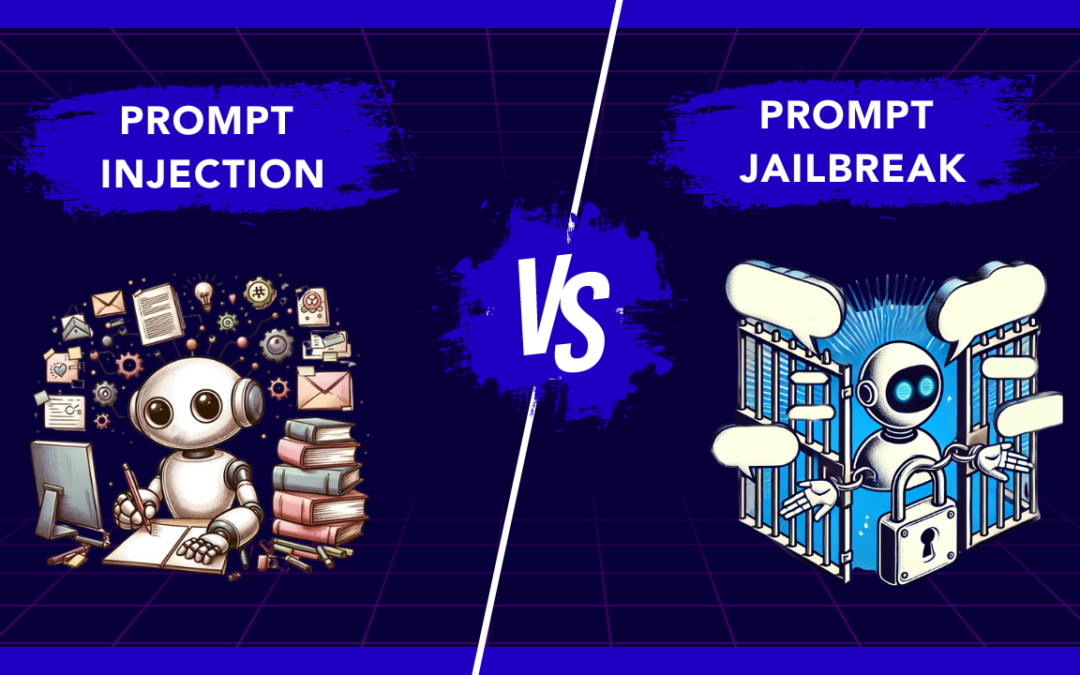
Natural Language Processing (NLP) is very important in the digital world. It helps us communicate easily with machines. It is critical to understand different types of injection attacks, like prompt injection and prompt jailbreak. This knowledge helps protect systems from harmful people. This comparison looks at how these attacks work and the dangers they pose to sensitive data and system security. By understanding how NLP algorithms can be weak, we can better protect ourselves from new threats in prompt security.
Key Highlights
- Prompt Injection and Prompt Jailbreak are distinct but related security threats in NLP environments.
- Prompt Injection involves manipulating system prompts to access sensitive information.
- Prompt Jailbreak refers to unauthorized access through security vulnerabilities.
- Understanding the mechanics and types of prompt injection attacks is crucial for identifying and preventing them.
- Exploring techniques and real-world examples of prompt jailbreaks highlights the severity of these security breaches.
- Mitigation strategies and future security innovations are essential for safeguarding systems against prompt injection and jailbreaks.
Understanding Prompt Injection
Prompt injection happens when someone puts harmful content into the system’s prompt. This can lead to unauthorized access or data theft. These attacks use language models to change user input. This tricks the system into doing actions that were not meant to happen.
There are two types of prompt injection attacks. The first is direct prompt injection, where harmful prompts are added directly. The second is indirect prompt injection, which changes the system’s response based on the user’s input. Knowing about these methods is important for putting in strong security measures.
The Definition and Mechanics of Prompt Injection
Prompt injection is when someone changes a system prompt without permission to get certain responses or actions. Bad users take advantage of weaknesses to change user input by injecting malicious instructions. This can lead to actions we did not expect or even stealing data. Language models like GPT-3 can fall victim to these kinds of attacks. There are common methods, like direct and indirect prompt injections. By adding harmful prompts, attackers can trick the system into sharing confidential information or running malicious code. This is a serious security issue. To fight against such attacks, it is important to know how prompt injection works and to put in security measures.
Differentiating Between Various Types of Prompt Injection Attacks
Prompt injection attacks can happen in different ways. Each type has its own special traits. Direct prompt injection attacks mean putting harmful prompts directly into the system. Indirect prompt injection is more sneaky and changes the user input without detection. These attacks may cause unauthorized access or steal data. It is important to understand the differences to set up good security measures. By knowing the details of direct and indirect prompt injection attacks, we can better protect our systems from these vulnerabilities. Keep a watchful eye on these harmful inputs to protect sensitive data and avoid security problems.
Exploring Prompt Jailbreak
Prompt Jailbreak means breaking rules in NLP systems. Here, bad actors find weak points to make the models share sensitive data or do things they shouldn’t do. They use tricks like careful questioning or hidden prompts that can cause unexpected actions. For example, some people may try to get virtual assistants to share confidential information. These problems highlight how important it is to have good security measures. Strong protection is needed to stop unauthorized access and data theft from these types of attacks. Looking into Prompt Jailbreak shows us how essential it is to keep NLP systems safe and secure.
What Constitutes a Prompt Jailbreak?
Prompt Jailbreak means getting around the limits of a prompt to perform commands or actions that are not allowed. This can cause data leaks and weaken system safety. Knowing the ways people can do prompt jailbreaks is important for improving security measures.
Techniques and Examples of Prompt Jailbreaks
Prompt jailbreaks use complicated methods to get past rules on prompts. For example, hackers can take advantage of Do Anything Now (DAN) system weaknesses to break in or run harmful code. One way they do this is by using advanced AI models to trick systems into giving bad answers. In real life, hackers might use these tricks to get sensitive information or do things they should not. An example is injecting prompts to gather private data from a virtual assistant. This shows how dangerous prompt jailbreaks can be.
The Risks and Consequences of Prompt Injection and Jailbreak
Prompt injections and jailbreaks can be very dangerous as they can lead to unauthorized access, data theft, and running harmful code. Attackers take advantage of weaknesses in systems by combining trusted and untrusted input. They inject malicious prompts, which can put sensitive information at risk. This can cause security breaches and let bad actors access private data. To stop these attacks, we need important prevention steps. Input sanitization and system hardening are key to reducing these security issues. We must understand prompt injections and jailbreaks to better protect our systems from these risks.
Security Implications for Systems and Networks
Prompt injection attacks are a big security concern for systems and networks. Bad users can take advantage of weak spots in language models and LLM applications. They can change system prompts and get sensitive data. There are different types of prompt injections, from indirect ones to direct attacks. This means there is a serious risk of unauthorized access and data theft. To protect against such attacks, it is important to use strong security measures. This includes input sanitization and finding malicious content. We must strengthen our defenses to keep sensitive information safe from harmful actors. Protecting against prompt injections is very important as cyber threats continue to change.
Case Studies of Real-World Attacks
In a recent cyber attack, a hacker used a prompt injection attack to trick a virtual assistant powered by OpenAI. They put in harmful prompts to make the system share sensitive data. This led to unauthorized access to confidential information. This incident shows how important it is to have strong security measures to stop such attacks. In another case, a popular AI model faced a malware attack through prompt injection. This resulted in unintended actions and data theft. These situations show the serious risks of having prompt injection vulnerabilities.
Prevention and Mitigation Strategies
Effective prevention and reduction of prompt injection attacks need strong security measures that also protect emails. It is very important to use careful input validation. This filters out harmful inputs. Regular updates to systems and software help reduce weaknesses. Using advanced tools can detect and stop unauthorized access. This is key to protecting sensitive data. It’s also important to teach users about the dangers of harmful prompts. Giving clear rules on safe behavior is a vital step. Having strict controls on who can access information and keeping up with new threats can improve prompt security.
Best Practices for Safeguarding Against Prompt Injection attacks
- Update your security measures regularly to fight against injection attacks.
- Update your security measures regularly to fight against injection attacks.
- Use strong input sanitization techniques to remove harmful inputs.
- Apply strict access control to keep unauthorized access away from sensitive data.
- Teach users about the dangers of working with machine learning models.
- Use strong authentication methods to protect against malicious actors.
- Check your security often to find and fix any weaknesses quickly.
- Keep up with the latest trends in injection prevention to make your system stronger.
Tools and Technologies for Detecting and Preventing Jailbreaks
LLMs like ChatGPT have features to find and stop malicious inputs or attacks. They use tools like sanitization plugins and algorithms to spot unauthorized access attempts. Chatbot security frameworks, such as Nvidia’s BARD, provide strong protection against jailbreak attempts. Adding URL templates and malware scanners to virtual assistants can help detect and manage malicious content. These tools boost prompt security by finding and fixing vulnerabilities before they become a problem.
The Future of Prompt Security
AI models will keep improving. This will offer better experiences for users but also bring more security risks. With many large language models, like GPT-3, the chance of prompt injection attacks is greater. We need to create better security measures to fight against these new threats. As AI becomes a part of our daily tasks, security rules should focus on strong defenses. These will help prevent unauthorized access and data theft due to malicious inputs. The future of prompt security depends on using the latest technologies for proactive defenses against these vulnerabilities.
Emerging Threats in the Landscape of Prompt Injection and Jailbreak
The quick growth of AI models and ML models brings new threats like injection attacks and jailbreaks. Bad actors use weaknesses in systems through these attacks. They can endanger sensitive data and the safety of system prompts. As large language models become more common, the risk of unintended actions from malicious prompts grows. Technologies such as AI and NLP also create security problems, like data theft and unauthorized access. We need to stay alert against these threats. This will help keep confidential information safe and prevent system breaches.
Innovations in Defense Mechanisms
Innovations in defense systems are changing all the time to fight against advanced injection attacks. Companies are using new machine learning models and natural language processing algorithms to build strong security measures. They use techniques like advanced sanitization plugins and anomaly detection systems. These tools help find and stop malicious inputs effectively. Also, watching user interactions with virtual assistants and chatbots in real-time helps protect against unauthorized access. These modern solutions aim to strengthen systems and networks, enhancing their resilience against the growing risks of injection vulnerabilities.
Conclusion
Prompt Injection and Jailbreak attacks are big risks to system security. They can lead to unauthorized access and data theft. Malicious actors can use NLP techniques to trick systems into doing unintended actions. To help stop these threats, it’s important to use input sanitization and run regular security audits. As language models get better, the fight between defenders and attackers in prompt security will keep changing. This means we need to stay alert and come up with smart ways to defend against these attacks.
Frequently Asked Questions
-
What are the most common signs of a prompt injection attack?
Unauthorized pop-ups, surprise downloads, and changed webpage content are common signs of a prompt injection attack. These signs usually mean that bad code has been added or changed, which can harm the system. Staying alert and using strong security measures are very important to stop these threats.
-
Can prompt jailbreaks be completely prevented?
Prompt jailbreaks cannot be fully stopped. However, good security measures and ongoing monitoring can lower the risk a lot. It's important to use strong access controls and do regular security checks. Staying informed about new threats is also essential to reduce prompt jailbreak vulnerabilities.
-
How do prompt injection and jailbreak affect AI and machine learning models?
Prompt injection and jailbreak can harm AI and machine learning models. They do this by changing input data. This can cause wrong results or allow unauthorized access. It is very important to protect against these attacks. This helps keep AI systems safe and secure.

by Arthur Williams | Apr 12, 2025 | Mobile App Testing, Blog, Latest Post |
A mobile app is often the first and most frequent interaction users have with a product or service. Whether it’s a fitness tracker, shopping platform, digital wallet, or the next viral game, people expect apps to be fast, intuitive, secure, and reliable from the very first tap. Failing to meet these expectations especially due to avoidable mobile app testing mistakes can result in poor reviews, user drop-off, or app store rejection. Here’s the reality: users are unforgiving. Nearly 1 in 4 people abandon an app after just one use if it doesn’t meet their expectations. One crash, lag, or confusing interface can lead to poor reviews or an immediate uninstall. And with millions of apps in the marketplace, competition is fierce; you rarely get a second chance.
That’s why mobile app testing isn’t just a development formality; it’s a critical process that determines whether an app succeeds or fails in the real world. A strong testing strategy ensures your app functions properly across devices, operating systems, and network conditions before it ever reaches the user’s hands.
But even experienced testers and developers can fall into common pitfalls. From skipping real-device testing to overlooking network fluctuations or accessibility, small mistakes can lead to big consequences post-launch.
In this blog, we’ll explore the 10 most common mobile app testing mistakes and how to avoid them. These practical tips will help teams deliver apps that are stable, user-friendly, and built to perform in real-world conditions.
1. Skipping Real Device Testing
The Mistake:
Relying solely on emulators or simulators for functional and UI testing.
Why It’s a Problem:
Emulators don’t replicate real-world conditions like thermal throttling, background processes, low memory, or varying battery levels. Real users have different hardware, storage states, and system configurations.
Pro Tips for Testers:
- Maintain a real device lab (if possible) or use cloud platforms like BrowserStack, Sauce Labs, or AWS Device Farm.
- Prioritize real device testing for:
- UI validation
- Gesture recognition (swipes, long press)
- Push notifications
- Camera/microphone access
- Test under typical user scenarios (low battery, multitasking, background mode).
2. Ignoring Different OS Versions and Devices
The Mistake:
Testing only on the latest OS or a couple of high-end devices.
Why It’s a Problem:
Your users aren’t all on iOS 17 or the latest Pixel. Many still use older devices or mid-range phones with older OS versions.
Pro Tips for Testers:
- Build a device-OS matrix using analytics tools like Google Firebase, Mixpanel, or App Annie to identify what your users actually use.
- Include:
- Low RAM/CPU devices (for memory management testing)
- Multiple screen sizes/aspect ratios (especially for Android)
- Devices with different GPU capabilities
- Keep track of deprecations or changes in OS behavior (like background task limits or permission flows).
3. Neglecting Network Conditions
The Mistake:
Testing only under stable, high-speed Wi-Fi connections.
Why It’s a Problem:
Users might be underground, traveling, or have poor coverage. Your app must work smoothly in all conditions.
Pro Tips for Testers:
- Simulate:
- Slow 3G/4G/5G networks
- Offline mode (airplane mode)
- Intermittent connections (e.g., tunnel, elevator scenarios)
- Tools to use:
- Network Link Conditioner (macOS/iOS)
- Charles Proxy, Postman proxy, Wireshark
- Android Emulator’s Network controls
- Validate app behavior for:
- Graceful error handling (offline pages, retry buttons)
- Caching and sync mechanisms
- Loading indicators and timeouts
4. Poor Test Data Management
The Mistake:
Using hardcoded, static, or reused test data.
Why It’s a Problem:
Hardcoded data leads to flaky, unscalable, and inconsistent test cases.
Pro Tips for Testers:
- Use data-driven testing with JSON, Excel, or APIs to inject dynamic data.
- Clean up or reset test environments after every run using:
- Hooks/scripts
- API-based cleanup routines
- Create mock data sets for edge cases (invalid dates, empty fields, long input, special characters).
- Consider using test environments with production-like data (with anonymization).
5. Skipping Usability Testing
The Mistake:
Only checking if features work, ignoring how they work from the user’s perspective.
Why It’s a Problem:
A technically correct app can still be frustrating to use.
Pro Tips for Testers:
- Conduct exploratory testing focused on:
- Intuitiveness of UI
- Readability of fonts and buttons
- Ease of navigation
- Include real users or use personas for feedback.
- Use tools like:
- TestFlight (iOS) or Firebase App Distribution (Android)
- Lookback, PlaybookUX, or Hotjar (for session recordings and feedback)
- Check responsiveness and accessibility of touch targets and UI elements.
6. Inadequate Automation Strategy
The Mistake:
Either automating everything blindly or not automating at all.
Why It’s a Problem:
Wasting resources on low-value tests or missing out on automation benefits.
Pro Tips for Testers:
- Automate:
- Repetitive flows (e.g., login, onboarding, purchase flow)
- Smoke and sanity tests
- Regression suites
- Tools to use:
- Appium – cross-platform (iOS/Android)
-
- Espresso – native Android
- XCUITest – native iOS
- Detox – for React Native
- Structure tests with Page Object Models or Screenplay Patterns for maintainability.
- Integrate automation in CI/CD using tools like Bitrise, GitHub Actions, Jenkins, or CircleCI.
7. Missing Regression Testing
The Mistake:
Not retesting old features when new ones are added.
Why It’s a Problem:
New changes can introduce hidden bugs (aka regression issues).
Pro Tips for Testers:
- Maintain a living regression suite, keep updating it.
- Automate where possible and mark critical flows as mandatory for every release.
- Use version control (e.g., Git branches) to compare code/test impacts.
- Run full regressions before major releases; smoke/regression packs for minor patches.
8. Forgetting Localization and Accessibility
The Mistake:
Assuming your app will be used only in one language or region.
Why It’s a Problem:
Apps must be usable across different cultures, languages, and ability levels.
Pro Tips for Testers:
- Test for:
- Right-to-left (RTL) layouts (Arabic, Hebrew)
- Dynamic font sizes (iOS Dynamic Type)
- Translated strings fitting within UI elements
- Use:
- TalkBack (Android) / VoiceOver (iOS)
- Lighthouse, Axe, or WAVE for accessibility audits
- Check for contrast ratios, screen reader compatibility, and tappable element sizes.
9. Not Monitoring Post-Release Performance
The Mistake:
Thinking testing ends once the app is live.
Why It’s a Problem:
Users will find issues you didn’t. Continuous monitoring is crucial.
Pro Tips for Testers:
- Integrate tools like:
- Firebase Crashlytics
- Instabug
- New Relic Mobile
- Sentry
- Monitor:
- Crash rates by OS/device/region
- Slow screens or frozen frames
- Memory leaks and ANRs (App Not Responding)
- Analyze user sessions to discover friction points and navigation drop-offs.
10. Not Testing App Permissions Properly
The Mistake:
Assuming users will always grant permissions when asked.
Why It’s a Problem:
Denied permissions can lead to crashes or broken features.
Pro Tips for Testers:
- Test scenarios:
- Denying permission at install
- Revoking permission from settings
- Granting partially (e.g., only photos, not camera)
- Validate:
- App’s fallback behavior
- User-friendly permission prompts
- Feature limitations clearly explained (e.g., “We need access to your location to show nearby stores.”)
- Use permission testing tools or automation frameworks with device state setup.
Conclusion
Testing a mobile app isn’t just about checking for bugs, it’s about making sure users have a smooth, reliable experience. In today’s competitive app world, even small mistakes can lead to poor reviews, uninstalls, or app store rejection. By avoiding these common mobile app testing mistakes, you can catch problems early, improve performance, and make your app ready for real-world use. Whether it’s testing on real devices, simulating weak networks, or setting up smart automation, every step helps create a better app.
Good testing means happy users, and happy users are more likely to keep coming back.
Frequently Asked Questions
-
Can I just test on emulators instead of real devices?
Emulators are helpful during early development, but they can't fully replicate real-world scenarios like battery usage, device heat, memory limits, or hardware glitches. Testing on real devices is essential—especially for final validation.
-
Should I automate all my mobile app tests?
Not everything needs to be automated. Focus automation on high-value, repeatable flows (like login, payments, navigation). Leave exploratory testing, visual checks, and UX feedback for manual testers.
-
How do I test app permissions properly?
Always test what happens when users deny, allow, or revoke permissions—both before and during app use. Your app should guide users clearly and handle permission changes without crashing.
-
Is post-release testing necessary if everything passed before launch?
Yes! Real users can uncover bugs that don’t show up during testing. Use tools like Firebase Crashlytics, Sentry, or Instabug to monitor performance, crashes, and errors after release.
-

by admin | Feb 11, 2022 | Selenium Testing, Blog, Latest Post |
Over the years, Selenium test automation has become an integral part of quality assurance. Despite its immense popularity, many might have faced various difficulties in the form of flaky and unstable tests. But does that imply that the issue is with Selenium? Being a leading test automation services provider, we have no second thoughts in its capacity and can firmly say that everybody can get the best out of it if they follow the best practices. Though there are no specific rules for creating your Selenium test automation scripts, these Selenium best practices will definitely act as effective guidelines. So in this blog, we have listed the Selenium best practices that one can follow to enhance the efficiency of their Selenium Test Automation.
Know Which Tests Should Be Automated
It is a well-known fact that 100% automation isn’t possible. So trying to automate every single scenario or automating every scenario that can be automated is not the best approach. So before you kickstart your automated browser testing, make sure you are clear of what tests have to be automated. When it comes to automation, always keep in mind that just because you can do something doesn’t mean that you should do it.
So start off by designing effective test cases before you start working on automation. Apart from that, analyzing if automating a scenario will result in the reduction of repetitive and tedious tasks is also crucial. So if you automate a test case that doesn’t have much frequency of occurrence, then spending that much time and effort on automating the test case is not validated. So as a first step, look for static test cases that have predictable outputs.
Choose the Best Locators
Since Selenium has a wide range of web locators available, choosing the best locators can impact the quality of your Selenium test automation. Some of the most often used web locators in Selenium WebDriver are
- ID
- Class
- tagName
- Name
- Link text
- XPath
- CSS Selector
- DOM Locator, and so on.
It’s important to pick the proper one as it will reduce the impact of user interface changes during testing. For example, if there is a dynamic scenario, link text will generally be preferable. But if you are looking for web locators that are less brittle, ID, Class, or Name would be the way to go even though it isn’t that user-friendly.
To learn more about the many ways to locate web elements and to know which locators are most suited for specific scenarios, read our blog about the different XPath methods in Selenium.
Utilize time-efficient approaches
It is not always about getting the script to work as your test scripts should also be efficient when executed. What might feel like just a few seconds will definitely have huge impacts when you have to execute the tests numerous times in different combinations. That is why we have incorporated the following Selenium best practices that will help you save loads of time.
Use Selenium Wait Commands Instead of Thread.sleep()
Various factors like network slowness or server issues can cause your web application to take additional time to load. So your automation scripts should be able to wait for all the elements to load before starting the test execution.
The Thread.sleep() method can be used for this purpose as it can pause your script for a specific amount of time.
Sleep
Sleep() waits for the number of seconds supplied in the brackets, regardless of whether the working page is ready.
There is a major flaw with this function as the script will wait for a fixed time for every scenario irrespective of the need. For example, let’s assume that you have set the sleep time to be 6 seconds. But what if the webpage that has to be tested loads in just 3 seconds? Or what if the webpage took 7 seconds to load? You will either be wasting time or getting inaccurate results because of this approach. But you can prevent such issues by utilizing implicit or explicit waits.
Wait
Explicit: The code execution is halted until a certain condition is satisfied.
Packages to import to use the Explicit wait
import org.openqa.selenium.support.ui.ExpectedConditions
import org.openqa.selenium.support.ui.WebDriverWait
Code to initialize a Wait Object using WebDriverWait Class
WebDriverWait wait = new WebDriverWait(driver,10);
Here WebDriverWait is the class, and new is the reference variable. It will either for the defined amount or for the expected condition to be fulfilled. This is just a sample and you can use the same concept with the other available expected conditions. Though there are various options, we have listed a few below,
- visibilityOf()
- alertIsPresent()
- titleContains()
- textToBePresentInElement()
- invisibilityOfTheElementLocated()
- elementSelectionStateToBe()
- elementToBeClickable()
- presenceOfAllElementsLocatedBy()
- frameToBeAvaliableAndSwitchToIt()
Example:
wait.until(ExpectedConditions.visibilityOfElementLocated(By.xpath("//div[contains(text(),CODOID)]")));
By now you would have understood why we have included the usage of the wait commands in our list of Selenium best practices. Beyond the explicit wait, there are also implicit and fluent wait commands that give you more options. So let’s explore them now.
Implicit: The WebDriver is advised to keep polling the DOM until the element search is complete. By default, the time is set to 0.
Syntax
driver.manage().timeouts().implicitlyWait(10, TimeUnit.SECONDS);
Fluent: It waits for a specified maximum amount of time for a specific condition. What makes it different is that it will validate the element at regular intervals before throwing “ElementNotVisibleException”.
Syntax
Wait wait = new FluentWait(Webdriver_Reference)
.withTimout(timeOut, SECONDS)
.pollingEvery(timeOut, SECONDS)
.Ignoring(Exception class)
Sample Snippet
We have mentioned a sampe snippet that will wait for 30 seconds and check the condition every 5 seconds.
FluentWait wait = new FluentWait(driver);
.withTimeout(30, TimeUnit.SECONDS)
.pollingEvery(5, TimeUnit.SECONDS)
.ignoring(NoSuchElementException.class);
WebElement element = wait.until(new Function<WebDriver, WebElement) {
    public WebElement apply(WebDriver driver) {
        return driver.findElement(By.id("element"));
    }
});
Implicit: The WebDriver is advised to keep polling the DOM until the element search is complete. By default, the time is set to 0.
Use Assert and Verify-in Appropriate Scenarios
Let’s assume that there is a task to transport 100 boxes of apples to the market. But what if all the boxes of apples are rotten already? Will there be any use in putting all the effort and time to get the apple to the market only for it to go unsold? Likewise, there will be various scenarios where there are hard fails that will compromise the rest of the execution. Please keep in mind that Asserts should only be used if you want to stop the test execution when a hard failure occurs. If the assert condition is false, the execution will come to a halt, and no more tests will be run. So it is important to identify such bottlenecks and ensure that you use Asserts to save time.
If we take an e-commerce site as an example, such scenarios might come at the very beginning where a user is unable to login, or even in between where the user isn’t able to add any product to their cart. If these functionalities fail, there will be no point in testing the search functionality or payment process as it would all fail due to their dependency.
If the errors are not that critical, then you will be able to run the tests irrespective of the verify’s condition.
Increase Test Coverage
There is just no easy workaround when it comes to testing a website or an application across a variety of devices and browsers. The devices are further split based on the operating system they use as well. So let’s take a look at a few Selenium Best Practices that will help you increase the test coverage.
Browser Compatibility Matrix
Just like knowing what to automate, it is important to figure out the high-priority combinations that are used by your target audience. So create a Browser Compatibility Matrix by performing a product analysis to obtain detailed insights. Trying to perform automation testing with Selenium without narrowing down your target will not only be a cumbersome task, but it will also be a waste of time and resources.
Make use of Parallel Testing in Selenium
Though you are able to narrow down the device combinations, you will not always have the time to test everything one by one. Since Selenium’s parallel testing option is a major reason for its popularity, you can employ it not just to save time, but to also improve your test coverage in an efficient way. Almost all major test frameworks, such as PyTest, PyUnit, TestNG, Cucumber, and so on support simultaneous testing on a Selenium Grid. If you are not familiar with the concept of creating a Selenium Grid for distributed execution, make sure to read our conclusive blog.
Being the innovators we are, we even developed an open-source tool called VisGrid that will provide you with a UI to easily start a Selenium Grid, create & attach nodes, and so on.
Use many driver implementations instead of a single one
Since Selenium’s WebDrivers are not interchangeable, executing automated cross-browser tests on a local computer is not the same as running them on a continuous build server. It would be a mistake to assume that the following test will utilize Firefox WebDriver in that situation (or Chrome WebDriver or any other WebDriver).
When running integration tests in a continuous build environment, the test will only get a RemoteDriver object (i.e., WebDriver for any target browser). Using parameter notes to manage multiple browser types and prepare the code ready for simultaneous execution is one of the Selenium best practices (or parallel testing). LabelledParameterized (@Parameters in TestNG and @RunWith in JUnit) may be used to build small frameworks in Selenium.
Ease Code Maintenance
When working on automation tests with Selenium, it’s critical to pay attention to the test code’s maintainability and reusability. As one of the best test automation companies, we always make sure our scripts are easy to maintain by implementing the following Selenium best practices.
Use design principles and patterns, such as the Page Object Model
With the ever-increasing client expectations, a website’s user interface (UI) will inevitably change as new updates get introduced at regular intervals. So the locators for certain UI components will vary as well. This implies that QAs have to once again create new test cases for the same page or make numerous changes at various places of the script, which can be time-consuming.
So you can employ the Page Object Model design pattern to create test scripts and overcome this issue. In this approach, each web page is considered a class file in the design pattern, and each class file contains related web components.
This method greatly increases the reusability of the code while also making test maintenance easier. Read our complete guide to page object model in Selenium before you implement it.
Quarantine flaky tests
If a test keeps failing at random even if the code hasn’t gone through any changes, then it is called a flaky test. Since the testers can never be sure of the results, they will lose trust in the code and end up re-running the scripts, or debugging the scripts even though there might not be an actual defect. So make sure to quarantine such tests from your other tests. Once they are separated, make sure to analyze them and fix them before you bring them back to your test suite as flaky tests can disrupt your entire automation test suite with false positives and negatives.
Wrap Selenium Calls
You might be using various web locators such as XPath and ID to locate different web elements on the page. So the code that is regularly used in the implementation should be separated into its own API to reduce code duplication. By following this approach, you will be able to reduce the code size and enhance maintainability.
Use a standardized directory structure
Page Objects, Helper functions, and file(s) that include web locator information needed in test scenarios may all be found in the Src folder. The actual test implementation can be stored in the test folder.
When it comes to a directory structure for Selenium test automation, we don’t have a common guideline. Selenium best practices, on the other hand, proposes that we have a directory structure that isolates the test implementation from the test automation framework. This improves the test code’s structure.
Implement Data-Driven Testing for Parameterization
Hard coding test values in test automation scripts are extremely troublesome and not scalable in any way. But you can avoid the various disadvantages like code duplication by implementing data-driven testing by using Parameterization. It aids in the execution of test cases that have a variety of inputs (or data sets).
Naming Convention
Improper naming of your web elements in your automation script could lead to a lot of unnecessary confusion. You may not face any issues as long as you are the only person using the script, but you have to ensure that your script can be used by anybody. Effective naming eases code maintenance by also making it easier to find the web element you are looking for in your code. Now let’s see a few tips that can help you.
1. Add prefixes to the name of your web elements as shown in the below table as it describes the type of web elements being used. In addition to that, you can name the web element based on how it appears in the UI.
| S. No |
Web Element Type |
Prefix |
Example |
| 1 |
Text Box |
Txt |
TxtUsername,TxtPassword |
| 2 |
Button |
Btn |
BtnSignUp , BtnLogin |
| 3 |
Drop Down |
Dd |
DdCountry , DdYear |
| 4 |
Select Drop Down |
Sdd |
SddMonth , SddYear |
| 5 |
Check Box |
Chk |
ChkGender, ChkLanguage |
| 6 |
Header |
Hdr |
HdrName, HdrUser |
| 7 |
Table |
Tbl |
TblBooks, TblProducts |
| 8 |
Label |
Lbl |
LblUserName, LblPassword |
| 9 |
Image |
Img |
ImgProfile, ImgCart |
2. You can even add prefixes that denote the action to be performed on the web element.
Example:
| S. No |
Action |
Prefix |
Example |
| 1 |
Click |
Clk |
ClkLogin, ClkIcon |
| 2 |
Type |
Set |
SetMobileNo, SetPassword |
| 3 |
Verify |
Verify |
VerifyLogo |
| 4 |
Check A Check Box |
Chk |
ChkLanguage |
| 5 |
Select Value From Drop Down |
Select |
SelectCountry, SelectZone |
3. Likewise, you can make use of suffixes when creating action pages.
Example:
SignUpPage
LoginPage
4. To make it even clear, you can use a camel case to name the web elements.
Camel case is nothing but a typing convention like lower case and upper case in which the first letter of every word is capitalized.
Example:
If a text box has the label as “Email address”, name it as “txtEmailAddress”
Proper Documentation
Creating proper documentation for your automation tests in Selenium is as important as any of the other Selenium best practices we have discussed thus far.
Use Automated Screenshots to Analyse Failures
Automation Test Script running into failures is an eventuality. But we will not be sure if the failure is due to a defect in the Application Under Test (AUT) or if there is a problem with our code. So analyzing the cause of a test failure will be very crucial, and so taking screenshots is a best practice that can save a lot of time. Screenshots are not just great for failures as you can make use of screenshots as evidence for success.
To capture a screenshot, use the getScreenshotAs function in the following code sample.
File source = ((TakesScreenshot)driver).getScreenshotAs(OutputType.FILE);
FileUtils.copyFile(source, new File("Test Screenshot.png"));
Log and Report
Finding that one failed test case in a large test suite is like finding a needle in a haystack. So using console logs at suitable points in the test code helps us understand the issues better and zero in on the core problem.
Debug, info, warning, error, and critical are some of the common log levels that are available in most programming languages. Since adding unnecessary logs to the test implementation might cause test execution to be delayed, it is better to add logs with level errors in scenarios that enable easier tracking.
Like logging, reporting is also an important aspect of Selenium test automation as it helps determine if the test has passed or failed. You can also keep track of the progress of test suites (or test cases). This in turn helps improve the readability of the output and helps you reduce the amount of time spent maintaining test data as you can easily analyze the features and test coverage.
Set Zoom Level to 100% and Maximize the Window
Make sure to set the zoom level in your browser to 100% during your automation as it is one of the basics that should be followed regardless of which browser you opt to use. It will both provide a native mouse experience and ensure that the native mouse events are assigned to the proper coordinates.
Ensure to maximize the window as soon as the test URL is loaded as Selenium doesn’t launch the browser in the maximized mode by default.
Snippet
driver.manage().window().maximize();
Conclusion
We have seen great results by implementing these Selenium best practices in our automation testing projects and hope you will them useful in the future as well. We had listed various Selenium best practices under particular categories to enable a crystal clear understanding of how each of them impacts the testing process on the whole. So we hope you have enjoyed reading our blog and found the content to be informative as well.